How to Launch a Medical App Without Coding in 2026

Everyone’s pitching a no-code medical app builder like it’s a cheat code: drag blocks, ship care, celebrate on LinkedIn. Meanwhile you’re staring at the unsexy questions that actually decide whether this thing survives first contact with reality: Is this PHI? Who gets access when you add “just one more role”? What’s the first workflow that won’t implode under cancellations, attachments, exports, and “urgent” messages at 11:47 pm?
This guide is for founders who already have momentum—and want a launch plan that doesn’t quietly turn into a rewrite.
Key Takeaways
- Treat “no-code” like a workflow accelerator, not an engineering bypass. You can ship fast with forms, scheduling, and CRUD—but the real risk lives in data boundaries, roles/permissions, exports, and “we’ll integrate later” decisions.
- Keep scope alive by drawing hard lines early. Pick PHI vs non-PHI, choose one lane for telehealth (video or async), keep RPM to 1–2 signals you can act on, and stub integrations so “later” doesn’t become a rewrite.
- Budget for the boring stuff or it will budget for you. Builder fees are the small number; the real cost is compliance upgrades, integration work, security review, maintenance—and the “hidden taxes” like audit logging add-ons, data exports, vendor limits, and per-seat creep.
No-Code in Healthcare: What “Without Coding” Really Means
If you’re searching for how to launch a medical app without coding, here’s the uncomfortable truth: “no code” mostly means you’re swapping typing Swift/JavaScript for configuring logic.
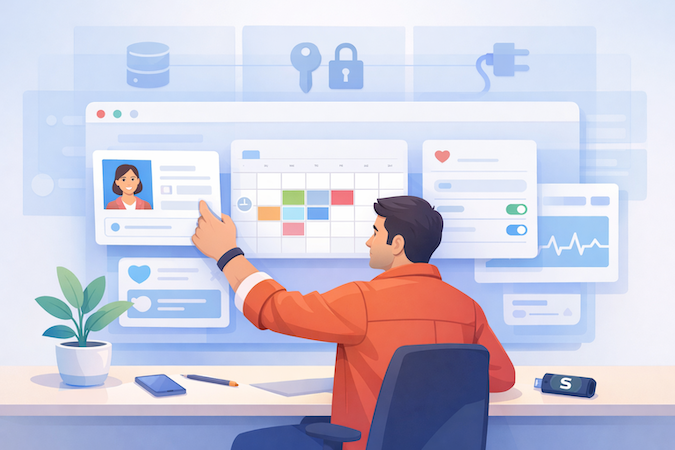
The hard parts don’t disappear—they just show up as dropdowns, permissions, and data rules. A drag-and-drop builder can assemble screens fast. It can’t decide who’s allowed to see what, what happens when data is wrong, or how you’ll connect to the rest of the healthcare universe.
“No Code” vs “No Engineering”
Even on low-code platforms, you’re still making engineering decisions—just in product clothing:
- Data model: what you store, how it relates, and what gets logged
- Roles & access: patient vs provider vs admin isn’t a UI detail; it’s your risk profile
- Integrations: scheduling systems, messaging, EHR “later,” analytics—each adds new failure modes
A motivated citizen developer can move fast here, but only if the app’s boundaries are clear.
What You Can Ship Fast
The sweet spot for rapid prototyping is anything that’s mostly:
- forms + basic workflows (intake, questionnaires, consent capture)
- CRUD-style records (create/update/view)
- appointment scheduling + reminders
- simple dashboards that summarize what’s already in your app
These are real products—not “toy demos”—as long as you don’t pretend they’re already enterprise-ready.
Where Teams Get Burned
Most “no-code success stories” die from three slow leaks:
- PHI scope creep: you start “wellness,” then quietly add clinical notes
- Permissions drift: one “temporary admin shortcut” becomes permanent
- Integrations postponed: “we’ll connect EHR later” turns into a rewrite you didn’t budget for
Medical Apps Start With a Hard Choice
If you’re trying to create a healthcare app without coding, don’t start with screens. Start with a simple decision tree: Will this app ever touch PHI? And is it supporting a regulated care workflow, or living in the “wellness” lane of mobile health (mHealth)?
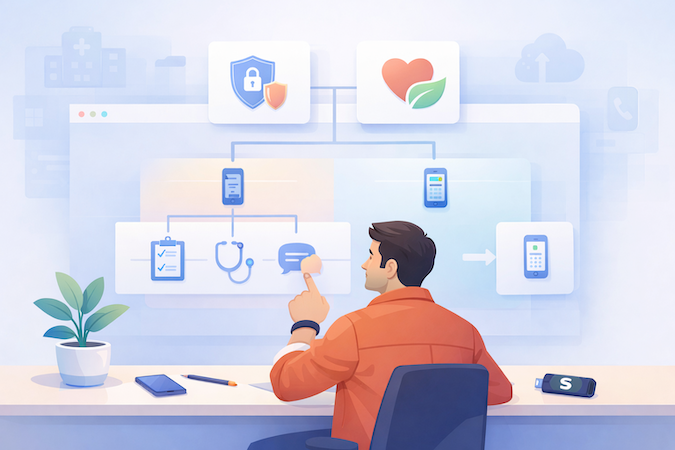
This one choice decides what your app can safely be, how quickly a startup can ship, and how expensive “small changes” become later.
The “PHI Decision” in Plain English
PHI isn’t just “medical records.” It’s any health info tied to an identifiable person—and once you store it, you’re no longer building a cute app. You’re building something that must behave predictably inside the healthcare ecosystem: access boundaries, data handling, and audit expectations show up whether you like it or not. If you stay non-PHI, you keep more freedom (and fewer landmines).
Workflow Class
Two broad buckets:
- Care workflow apps: intake → visit → follow-up. They tend to collect sensitive data, route tasks to staff, and create permanent records.
- Wellness trackers: habit building, education, symptom journaling without clinical routing. These can move fast—until you add “just one” clinician-facing feature.
Stakeholders
Ask who the app is really for:
- Patient-facing: trust + clarity beat features.
- Provider-facing: speed, defaults, and fewer clicks win.
- Admin-facing: configuration, reporting, and permissions become the product.
Most healthcare startups fail here by building for “everyone” and accidentally making patient data privacy everyone’s problem.
Step-by-Step: How to Launch a Medical App Without Coding
If you want to build a medical app without coding, you need a process that prevents the classic no-code failure mode: a pretty demo that collapses the moment a real clinic touches it. The trick is to treat launch like a series of gates.

You only move forward when the current gate is “good enough to survive contact with reality.” This is MVP development with guardrails—fast, but not reckless.
Step 1 — Define the Workflow (not features)
Write the story in verbs, not buttons: who does what, when, and what happens next.
Example: “Patient requests appointment → staff confirms → patient completes intake → provider reviews → follow-up tasks assigned.”
If you can’t describe the workflow in 8–12 steps, you don’t have an MVP—you have a wishlist.
Step 2 — Data Map + Roles + Access Model
Before you drag a single UI block, map:
- Data objects: patient profile, appointment, intake form, message, note, task
- Roles: patient, provider, staff, admin
- Access rules (high-level): who can view/edit/create, and what should be restricted by default
Keep it boring on purpose. Boring is safe. “Least privilege” sounds corporate until you realize it’s the difference between a pilot and a lawsuit-shaped email.
Step 3 — Compliance Baseline
Not a full checklist—just the baseline you need before you show this to anyone serious:
- you know whether you’re dealing with PHI
- access is role-based (not “everyone can see everything”)
- data isn’t casually exported or shared via random tools
- you can explain where data lives and how it flows
This is the moment you stop calling it “a prototype” and start treating it like a product.
Step 4 — Build the MVP + Validation Loop
Now you build, but in tight loops:
- implement a single workflow slice
- test it with real users (even 3–5 is enough)
- fix the workflow friction
- repeat
Avoid “big bang” builds. In healthcare, the UX isn’t a nice-to-have; it’s whether the staff uses it or silently reverts to spreadsheets.
Step 5 — Integrations and Test Plan
Integrations are where optimism goes to die, so be deliberate. Start with what must work first:
- auth/login (roles behave correctly)
- scheduling (time zones, cancellations, reminders)
- data export (what leaves the system, who can trigger it)
If you’re adding automation (reminders, routing, escalations), test the failure cases too: What happens if a reminder fails? If someone cancels? If the provider doesn’t respond?
Step 6 — Go-Live + Monitoring
“Done” means:
- onboarding steps are repeatable (not tribal knowledge)
- there’s a basic support path (who handles issues and how fast)
- you’re monitoring key signals (usage drop, errors, failed automations, stuck workflows)
- you can roll back or disable risky features quickly
That’s the whole point of gates: you don’t launch because you’re “finished.” You launch because the system is stable enough to learn from real usage without breaking trust.
HIPAA Reality Check for No-Code Apps
A no code HIPAA compliant app builder can speed you up, but it can’t do compliance for you. Think of the platform as safer defaults and guardrails—not a “compliance force field.”

The moment your app touches PHI, the real work becomes HIPAA compliance in no-code app development: designing boundaries, controlling access, and preventing accidental leakage in the boring places (exports, integrations, analytics, and “temporary” shortcuts).
The Minimum Bar
You don’t need to memorize regulations to hit the minimum bar. You need to behave like a system that handles sensitive information:
- Access control: roles are real, not vibes. Patients don’t see staff dashboards. Staff don’t see everything by default.
- Audit trail expectations: you should be able to answer “who accessed what, and when?” at least at a practical level.
- Data boundaries: define what data is stored, where it lives, and what data leaves the system (email, PDFs, exports, third-party tools).
- Data encryption: assume encryption at rest and in transit is table stakes—but remember: encryption doesn’t fix bad permissions.
“Builder Says HIPAA-Ready” vs Your App Actually Being Safe
Most no-code compliance failures aren’t dramatic hacks. They’re configuration accidents:
- Permissions drift: someone adds an “admin-only” bypass to unblock ops… and it never leaves.
- Third-party SDK creep: analytics, crash reporting, chat widgets—each is a potential data egress path if misconfigured.
- Exports and sharing: the fastest way to leak PHI is usually “download CSV” or “send to email,” because it feels harmless.
- Shadow integrations: “quick webhooks” are great—until they become your data pipeline.
Platforms help. But your app’s safety depends on what you allow users (and teammates) to do inside your configuration.
The Practical PHI Leak Map
If you only sanity-check three things before you demo to a clinic, check these—because they’re where PHI escapes even when your database is locked down:
1. Notifications & Messaging Paths
Push notifications, email reminders, SMS, in-app chat. If any message content includes names, conditions, meds, visit notes, or attachments, you’re effectively broadcasting PHI to devices and services you don’t control. Keep notifications generic (“You have a new message”) and force sensitive content to stay inside authenticated views.
2. File Uploads & Attachments
Intake PDFs, images, insurance cards—attachments are where “simple” apps become complex overnight. Decide: do you store files at all in v1? If yes, enforce who can upload/view, and avoid “shared links” that bypass authentication.
3. Exports, Admin Tools, and “Temporary” Access
Admins love CSV exports. Support teams love “impersonate user.” Both are legitimate—both are also the easiest way to blow up your risk profile. If you need exports, make them role-scoped, logged, and intentionally limited. And treat impersonation like a controlled procedure, not a convenience feature.
You don’t need a law degree. You need a habit: whenever you add a feature that moves data out of the core app (notifications, files, exports, integrations), assume you just created a new attack surface—and design it like you’ll be asked to defend it later.
How to Choose a No-Code Medical App Builder
If you’re shopping for a no code medical app builder, skip the “top tools” rabbit hole. In healthcare, the best platform is the one that survives real workflows, real users, and your inevitable “can we integrate with X?” moment—without forcing a rewrite six months in. Many teams evaluating builders at this stage end up comparing knack competitors to see which platforms can actually support long-term governance.
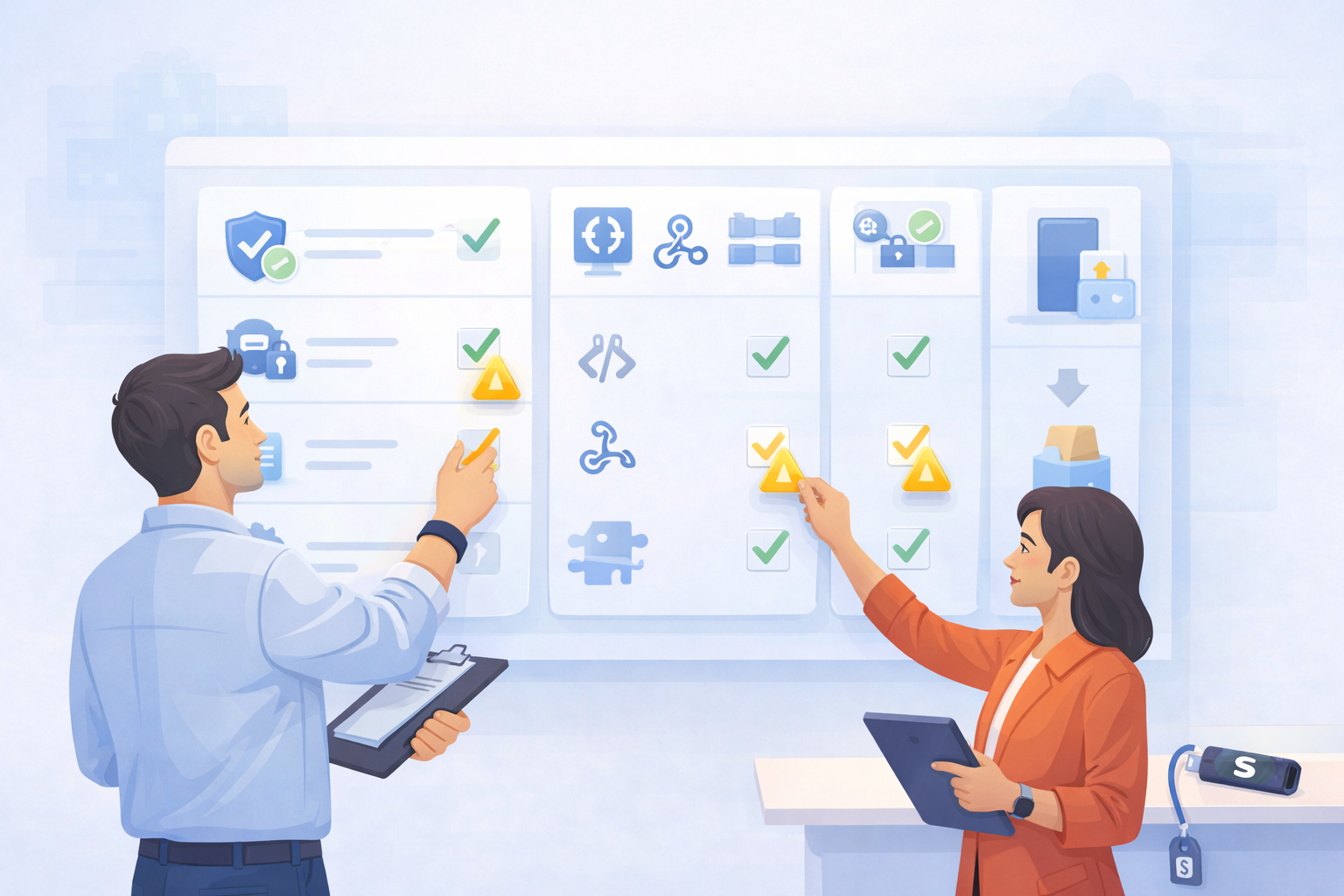
Even if you’re building a medical app on Bubble, or looking at Bubble.io healthcare templates, or considering FlutterFlow, the evaluation should look the same: scorecard first, tool second.
Scorecard Categories
Use a simple rubric and be ruthless:
- Compliance posture (as criteria, not a promise): Can you enforce role-based access cleanly? Can you log meaningful events? Can you control data leaving the system?
- Access controls: Not just “users and admins”—you need patient/ provider/ staff/ admin patterns without hacks.
- Audit logs: Do you get enough visibility to investigate “who did what” when something goes wrong?
- Data residency & environment control: Can you control where data is stored and how environments are separated (dev vs prod)?
- Extensibility: When you hit a limit, can you extend via APIs, custom services, or plug-ins without duct tape?
The point isn’t perfection. It’s avoiding platforms that only work when the app is a demo.
Integration Readiness
This is the silent killer of builder projects. Check:
- APIs and webhooks: Can your app reliably push/pull events and data?
- Middleware friendliness: Can you connect through integration layers without fragile hacks?
- Auth patterns: Can you support role-based flows and token-based access cleanly?
If the builder makes integrations feel “easy” by hiding the complexity, treat that as a yellow flag—not a benefit.
Exit Strategy
Assume you’ll outgrow the builder if you succeed. Decide upfront:
- Can you export your data in a sane format?
- Can you rebuild critical services while keeping the product running?
- Can you separate what must be “builder-native” from what can live in standard services?
A good no-code choice isn’t the one with the most features. It’s the one that lets you launch fast and keeps your future self from sending you hate mail.
Build a Medical App That Ships, Not a Feature Museum
A medical app MVP isn’t “the smallest thing you can demo.” It’s the smallest thing that survives real users without turning your team into 24/7 tech support. The trick is picking modules that match a workflow you can actually operate.
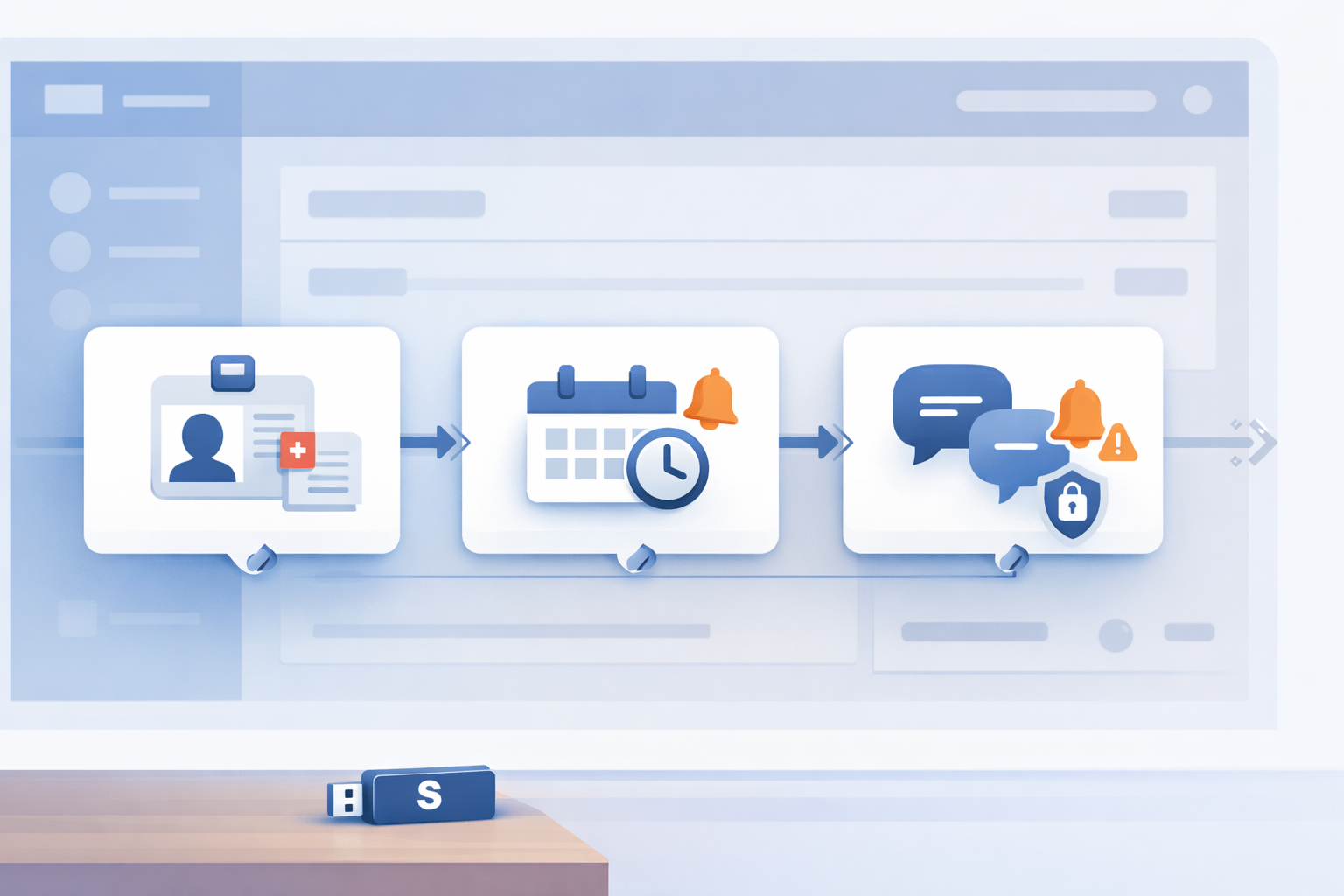
Patient Portal MVP — Enrollment, Identity, Basic Records, Messaging Boundaries
If you plan on building a patient portal patients will actually use, start with the boring stuff: a clean signup flow, identity checks that don’t lock out legitimate users, and one “home base” screen that answers: What’s next for me?
Keep basic records simple (think: visit summaries, forms status, maybe a single document category). Define messaging boundaries upfront: what’s allowed, what isn’t, and what gets redirected elsewhere. That’s not a “compliance thing,” it’s user experience (UX)—patients trust apps that don’t pretend to be a hotline.
Scheduling MVP — Availability, Reminders, Cancellations
For appointment scheduling, aim for: provider availability, confirmations, reminders, and easy cancellations/reschedules. That’s enough to reduce call volume and prove demand.
What not to automate yet: fancy triage rules, “smart” routing, or anything that promises the right clinician automatically. Early automation tends to be confidently wrong—which is the worst kind of wrong in healthcare.
Messaging & Notifications — Safe Defaults, Escalation Paths
You need messaging plus notifications, but with guardrails. Use safe defaults (clear “not for emergencies”), and build a simple escalation path: when the user’s issue exceeds what the app can handle, the app should say so and route them appropriately.
If you don’t design that path, your “friendly chat” becomes accidental urgent care. And nobody wants that liability with a nice UI.
Telemedicine + RPM Without Rebuilds
This is where teams accidentally turn a “simple” build into a monster. If you’re trying to make a medical app that supports care, treat telehealth and RPM like add-ons with strict boundaries—not a blank check for every shiny feature.
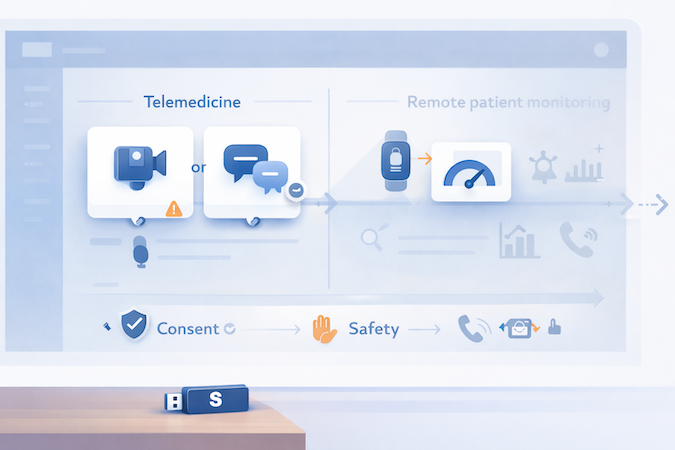
Telehealth MVP Boundaries
For telemedicine, decide early whether your MVP is video or async. Video adds scheduling complexity, connectivity edge cases, and expectations you’ll be “live” all the time. Async (secure messages + photo uploads if needed) is often enough to validate demand.
Be careful with recording/transcription: it multiplies risk and storage footprint. If you’re building a HIPAA-compliant telemedicine app, don’t add “just record it” unless you have a clear operational reason and a plan for access controls and retention.
RPM MVP Boundaries
For remote patient monitoring, start with one or two signals you can actually act on (e.g., a daily symptom check or a single device metric). Postpone real-time alerts, trend dashboards, and “AI insights.” Those features force you into clinical operations decisions you’re not ready for.
Consent and Safety — Basic Guardrails
Add explicit consent, clear expectations (“not for emergencies”), and a simple escalation path when readings or messages suggest risk. Basic guardrails beat fancy features. Every time.
EHR and AI Integrations Without Turning Your App into a Science Project
If you’re doing healthcare app development no code, integrations are where “simple” apps go to die. The way out is boring: timing rules, proven patterns, and ruthless scope control.

When To Integrate
Don’t touch electronic health records (EHR) until your core workflow is validated—unless an institutional buyer requires it to even run a pilot. Integration too early locks you into assumptions you haven’t earned yet (data fields, roles, edge cases). Validate the workflow first; then integrate with confidence.
Integration Patterns
Most teams end up with two practical routes for EHR integration for healthcare apps:
- Middleware first: Treat the EHR like a system you talk to through a translator. It’s slower to set up, but easier to change without ripping your app apart.
- Native APIs: Faster when the scope is narrow and the EHR supports what you need, but you inherit every quirk directly.
In the MVP, stub what you can: use fake data or one-way reads instead of full write-back, and keep API integration limited to the single moment it supports the workflow (not “because we’ll need it someday”). That’s how you preserve interoperability without overbuilding.
AI Helpful vs Dangerous
AI is useful early when it reduces cognitive load: visit summaries, draft notes, simple “next step” suggestions. It’s dangerous early when it pretends to make clinical decisions: diagnosis, risk scoring, automated escalation. Start with assistive outputs that a human can review—save “autopilot” for later (or never).
Build a Medical App with No-Code, Then Budget for the Hidden Taxes
No-code can absolutely lower your initial burn. It can also turn into a slow monthly bleed if you don’t budget the “boring” parts. When people ask about medical app development cost, they usually mean the builder plan. That’s like pricing a car by the cupholders.
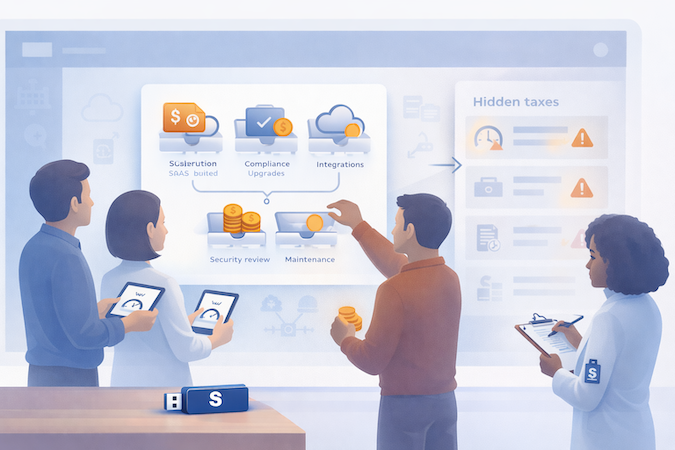
Cost Buckets
Think in five buckets:
- Builder fees (SaaS): your baseline subscription + any “production” tier upgrades.
- Compliance upgrades: paid environments, stronger access controls, audit features, BAAs, data residency add-ons.
- Integration work: even “simple” connections (payments, lab vendors, calendars, EHR later) add build + testing time.
- Security review: someone has to threat-model your flows, review permissions, and sanity-check data exposure.
- Maintenance: ongoing tweaks, bug fixes, role changes, policy updates, and keeping integrations from silently breaking.
The “Hidden Taxes”
This is where budgets get ambushed:
- Vendor limits: rate limits, storage caps, workflow/run quotas, API call ceilings.
- Data exports: you pay extra when you want your own data back in bulk (or in useful formats).
- Audit logging add-ons: “logs” exist… until you need real audit trails.
- Per-seat creep: internal users multiply fast (support, ops, clinicians, admins), and so does your bill.
The “builder fee” is rarely the whole story. Once you go live, you’ll pay for HIPAA-grade tiers of third-party services (think: secure chat/messaging vendors like CometChat, notifications, and other workflow-critical add-ons) because that’s where BAAs and compliance packaging usually live.
The rule of thumb we tell customers is to expect $1,000–$1,500 in initial BAA-related starting expenses, separate from Specode subscription costs.
A Realistic Budgeting Shortcut
A rough shortcut:
- Non-PHI + low integrations: lower monthly spend, lighter review, fewer moving parts.
- PHI + integrations: expect higher tiers, extra compliance controls, heavier testing, and ongoing operational work.
If you can’t explain which bucket each feature belongs to, you’re not estimating—you’re guessing.
Specode pricing is the easy part: Pro is the tier built for going live, with production deployment, hosting setup, and hands-on assistance for publishing. In practice, teams that keep the MVP tight can often move from "first real workflow" to "ready to ship" in roughly a month or two. For current pricing details, visit the Specode pricing page.
Common Failure Modes During No-Code Health App Development
In healthcare apps, rewrites don’t come from “bad code.” They come from invisible decisions you made early (usually to move fast) that later become contractual obligations: who can access what, where truth lives, and what happens when something goes wrong.

Scope Creep Via “One More Role”
What actually breaks: roles aren’t additive. Each “small” role adds new data paths (views, exports, notifications, support tooling). Over time, you get:
- Permission drift: someone gets broad access “temporarily,” then everyone depends on it.
- Policy mismatch: your intended rule (“only clinicians see X”) diverges from what the app does.
- UI shortcuts that turn permanent: “admin override” becomes the default workflow.
Anti-rebuild habit: treat roles like product surface area.
- Maintain a tiny role matrix: Role → allowed objects → allowed actions (view/edit/export).
- For every new role/request: require a reason, a data boundary, and a test case (“can Role A ever see Patient B’s attachment?”).
- Add a “two-person rule” for privilege increases: one person asks, another approves (even if it’s just you + a teammate).
Integration Debt
What actually breaks: you ship an MVP with manual processes, then bolt on integrations later. But by then your users have built muscle memory around your “fake” source of truth. Common traps:
- Dual truth systems: your app says one thing, external system says another.
- Hardcoded assumptions: field names, statuses, time zones, identities, “one patient = one account,” etc.
- Workflow coupling: a feature quietly depends on an external state you never modeled.
Anti-rebuild habit: stub like you mean it.
- Define data contracts early (even if data is mocked): what objects exist, what fields matter, what’s optional.
- Isolate integrations behind an adapter boundary (one module/component), so switching from “stub” to “real” doesn’t infect the whole app.
- Prefer one-way reads before write-back. Write-back is where you inherit everyone else’s edge cases.
Early warning sign: if your team says “we’ll just map it later,” you’re already paying interest.
Compliance Theater
What actually breaks: you assume “secure platform” = “secure app.” But most real leaks come from the edges:
- Exports/admin tools: the “download CSV” button is a PHI firehose if unmanaged.
- Notifications: content leaks via lock screen previews or misrouted recipients.
- Uploads/attachments: files live in the wrong bucket, wrong permissions, or are shared too broadly.
- Third-party analytics/SDKs: telemetry that’s fine in consumer apps becomes radioactive with PHI.
Anti-rebuild habit: verify the edges with a simple “leak review.”
- List every outbound path: notifications, attachments, exports, logs, support tooling.
- For each path, answer: Who triggers it? Who can access it? Where is it stored? How is it audited?
- Make “no silent exposure” a rule: if data leaves the core database, there must be a deliberate control (role check + audit visibility).
The One Meta-Failure: No Operational Owner
If nobody “owns” the workflow end-to-end, the app becomes a feature pile. Pick an owner (even if it’s you) for:
- role changes
- data boundary decisions
- integration contract changes
- incident response (“what happens when X goes wrong?”)
That single responsibility line prevents most rewrites—because rewrites are usually the cost of not deciding.
How Specode Can Accelerate Your No-Code Launch
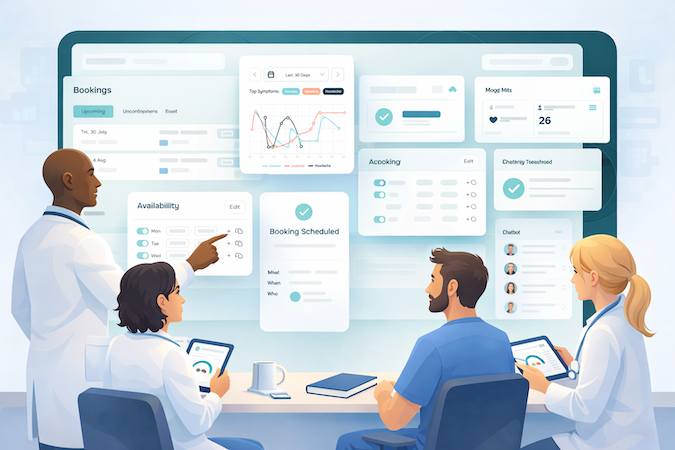
Best-Fit Scenario
Specode is a strong fit if you’ve already picked a real workflow (not a feature wishlist), you need PHI-safe defaults, and you want speed without getting trapped in a drag-and-drop walled garden. It’s aimed at clinician-founders and health-tech operators shipping MVP/V1 who want a practical middle ground: faster than from-scratch builds, more flexible than pure no-code.
What Specode Accelerates
Specode starts you on a working healthcare foundation (patient/provider/admin patterns) and lets you “vibe code” the app by chatting with an AI assistant—iterate flows, screens, and data models, with an instant preview loop—while still shipping real code you fully own.
When the work stops being “assembly” (custom components, security hardening, or messy legacy integrations), some plans shift to hybrid or fully managed delivery by Specode’s team—so you’re not stuck trying to duct-tape enterprise reality onto an MVP.
If you want a structured way to move from workflow → roles/data → baseline compliance → MVP loop → integrations/testing → go-live, Specode is built for that process—and for teams figuring out how to launch a medical app without coding without betting the company on a brittle prototype.
Frequently asked questions
Yes, it’s possible—but only if you keep the scope tight. Start with async care (secure messaging + basic intake) or video as a single, well-contained module. Avoid recording/transcription early unless you have a real operational need, because it adds storage, access, and policy complexity fast.
There isn’t a single “best” platform in the abstract. The safest choice is the one that lets you enforce least-privilege access, gives you meaningful audit logs, supports appropriate data residency, and doesn’t force risky workarounds for exports, notifications, or attachments. In healthcare, configuration mistakes—not “bad platforms”—cause most of the damage.
There isn’t a single “best” platform in the abstract. The safest choice is the one that lets you enforce least-privilege access, gives you meaningful audit logs, supports appropriate data residency, and doesn’t force risky workarounds for exports, notifications, or attachments. In healthcare, configuration mistakes—not “bad platforms”—cause most of the damage.
A realistic range is a few weeks for a non-PHI MVP and longer for PHI workflows, especially if you need security review, stronger access controls, and any integrations beyond basics. The time killer isn’t screens—it’s validating the workflow, getting roles right, and making sure nothing leaks through edge paths like exports and notifications.
With most no-code builders, you usually don’t own the full source code in a portable way—you’re building inside their runtime and constraints. Some platforms offer partial export or limited portability, but “full ownership” is the exception, not the rule. If code ownership matters, confirm it in writing before you commit. On Specode, code is 100% yours.
Roles and integrations. Teams add “one more role” until permissions drift, and they postpone integration until the workflow depends on external truth—then the “MVP” becomes a migration project. The fix is to treat roles like schema changes and stub integrations behind clean boundaries from day one.