How to Build a Patient Portal for Real-World Adoption

Most patient portals die where they should begin — right after signup. Providers pay six figures for HIPAA compliance and slick dashboards, only to find that 70% of patients never log in again. This guide cuts through the noise and shows how to build a patient portal people actually use — without sinking months into integrations nobody clicks.
Key Takeaways
- Adoption beats features: make provider prompts part of care, ship Tier-1 tasks (scheduling, lab results, secure messaging, bill pay), and track WAU + task completion—not sign-ups. Portals fail when they’re “feature-complete, value-empty.”
- Pick the right build path for your reality: EHR-native portals are cheapest (~$2/patient/year) but rigid; custom builds buy full control ($150k–$400k, 4–8 months); component platforms (e.g., Specode) hit a fast middle ground (2–6 weeks, ~$15k–$65k) with code ownership.
- Integrate and secure pragmatically: prove demand before heavy EHR work; start light with API-first/embedded EMR, then scale to Epic/Cerner when usage justifies it. Treat security as your OS—immutable audit logs, RBAC, TLS 1.3—and plan for the 2025 HIPAA mandate (annual pen-tests, biannual vuln scans).
Why Most Patient Portals Get Built but Never Used
Patient portal development starts with good intentions and ends with ghost towns. Over 90% of healthcare providers now offer portals, but here's the uncomfortable truth: less than one-third of patients actually use them, and 49% log in less than once per month. That's not an adoption crisis—that's a product failure disguised as compliance theater.
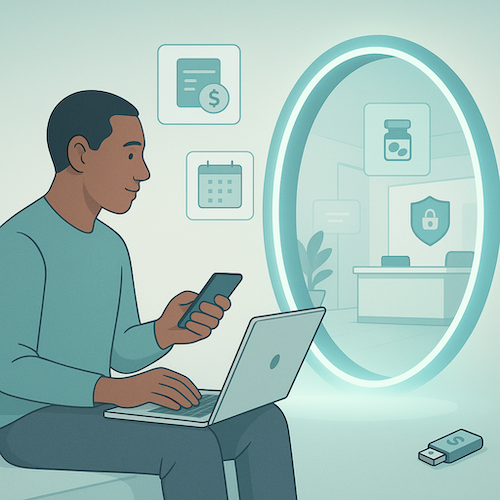
The gap between "we built it" and "they came" comes down to three failure modes that kill patient engagement before it starts:
- Compliance theater portals exist to check regulatory boxes, not solve real problems.
They're architected around what auditors want to see, not what patients need to do. The result? A feature graveyard where "view lab results" sits next to "download CCD" and nobody touches either because there's no reason to return tomorrow.
- EHR bolt-ons force patients into yet another login for a patient portal platform that feels like a 2008 web app.
These portals inherit all the workflow assumptions of clinician-focused EHRs—dense medical terminology, buried features, zero mobile optimization—and wonder why engagement flatlines after the initial curiosity click. When your portal requires a separate authentication flow from your main site, you've already lost half your audience.
- Feature-complete but value-empty portals have everything except a reason to log back in.
They nail the patient communication basics (secure messaging, document access) but miss the daily-use hooks that drive retention. Without bill pay, Rx refills, or real-time scheduling, you're asking patients to remember a password for something they need quarterly at best.
What Does Success Actually Look Like in 2025?
The bar is lower than you think: 34% of patients logging in six or more times per year now qualifies as "frequent use." But the portals hitting that mark share one pattern—they've become daily-use apps by solving for payment, scheduling, and medication management. Payment functionality consistently ranks as the most-used portal feature, because it solves an immediate problem patients care about: settling their bill without phone tag.
The lesson: build portals that earn their place in patients' routines, not their spam folders. If your notification system only sends appointment reminders, you're treating the portal as a broadcast channel instead of a patient engagement platform. The portals winning adoption in 2025 treat every interaction as an opportunity to deliver value worth logging in for tomorrow.
Build vs. Buy: A Framework for Portal Decisions
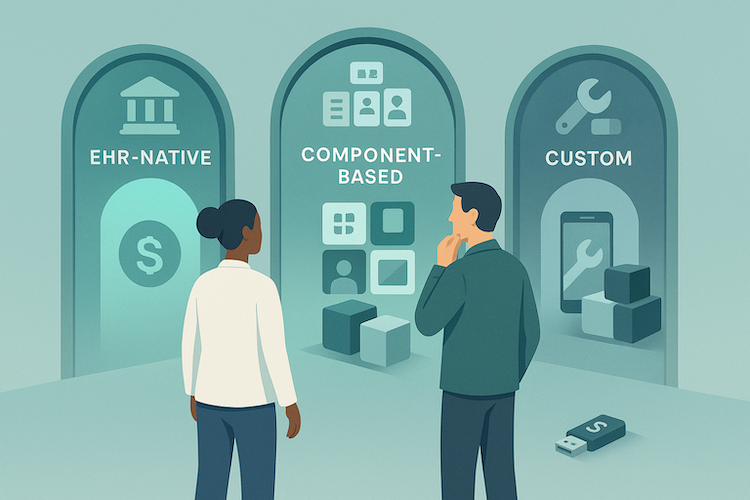
The portal decision isn't "build or buy"—it's a spectrum with three distinct paths, each mapping to different organizational realities. Get this wrong and you'll either overpay for features you'll never customize or ship something so generic that patients ignore it.
When EHR-Native Portals Make Sense
If you're already running Epic or Cerner at scale, their bundled portals—MyChart and Oracle Health's HealtheLife—solve the baseline compliance requirement cheaply. Epic MyChart costs roughly $2 per patient per year and checks every Meaningful Use box. For large hospital systems where the portal is a nice-to-have extension of existing workflows, this is the path of least resistance.
But here's the catch: EHR-native portals are designed for institutional workflows, not patient delight.
- Customization is limited or prohibitively expensive
- You're locked into the vendor's roadmap
If your strategy involves the portal as a competitive differentiator or revenue channel, an EHR bolt-on won't cut it.
When you Need to Build Patient Portal Solutions from Scratch
Three scenarios justify the investment in custom patient portal development:
Unique Clinical Workflows That EHR-Native Portals Can't Support
If you're running specialized programs—complex care coordination for chronic disease management, multi-disciplinary treatment plans, or novel telehealth modalities—generic portals lack the flexibility. You'll spend more time fighting the system than serving patients.
D2C Models Where the Portal IS the Product
For direct-to-consumer health companies, digital pharmacies, or virtual-first clinics, the portal isn't a feature—it's the entire customer experience. Revenue, retention, and brand perception all hinge on the interface. Here, a custom-built solution is non-negotiable.
Differentiated Patient Experience as Strategic Moat
As Epic and Cerner bundle AI features into their 2025 releases—ambient documentation, predictive analytics, revenue cycle automation—the EHR layer is commoditizing fast. Epic is rolling out generative AI for MyChart message drafting and AI-assisted medical coding, while integrating Microsoft's ambient clinical documentation technology for automated note-taking. Oracle Health now offers its Clinical AI Agent for voice-driven documentation across 30+ specialties, with a next-gen cloud-native EHR launching in 2025.
Translation: the last frontier for true differentiation is patient-facing UX, personalized workflows, and intelligent engagement—none of which you control in a vendor portal.
The Middle Ground: Component-Based Healthcare Portal Development
Component platforms like Specode split the difference. You start with proven, HIPAA-ready building blocks—scheduling, secure messaging, intake forms, basic EMR, payments—and customize the 20% that makes you different. It's faster than greenfield development, with none of the vendor lock-in.
This path works when you need speed-to-market, flexibility to iterate, and code ownership. You're not building undifferentiated infrastructure; you're assembling tested pieces and focusing budget on workflows that drive adoption.
Decision Criteria: Four Questions That Clarify the Path
- Patient volume and growth trajectory. High-volume, stable populations favor EHR-native portals for predictable per-patient costs. High-growth or niche populations justify custom builds that scale with your model, not your vendor's pricing tiers.
- Workflow uniqueness. If your care model fits standard ambulatory or inpatient patterns, EHR-native works. If it doesn't—think home health, on-demand telehealth, chronic care management—you need flexibility EHR vendors won't provide.
- EHR dependency. Tightly coupled to Epic or Cerner already? Their portal integrates seamlessly. Running a lightweight or modern API-first EHR like Canvas? Custom or component-based portals integrate cleanly without vendor politics.
- Mobile-first imperative. Over half of patients use mobile devices for searching health information, with 43% of the U.S. population actively using health apps. If your patient base skews younger or expects app-grade UX, EHR-native portals—designed primarily for desktop—will disappoint.
Real Cost Comparison: Three Paths
The numbers tell the story. EHR-native portals are cheap upfront but expensive in flexibility. Custom builds give total control but demand serious capital and time. Component platforms compress both.
Match the Path to the Problem
If you're a large health system with Epic already deployed and the portal is a compliance checkbox, use MyChart. If you're building a consumer health brand or have workflows that don't fit institutional molds, invest in custom. If you need speed, flexibility, and don't want to reinvent scheduling or HIPAA compliance, assemble from proven components.
The wrong choice here doesn't just cost money—it costs adoption, which costs revenue. Choose the path that lets you ship fast, iterate on real usage, and own your roadmap.
Core Architecture Decisions That Determine Success
Your first five patient portal software development choices cascade into every downstream decision. Pick wrong and you're rebuilding in six months—pick right and features ship faster.
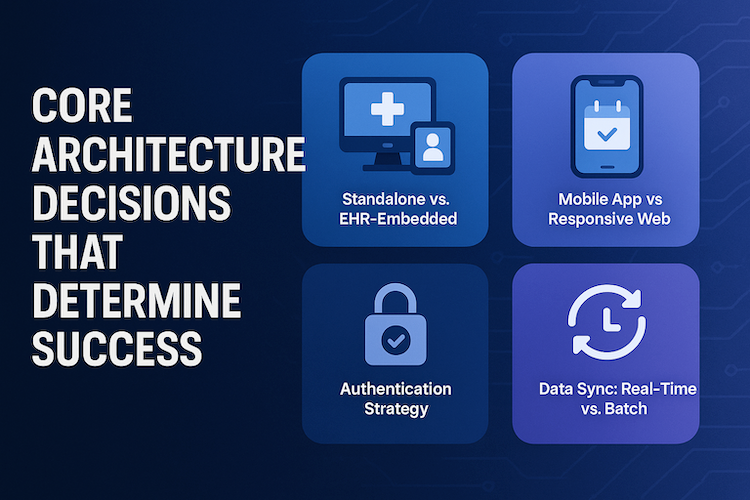
Standalone vs. EHR-Embedded
EHR-embedded (MyChart, athenaPatient): Instant clinical data, zero integration lift. Tradeoff? Locked into their roadmap and feature set.
Standalone: You control the product and patient experience. Cost shows up in integration complexity—but 60% of patients would switch providers for better digital tools.
Decision: Standard workflows + deep Epic/Cerner investment → embedded. Patient experience as competitive edge → standalone.
Mobile App vs. Responsive Web
89% of patients want mobile scheduling, but responsive web covers most use cases with one codebase and zero app store friction.
Native apps justify cost when you need:
- Push notifications that work (med reminders, lab alerts)
- Camera access (insurance cards, wound photos)
- Native biometric login
PWAs split the difference: app-like behavior, installable, offline capability—without gatekeeping.
Authentication Strategy
99.9% of compromised accounts lack MFA. Two-factor authentication and role-based access are baseline. What separates good from great:
- User authentication via passwordless options (SMS magic links, biometric unlock)
- Device-bound passkeys that prevent credential export while enforcing user verification
- MFA that escalates for high-risk actions but stays invisible for routine logins
Biometric authentication—fingerprint, Face ID—delivers strong patient data security with zero friction.
Data Sync: Real-Time vs. Batch
Real-time (APIs): scheduling, messaging, visit summaries—when seconds matter.
Nightly batch: problem lists, med history, historical labs—cheaper, more forgiving of API quirks.
Modern medical portal app architectures use both, mapping sync strategy to user expectations.
Audit Logging: Build for Inevitability
Data encryption is table stakes. What matters: immutable audit trails capturing every access with timestamps you can defend. When breach calls come, you want query results in minutes, not forensic recovery in days.
Feature Prioritization: The 80/20 of Portal Utility
The gap between portal feature lists and actual usage is brutal: 63% of insured patients who made a healthcare visit in the previous year never logged into their portal once. Ship the wrong features and you're building a ghost town.
Tier 1: Must-Ship Foundation
Scheduling with real-time availability is the most-used portal feature, hitting 60% adoption, followed closely by lab results access. These aren't "nice-to-haves"—they're the reason patients log in the first time. Add secure messaging and document access and you've got the baseline that justifies the download:
- visit summaries
- imaging
- past notes
Tier 2: Adoption Drivers
Payment functionality lands hard: 62% of consumers prefer paying medical bills online, with 91% favoring electronic payment methods over traditional options. Rx refills, telehealth video, and pre-visit intake forms aren't just convenience features—they:
- reduce no-shows
- speed collections
- cut admin burden
Bill pay especially drives return visits; patients who can manage balances digitally show measurably higher engagement.
Patients come back for practical wins, not novelty. Prioritize medical records access that loads instantly, a payment portal that handles balances and plans without phone tag, and patient education embedded contextually on result and visit pages. Wrap these around the care team view so patients always know who’s accountable next—then measure whether these touchpoints actually shorten time-to-resolution.
Tier 3: Retention Features
Once daily-use habits form, layer in symptom journals, shared care plans, education libraries, and family proxy access. These features transform a transactional portal into a care management hub, but only after you've earned trust with the essentials.
What to Skip for V1
Don't develop patient portal features that compete where commodity solutions already exist:
Social Features and Patient Communities
Moderation overhead, liability risk, low engagement outside niche conditions
AI Features Overlapping with EHR-Bundled Capabilities
Epic's 2025 releases include ambient clinical documentation and Cosmos AI for predictive analytics—don't rebuild what's becoming table stakes. Invest AI budget in patient-facing intelligence (medication adherence prediction, personalized care plans) where EHRs remain weak
Complex Multi-Provider Care Coordination
Requires integration maturity you don't have at V1
Nearly 40% of patients report never being offered portal access, and 41% who were offered access didn't use it. Features don't drive adoption—workflow fit and provider push do. Ship the 20% that unlocks 80% of value:
- appointment scheduling
- secure messaging
- lab results
- prescription refills
- billing information
Add patient intake solutions and telemedicine integration once baseline engagement proves out. Everything else can wait for V2.
EHR Integration: Reality Check on Complexity and Cost
When you're planning patient portal app development, the EHR integration conversation usually starts with optimism and ends with budget shock. The gap between what vendors promise and what actually ships is where most timelines and budgets break.
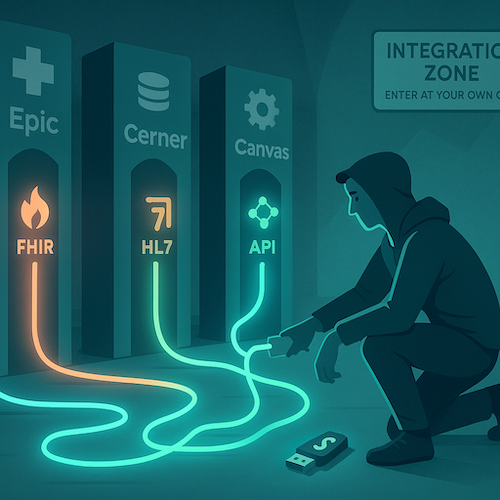
Let's skip the fantasy and walk through what integration looks like when the honeymoon phase ends and you're knee-deep in mapping HL7 segments at 11 PM.
The Vendor Landscape: Who You're Really Dealing With
Epic commands 42% of the U.S. hospital market and integration projects typically require 6-18 months even for basic patient portal connections. Cerner (now Oracle Health) follows a similar pattern: enterprise-grade, expensive, and slow. Over 1,000 hospitals now connect through Epic Nexus QHIN under TEFCA, but that doesn't mean your integration will be turnkey.
Athenahealth sits in the mid-market sweet spot with more developer-friendly APIs, while Canvas Medical represents the modern API-first generation—built on FHIR from day one, not bolted on later. Practice Fusion and eClinicalWorks serve smaller practices but often lack the robust API ecosystems larger portals need.
The real question: are you building for Epic's enterprise clients, Canvas's digital-health startups, or somewhere in between?
FHIR: The Promise vs. The Reality
USCDI v5 is now available via SVAP 2025 and USCDI v3 becomes mandated by December 31, 2025, which means FHIR standards and health information exchange are technically "standardized." Except they're not.
Every EHR implements FHIR R4 differently. Scope limitations mean you can read clinical summaries but not always write orders. Performance issues crop up when you're pulling two years of health records for 10,000 patients. And the vocabulary mappings? Prepare to hire someone who speaks both SNOMED and LOINC fluently—or budget for the mistakes.
HL7 Still Runs the Back Office
Despite FHIR hype, HL7 integration is still necessary for claims, labs, and some clinical data. If you need real-time eligibility checks, electronic claims submission, or lab result feeds, you're wiring up HL7 v2 pipes whether you like it or not.
That means interface engines, message parsing, and the kind of integration work that doesn't make demo videos but absolutely breaks production launches.
Under the hood, consent management should gate every data flow, and API integration needs to align with healthcare interoperability patterns you can defend during audits and vendor reviews. Standardize scopes early, tag PHI at the field level, and document read/write paths so adding new systems is configuration, not a rewrite.
Integration Patterns Evolving in 2025
Four paths are emerging, each with trade-offs:
1. Direct API via FHIR R4
USCDI v5 expands data access under SVAP 2025, which theoretically gives you more clinical context. In practice, you're still negotiating BAAs, security reviews, and custom scopes with each health system.
2. TEFCA/QHIN Networks
TEFCA's Individual Access Services (IAS) now enable patient data access across Epic hospitals nationwide without individual Epic integrations. This is the real game-changer for patient-facing apps—you connect once to a QHIN like Epic Nexus and reach 1,000+ hospitals. But TEFCA handles read access for treatment purposes; if you need to write data or support complex clinical workflows, you still need traditional integrations.
3. Middleware/Interface Engines
These handle the gnarly HL7 work and legacy system translation, but they add $5K–$15K/month in SaaS fees and another integration layer to debug.
4. Manual Export/Import for MVP
If you're validating product-market fit, start here. Export a test cohort's data, load it into your portal, and prove the workflows work before you architect the plumbing. Some of the best telemedicine platform development projects launched this way and scaled integration once they had paying customers.
Real Complexity, Real Timelines
Epic integration for patient portals typically spans 3-6 months for basic implementations and exceeds 12 months for complex workflows. Canvas Medical and other modern EHRs cut that significantly—sometimes to weeks—because they're built API-first.
But even "basic" implementations hit speedbumps: security audits that drag into month three, data migration that surfaces ten years of dirty patient records, and clinician feedback that rewrites your entire consent flow two weeks before launch.
Why Most Startups Should Start Light
Unless you're selling into Epic-dependent health systems from day one, start with minimal EHR integration or an embedded lightweight EMR, then connect later. Launch narrow, validate demand, and use the revenue to fund integration once you know what data flows actually drive outcomes.
Specode's embedded EMR and Canvas Medical connectors let you skip the 6-month Epic integration until it's commercially justified. When a health system customer finally demands Epic connectivity, you're building from cash flow, not burn rate.
Secure file sharing, medication lists, and visit summaries can live in your portal today. The full bidirectional EHR sync can wait until you've earned the right to build it.
Mobile Strategy: App vs. Web Trade-offs
Patient behavior is split-screen: quick lookups start on phones; heavier tasks (forms, document review) shift to desktop. Design the journey to embrace both—don’t force it.
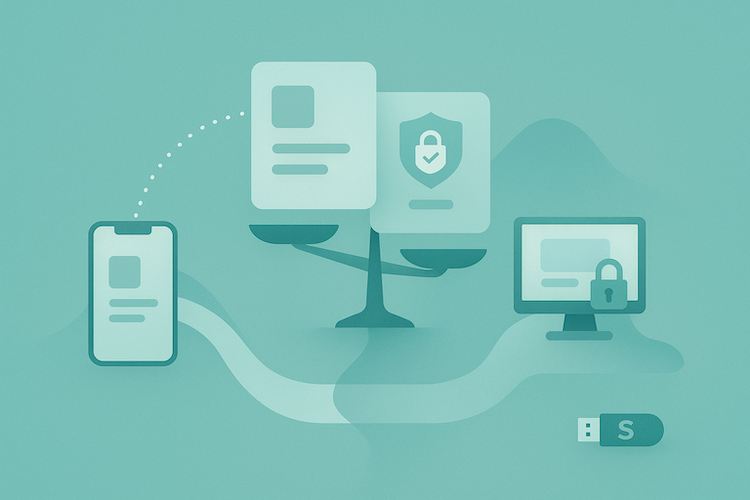
Decision Framework
- Is the core value delivered through hardware hooks (reliable push, camera capture, background monitoring)? If yes, consider a medical portal app.
- If most value is task flow—booking, messages, results—prioritize a mobile responsive web experience first.
What to Ship First
- Ship web with crisp, tappable flows for booking, patient dashboard review, and patient registration.
- In the middle of building a patient portal, add native only where OS-level capability changes the outcome (e.g., time-critical alerts or continuous capture).
Adoption Guardrails
- Default to biometric login; offer SMS passwordless for low-friction re-entry.
- Measure tap-to-value and completion rates (search → booked, message → resolved); don’t move native until web funnels are saturated.
Distribution & Review (Native Only)
- Expect store scrutiny on clinical claims and privacy posture; plan copy and evidence early to avoid delays.
- Keep parity: web remains the source of truth; native mirrors only features that benefit from presence or device access.
Pragmatic Loop
- Observe real usage → expand the thin native shell only where it moves a KPI (activation, retention, task completion). Everything else stays fast to iterate on web.
Security and Compliance: Beyond the Checklist
Compliance isn't a checklist you tick once and forget—it's the operating system your portal runs on. Get it wrong and you're not just risking fines; you're risking trust, which takes years to earn and seconds to lose.

The Non-Negotiable Technical Safeguards
Encryption at rest (AES-256) and in transit (TLS 1.3, not the outdated 1.2), role-based access controls that follow least-privilege principles, immutable audit logs that capture every PHI touch, and documented breach response procedures you've actually tested.
Business Associate Agreements with every vendor in your stack—cloud, video, analytics, SMS—aren't optional paperwork; they're your liability firewall.
The New Mandate
The December 2024 HIPAA Security Rule update makes annual penetration testing and biannual vulnerability scanning mandatory starting 2025, not just "best practice." Budget for qualified professionals, not checkbox tools.
Session management matters too:
- auto-timeout policies
- concurrent session limits
- device-level controls that remote-wipe PHI if a phone goes missing
The Trap Most Teams Fall into
Taking compliance shortcuts that feel fine now—hardcoded secrets, insufficient logging, weak password policies—but become expensive to fix later. Auditors find them, breaches expose them, and retrofitting security into production code costs 10x more than building it in from day one.
When you're evaluating a patient portal platform, ask: can they generate an audit report (who accessed what, when) in under an hour? If not, you're inheriting compliance debt. Smart patient portal creation means security is native to every workflow, not bolted on after launch.
Building for Adoption: Why Features Don’t Drive Usage
When you create a patient portal, the hardest part isn’t the build—it’s getting people to use it past the signup screen. While 90% of providers now offer portal access, less than one-third of patients actively engage. High availability, low utilization.
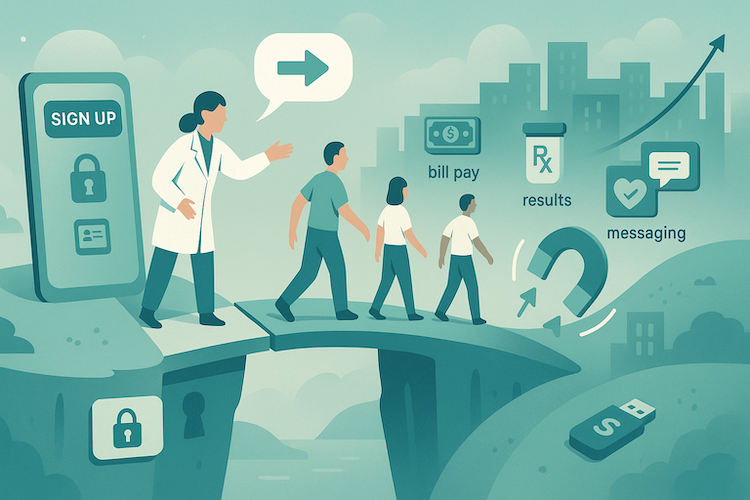
The Registration-to-Active-Use Chasm
Research shows real-world portal adoption sits at just 23%, despite controlled studies claiming 71%. Translation: demos win; everyday life kills. One major health system saw only 32.6% of eligible patients become active, with many one-and-done logins.
- Friction stacks early: SMS signup → complex password → insurance card → security questions no one remembers.
- Redundant data entry: intake info isn’t reused, so patients retype what the practice already has.
- Weak first-value moment: by the time they reach the dashboard, the value proposition is unclear.
The Provider Push Problem
What moves the needle is provider communication. ONC data shows patients whose clinicians actively recommend portal use view notes and send secure messages far more often. “If you build it, they will come” doesn’t work in healthcare portal development—clinicians must make adoption part of the care plan.
Most practices treat the portal as self-serve infrastructure and expect organic discovery. They shouldn’t. Without explicit provider prompts during visits and reinforcement afterward, portals stay dormant.
Creating Reasons to Return
Top barriers: patients prefer direct provider communication (64%) and see no need for the portal (49%). Appointment confirmations alone won’t fix that.
- Build in high-value tasks: bill pay, Rx refills, test-result notifications with contextual guidance.
- Make visit summaries actionable: pair with care-plan updates and next steps, not static PDFs.
- Add helpful behavioral hooks: specific alerts (“Your lab results are ready”) and trend views (vitals, milestones) that invite weekly check-ins.
Measure What Actually Matters
Forget registration counts. Track weekly active users, depth by feature, and satisfaction per workflow. If messaging thrives but scheduling lags, that’s signal. If patients log in once post-visit and never return, you have a value problem—not a marketing problem.
Common Pitfalls and How to Avoid Them
The gap between portal launch and portal adoption is filled with expensive mistakes. Most teams burn budget solving problems patients don't have, then wonder why nobody logs in. Here's the reality check, with guardrails that actually work.

Building for Clinicians Instead Of Patients
Clinicians rarely log into patient portals—your users are patients managing their own care. If your roadmap prioritizes clinical workflows over patient convenience, you've already lost. Test this: watch a 70-year-old book an appointment on your prototype. If they can't do it in under two minutes without help, rebuild the flow.
Over-Engineering V1 before Proving Demand
Ship the smallest thing that moves a needle—scheduling, messaging, document access—and measure actual usage before adding symptom trackers or care plan libraries. Early adopters will tell you what's missing. Deploy in 2-6 weeks, not quarters, so you're iterating on real behavior instead of assumptions.
Ignoring Mobile-First Behavior
Over half of patients search for health information on mobile devices, and 43% actively use health apps. If your portal doesn't work seamlessly on a phone—biometric login, thumb-friendly buttons, readable fonts—you're designing for 2015. Default to responsive web or PWA; native apps only if you need push notifications or device sensors.
Forcing EHR Integration before Product-Market Fit
EHR connections take 3-6 months and distract from the real question: do patients want this? When learning how to build a patient portal, validate workflows with a lightweight EMR or patient intake solutions first.
Capture demographics, medication lists, immunization records, and insurance information in your own database, prove the value, then wire the EHR. You'll negotiate better terms once you have adoption data.
Underestimating Billing Integration Complexity
Payment functionality drives portal usage—patients want to pay bills online. But claims, eligibility checks, and patient responsibility calculations are harder than Stripe checkout. Budget for this early or you'll retrofit it later at 3x the cost.
Launching without Provider Training
Staff won't push portal adoption unless they see how it reduces their workload—fewer phone calls, pre-filled intake, automated reminders. Train front desk and nurses first; they're your adoption engine, not your landing page copy.
How Specode Helps Launch Patient Portals Fast
This patient portal development guide has walked you through the hard decisions—architecture, EHR integration, feature tiers, adoption strategy. Now here's the pragmatic path: assemble proven, HIPAA-ready components instead of reinventing the plumbing.
Specode Gives You the Working Foundation on Day One
Patient dashboard, provider search with filters, scheduling with real-time availability slots, secure messaging, intake forms that feed your EMR, basic chart (problems, meds, allergies, encounters), and telehealth video with waiting rooms. All designed to work together, all audit-ready.
Describe What You Need; The AI Assistant Wires It Up
"Remove labs, add payment checkout, modify the patient dashboard for pediatrics"—the platform assembles components conversationally, then hands you code you own. No drag-and-drop theater, no lock-in.
Integration Options That Match Your Maturity
- Built-in basic EHR or quick integration with a modern EHR with API-first workflows.
- Custom connectors for Epic, Cerner, or athenahealth when you're ready.
- Payment and eligibility screening via Stripe or NMI.
- Mobile-responsive by default.
Real example: Telehealth portal with scheduling, video visits, secure chat, and Rx refill workflows—2 to 3 weeks using Specode's component assembly versus 4 to 6 months building from scratch. You keep full code ownership, extend with your own developers, and tap Specode's team on-demand when you need to make a patient portal scale beyond the MVP.
Ready for more? Get started with Specode!
Frequently asked questions
Timelines range from 2–6 weeks with component-based platforms, 3–4 months for custom MVPs, and up to 8–10 months for full-scale enterprise builds. The biggest delays usually come from compliance review and EHR integration, not the UI.
Expect $150k–$400k for a custom build, around $15k–$65k using component frameworks, and less than $10 per patient annually for off-the-shelf EHR portals. The right choice depends on your control, speed, and scalability goals.
Focus on provider communication and first-value moments. Encourage clinicians to recommend the portal during visits, simplify login flows, and include features patients actually need—bill pay, test results, Rx refills, and visit summaries.
Not always. Validate workflows first using a lightweight EMR or intake system. Once adoption proves value, integrate with Epic, Cerner, or Athena to sync demographics, medications, and insurance data.
HIPAA and HITECH demand encryption (AES-256 at rest, TLS 1.3 in transit), role-based access control, immutable audit logs, breach response plans, and BAAs with all vendors. Starting in 2025, HIPAA updates will also require annual penetration testing and biannual vulnerability scans.