
A Guide to Launching a Custom EHR System Without Coding in 2026

You can absolutely build an EHR-lite clinical core without a CTO—if you stop trying to recreate Epic in a weekend and focus on one real workflow that needs to go live. This guide is for teams who want to actually ship scheduling + charting + notes + basic patient access, then expand safely.
Yes, you can build electronic health record system with no code—but “hospital-grade EHR” comes with traps: scope creep, integration debt, and requirements that quietly turn your “simple app” into a multi-year program. We’ll set expectations upfront, draw a clean line between EHR-lite and operational EHR, and show a practical path to a compliant, usable MVP in 2026—without magical thinking.
Key Takeaways
- Stop saying “EHR” until you’ve picked a tier. The blog’s blunt model (EHR-lite → operational → platform) is the whole unlock: it forces you to define scope before it defines you. Once you treat “clinical core” as the MVP target, everything becomes clearer: what data you must store, what’s safe to defer, and which asks are actually “platform” in disguise.
- In 2026, the product differentiator isn’t “more features” — it’s a record you can trust. The must-haves you emphasize (RBAC that scales, auditability by default, note versioning/signing, and a clean minimum viable record) are the things that prevent the classic six-month rebuild. Fancy dashboards and “flexibility engines” can wait; traceability can’t.
- Integrations are where no-code becomes engineering — so win by sequencing, not heroics. Your integration tiers + staging rules (“MVP first,” “one integration at a time,” “harden before adding new ones”) are a pragmatic way to ship without getting trapped in HL7/FHIR/eRx complexity too early. The risk checklist is the best “adult supervision” in the post.
The Rise of No-Code in Electronic Health Records
No-code didn’t “arrive” in EHRs because healthcare suddenly fell in love with drag-and-drop. It showed up because teams are tired of waiting 9–18 months to ship a single workflow—and a surprising number of clinical operations can start as a tight, purpose-built product before they graduate into a full-blown platform.

This isn’t a healthcare-only trend. Gartner forecasted that by 2025, 70% of new applications developed by organizations would use low-code/no-code, up from less than 25% in 2020—which helps explain why “build the workflow now, harden later” has become the default playbook.
If your goal is to build electronic health record system no code, the smartest framing is: ship one narrow workflow end-to-end, prove it reduces friction, then expand with discipline (not vibes).
Why Teams Are Choosing No-Code
- Speed-to-workflow beats “perfect architecture.” A scheduling + notes + follow-ups loop that actually gets used is worth more than a “future-proof” system nobody can deploy.
And the pain is measurable: a 2024 national analysis found ambulatory physicians spend nearly 6 hours in the EHR for every 8 hours of scheduled patient care—so shaving friction from documentation and follow-ups isn’t “nice,” it’s the whole game.
- Internal tools are the gateway drug. Specialty clinics often start with ops + documentation tools before anyone dares to call it an EHR.
- SaaS healthcare economics reward iteration. When contracts renew annually, shipping improvements monthly is a competitive advantage—not a nice-to-have.
Where No-Code Breaks Fast
No-code falls apart the moment you pretend “health data app” and “EHR” are the same thing. The cracks usually appear around permissions, auditability, and data consistency—aka the unsexy stuff that keeps you out of trouble.
Complexity Signals to Watch
If you’re nodding “yes” to multiple items below, you’re leaving simple no-code territory:
- You need multiple roles with different access rules (clinician vs admin vs billing vs patient).
- You’re storing clinical data that must be traceable (who changed what, when, and why).
- You’re already talking about interoperability (even “later”)—because “later” has a way of becoming “rewrite.”
The stakes are also human: AMA reported (Aug 19, 2025) that 22.5% of physicians spend more than 8 hours/week on EHR work outside normal hours (5:30 p.m.–7 a.m.)—which is exactly why “EHR-lite” wins only when it reduces burden instead of adding yet another screen to feed.
The EHR Reality Check
Most teams don’t fail because they can’t “build an EHR.” They fail because they keep using EHR, EMR, clinical app, and patient portal like they’re synonyms. And the moment you do that, your scope silently balloons, your architecture buckles, and “MVP” becomes a bedtime story.

EHR Lite vs Operational EHR
Here’s the blunt tier model:
- EHR-lite (clinical core): the minimum set of workflows to document care safely for one setting (e.g., one clinic type, one specialty), with clean permissions and audit history. This is the fastest safe starting point.
- Operational EHR: EHR-lite plus serious operational reality, for example, billing and claims workflows, more roles, multi-location complexity, reporting, integrations that must be reliable, and data governance that survives audits.
- Enterprise EHR platform: operational EHR plus ecosystem expectations (deep interoperability, extensibility, complex admin tooling, and lots of “it depends”).
The trap is that mental health EHR requirements often look “simple” at first (“notes + scheduling + telehealth”), but scope expands fast once you add treatment plans, standardized assessments, collaborative care teams, supervised clinicians, and payer-driven documentation rules. That shift isn’t cosmetic—it changes your data model, permission system, auditability needs, and integration roadmap.
When Certified Expectations Show Up
Certification expectations typically show up the moment you need to exchange data with external systems at scale, support regulated reporting, or sell into organizations that treat certification as table stakes.
Even if you’re not pursuing certification in 2026, the expectation forces you to behave like a grown-up early: consistent patient identity, traceable changes, and data you can map to standards later.
What Your Architecture Must Handle
Your cloud based EHR architecture doesn’t need to be fancy on day one, but it must be stable under expansion. That means:
- Role-based access that won’t collapse when you add “just one more role”
- Immutable audit trails for clinical actions
- A data model that supports versioning (notes change; history must not disappear)
- A clear integration boundary, because interoperability is never “later” — it’s either planned early or paid for twice
Minimum Viable Record Checklist
If you’re building EHR-lite, your “minimum viable record” should include:
- Patient identity + demographics (with merge strategy, even if manual)
- Encounters (date/time, participants, context)
- Clinical notes (signed, versioned, and attributable)
- Problems/diagnoses (even if lightweight)
- Medications and allergies (if clinically relevant to your setting)
- Documents/attachments (labs, referrals, intake forms)
- Audit log (who viewed/edited what, when)
Red Flags That Mean You Are Overbuilding
You’re likely overbuilding if:
- You’re designing for “all specialties” before one workflow works end-to-end
- You’re planning ten integrations before you have clean internal data
- You’re building a rules engine “for flexibility” without real rules from real users
- You’re adding features to impress buyers instead of reducing clinical friction
Quick 2026 decision tree you can use to stop the scope bleed:
- Need documentation + scheduling for one clinic type, with clean permissions and auditability? → Start with EHR-lite clinical core.
- Need billing workflows, multi-location ops, and reliable external integrations? → You’re in operational EHR territory.
- Need multiple external exchanges, standardized reporting, and enterprise procurement checklists? → You’re building an EHR platform, whether you admit it or not.
Custom EHR vs. White-Label EHR: Which "No-Code" Path is Right?
If you’re choosing between custom and white label EHR software, don’t start with features. Start with one uncomfortable question: are you trying to differentiate on clinical workflow, or just trying to get a usable system live without reinventing the wheel?
“White-label” in healthcare usually means you’re re-skinning (and sometimes lightly configuring) someone else’s product while accepting their data model, release cadence, and integration boundaries. It’s less “own the EHR” and more “rent the core, customize the edges.”
When White-Label Wins
White-label is the pragmatic choice when:
- Speed is the business model. You need something live fast to validate demand, onboard clinics, or meet a contract deadline.
- Your workflow is common. You’re not doing anything clinically weird (yet), so standard templates and flows are “good enough.”
- You can live inside constraints. The vendor’s data model, reporting, and integration approach won’t become your bottleneck in 6–12 months.
When Custom Wins
Custom is justified when:
- Workflow is your moat. Your differentiation depends on unique care pathways, role complexity, or automation that a generic product can’t express.
- You need control over the data model. You’re building longitudinal patient records, specialty-specific structures, or analytics that require clean, extensible data.
- Roadmap risk is existential. If the vendor’s priorities shift, your business can’t be held hostage by “maybe next quarter.”
The Hybrid Path
Hybrid is often the best 2026 move: use a white-label or off-the-shelf core to go live, while you build and own the parts that actually differentiate you (intake, specialty note flows, patient engagement, outcome tracking, internal ops). You’re basically buying time—then spending it on the pieces that matter.
Vendor Lock-In and Exit Plan
If you go white-label, treat “exit” like a first-class requirement:
- Ensure you can export your full dataset in a usable format (not “PDFs and vibes”).
- Keep a mapping of your key entities (patients, encounters, notes) so a migration is survivable.
- Negotiate what happens if pricing changes, the product sunsets, or an integration is deprecated.
A simple rule: if you can’t explain your migration plan in two minutes, you don’t have one—you have wishful thinking.
Essential Features Every Modern EHR Needs
Most lists of electronic medical record software features read like a SaaS landing page: “dashboards, AI, analytics, integrations…” Cool. None of that matters if the record isn’t trustworthy.
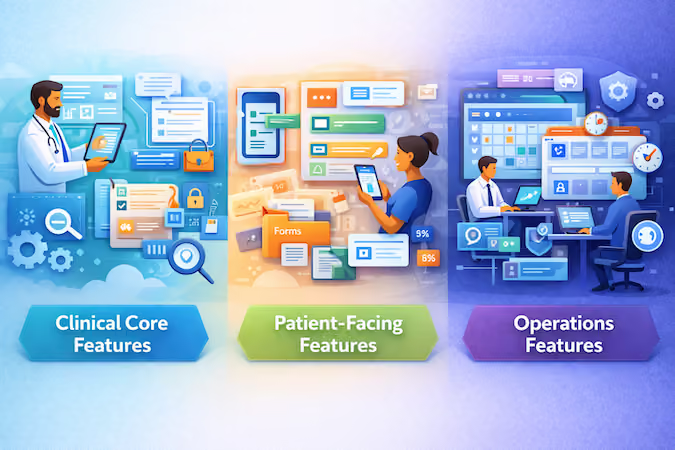
The right way to think about features is by workflows: can a clinician document care safely, can a patient participate without chaos, and can ops run the clinic without turning the EHR into a second job? The real differentiators in 2026 are still boring—in a good way: traceability, clean permissions, and fewer ways to make an irreversible mess.
Clinical Core Features
These are non-negotiable for an EHR-lite clinical core:
- Patient chart and longitudinal record: demographics, encounters, problems/diagnoses, meds/allergies as relevant.
- Documentation that holds up: structured + free-text notes, signing/attestation, version history (edits don’t erase history).
- RBAC that scales: role-based access control (RBAC) that can handle “front desk vs clinician vs supervisor vs billing” without a redesign.
- Audit logs by default: audit logs for create/view/edit actions so you can answer “who touched what?” without panic.
- Workflow automation and clinical decision support (lightweight): reminders, task queues, basic alerts (e.g., missing required fields, safety checks) that reduce omissions—without pretending you built a diagnostic AI.
Patient-Facing Features
Patient access is no longer optional, but it’s also where teams overbuild fast. Think “participation,” not “social network.”
- Secure messaging tied to the record (with clear routing and expectations)
- Forms and intake that land as structured data, not PDFs
- Appointment requests/management (even basic reschedule flows save staff hours)
- Document sharing (care plans, visit summaries)
This is where patient portal development should stay disciplined: patients need clarity and control over their care journey, not 40 tabs and a meditation streak.
Operations Features
Ops features determine whether the system survives real-world use:
- Scheduling with staff/resource logic that matches your setting (simple beats “flexible”)
- Work queues for admins and clinicians (follow-ups, refills, missing info)
- Reporting basics: operational visibility into volume, no-shows, unsigned notes, overdue tasks
- User and permission management that doesn’t require engineering help every time a role changes
What to Defer Until Version Two
If you want to ship, defer these until you’ve proven the core loop works:
- Fancy analytics dashboards beyond operational basics
- Complex templating/rules engines “for flexibility”
- Advanced clinical decision support beyond guardrails and reminders
- Deep customization for edge-case workflows you don’t have users for yet
Ship the clinical truth first: the record is accurate, access is controlled, and every meaningful action is traceable. Everything else is garnish.
Top No-Code Platforms for Building EHRs (HIPAA Ready)
You don’t need a giant directory. You need a shortlist that matches your EHR tier (EHR-lite vs operational) and your risk tolerance. In practice, most teams end up picking from three platform categories—and you can often combine them into a “hybrid stack” (UI builder + data layer).
Here’s a tight 7-platform shortlist (healthcare builders first, then data-layer and enterprise workflow options) to speed up vendor shortlisting.
Platform Categories That Matter
Most options fall into three buckets: general no-code builders (fast UI), healthcare-focused builders (faster to an EHR-lite core), and headless data layers (stronger record backbone). The shortlist below shows one representative set from each category.
- General no-code app builders: best for fast UI, forms, basic workflows, and internal tools. Great for prototyping an EHR-lite clinical core, weaker when permissions and auditability get serious.
- Healthcare-focused builders: positioned as a medical practice management software builder with healthcare-ready workflows (scheduling, charting patterns, role concepts). Usually faster to go live, but you’ll inherit opinionated constraints.
- “Headless” backends and data layers: best when you need a stronger data model, granular access rules, and clean separation between frontend and record store—useful when scope is clearly heading toward “operational EHR.”
Selection Criteria
When evaluating low no-code platforms for healthcare app development, prioritize:
- RBAC + audit logs as first-class features (not “we can add it later”)
- Data model flexibility (versioned notes, encounters, attachments)
- Exportability (your exit plan, not a checkbox)
- Workflow automation and guardrails (task queues, required fields, review/sign)
Use the ‘RBAC + audit logs’ and ‘Ownership/exit’ columns as your primary filters—those two predict rebuild risk better than any demo.
Questions to ask vendors:
- Can we implement least-privilege access per role and per record?
- What exactly is logged in audit trails (view/edit/export)?
- How do we export all patient data in a usable format?
- What breaks first when we add a new role, location, or workflow?
Shortlist first, then demo. If a vendor can’t answer the exit-plan question crisply, they’re not a platform—you’re just renting a UI.
How to Ensure Compliance Without a CTO

Data Handling Rules That Matter
“Compliant” isn’t a badge you buy. It’s a set of predictable behaviors around how your product collects, stores, and shares health data.
Start by minimizing what you store for the first workflow. Every extra field becomes something you must protect, audit, retain, and possibly export. Then lock down the basics:
- Purpose limits: collect only what your MVP needs to complete a real clinical workflow.
- Access boundaries: define who can view, edit, export, and delete data from day one. Avoid “everyone is admin for now.”
- Retention and deletion: have a simple policy. How long do you keep records, and what happens when a staff member leaves.
- Safe environments: don’t use real patient data in demos, QA, analytics, or support screenshots. If you must, you need a controlled process, not a Slack thread.
The practical goal is to reduce “human chaos” risk: shared accounts, copy/paste, exports, and accidental overexposure.
Security Controls You Must Have
If you can’t explain these controls, you don’t have patient data security. You have optimism.
First, your storage layer must function as a no code HIPAA compliant database in practice, meaning it supports the controls you’ll rely on (and your vendors will contractually stand behind). Focus on controls that prevent the most common failures:
- Strong authentication for any account with admin or clinical privileges
- Least-privilege permissions by default, with periodic access reviews
- Encryption in transit and at rest, plus encrypted backups
- Auditability for sensitive actions like record access, edits, exports, and role changes
- Tenant separation if you’re building multi-clinic SaaS, so one customer can’t “see sideways”
Choose secure cloud hosting that has real operational discipline behind it (patching, monitoring, backup hygiene, incident response). “It’s in the cloud” is not a security strategy.
Finally, treat your system like an API-first architecture even if you never publish an API. Clean boundaries force clean permission checks and reduce the chance that a UI shortcut accidentally becomes a data leak. If you want a deeper checklist without a legal lecture, see our guide on HIPAA compliance in no-code apps.
Contracts and Accountability Basics
Compliance is also paperwork that makes your technical decisions enforceable.
Know the roles:
- Who is the covered entity (often the clinic)
- Who is the business associate (often you, and certain vendors)
- Which vendors must sign BAAs (when they touch PHI)
If you serve EU users, factor GDPR compliance into product choices early: data minimization, access and deletion rights, retention rules, and breach handling. You’re not trying to become a lawyer; you’re trying to avoid building features that force legal gymnastics later.
What Evidence to Keep
Keep a small “proof folder” that a reasonable auditor (or enterprise buyer) can digest:
- One-page data map (what you collect, where it lives, who accesses it)
- Role/permission model and approval flow for changes
- Vendor list with BAAs where needed
- Plain-English security summary (encryption, backups, monitoring)
- Incident response outline (who does what, when you notify)
- Lightweight decision log for changes that affect data handling
Step-by-Step Guide to Launching Your EHR
This is the build path that keeps you out of the “we shipped fast, then rebuilt everything” graveyard. The goal isn’t to build more—it’s to sequence work so the clinical core becomes a usable MVP, without pretending you can skip fundamentals just because you’re using low-code development.
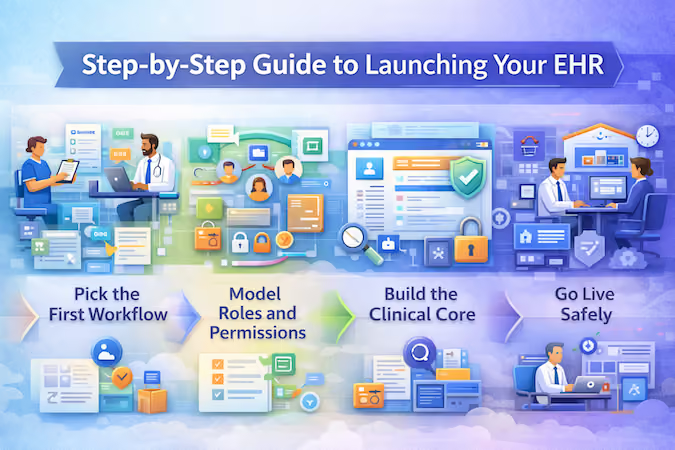
Step 1: Pick the First Workflow
Start with one end-to-end workflow that represents real care delivery. Good first picks are boring and high-volume: intake → appointment → note → follow-up. Avoid “multi-specialty” fantasies. If you’re a digital health startup, your MVP is not an EHR; it’s a single clinical loop that produces a reliable record.
Checkpoint: you can describe the workflow in 10 steps or fewer, including who touches it and what “done” means.
Step 2: Model Roles and Permissions
Before building screens, define roles and the minimum access each role needs. This is where most teams accidentally build a leaky system (and then patch it with one-off rules).
Checkpoint: every action in the workflow has an owner (create/view/edit/sign), and you can explain why a role shouldn’t see something.
Step 3: Build the Clinical Core
Now build the minimum record backbone: patient, encounter, note, documents, and audit trail. Add only the fields required to support the first workflow. Tie tasks and reminders to completion states (e.g., “unsigned note,” “missing consent,” “follow-up due”). If you’re using a healthcare CRM today, decide which data lives in the EHR core vs what stays in CRM—don’t duplicate reality in two places.
Checkpoint: notes are versioned, signed, and traceable; attachments land in the right encounter; audit history exists without extra effort.
Step 4: Validate With Real Users
Do short cycles with the actual people who’ll use it: clinicians, front desk, and whoever cleans up mistakes. Watch them do the workflow. Don’t ask “do you like it?” Ask “where did you hesitate, and why?”
Checkpoint: you’ve run at least 10 real workflow runs (even with test patients) and captured the top 5 friction points.
Step 5: Go Live Safely
Go live in a controlled way: one clinic, one team, one workflow, with a rollback plan. Treat this like a deployment, not a product launch. Your first goal is “no harm, no chaos.” Speed comes after stability.
Checkpoint: you can answer: “What happens if the system is down for two hours?” without panicking.
MVP Scope Guardrails
Use these guardrails to prevent the classic 6-month rebuild:
- One specialty / one care setting for v1
- No “platform” features (template engines, deep customization) without proven demand
- No more than 3–5 roles in v1
- No more than 2 external systems referenced in requirements (“we’ll integrate later” counts)
Testing Checklist That Matters
Forget 200 test cases. Run the handful that catch real failures:
- Permissions tests: can each role only do what it should (and nothing more)?
- Auditability tests: can you trace a note edit, a view, and a download?
- Data integrity tests: are encounters and attachments always linked correctly?
- Workflow completion tests: can users complete the workflow without admin rescue?
- Downtime drills: what do users do when the system can’t fetch/save?
End result: a clinical core that’s small, defensible, and expandable—and the foundation for how to launch an EHR system without coding without paying for it twice.
The Hidden Complexity: Integrations (Labs, Billing, eRx)
No-code is real—until you hit integrations. That’s where “drag-and-drop” quietly turns into “someone needs to understand data contracts, retries, and edge cases.” The fastest teams don’t avoid integrations; they sequence them so they don’t block the MVP, then harden them one by one as the product becomes operational.
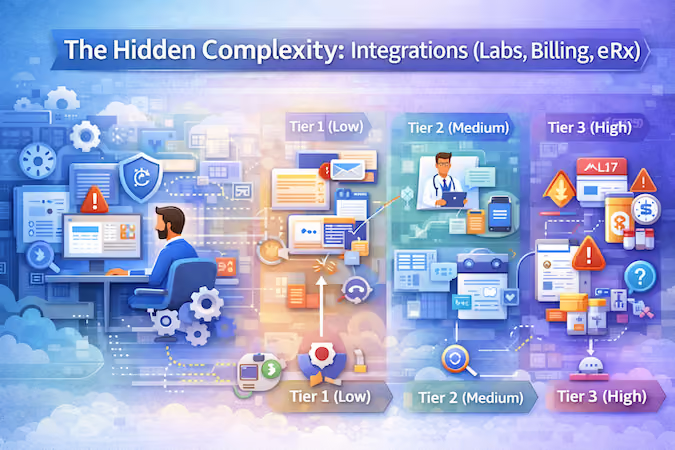
This is the point where many projects drift from “builder project” into custom EHR software development—not because you chose complexity, but because healthcare chose it for you.
Integration Types You Will Face
Think of this as your compact EHR integration guide. Most integrations fall into tiers:
- Tier 1 (low complexity): email/SMS, calendar, basic payments, file import/export. Mostly workflow glue.
- Tier 2 (medium): telehealth integration, labs/diagnostics portals, wearable data, identity/SSO. More data mapping, more failure modes.
- Tier 3 (high): EHR/HIS connectivity via HL7 integration or FHIR standards, claims/billing rails, and e-prescribing (eRx). This is where requirements, certification expectations, and “you must support X” conversations start showing up.
The rule: the more clinical or regulated the data, the more “integration” becomes engineering.
How to Stage Integrations
Plan integrations like a product roadmap, not a wiring diagram:
- MVP first: build the clinical core with clean internal data and manual fallbacks (upload, entry, export).
- One integration at a time: pick the integration that removes the most manual work per week.
- Harden before adding new ones: reliability beats breadth—especially with clinical workflows.
Integration Risk Checklist
Use this to avoid the “rewrite in 6 months” scenario:
- Do we know the source of truth for each data element?
- What happens on failure (retry, queue, alert, manual override)?
- Do we have mapping/versioning for changing fields and codes?
- Can we audit inbound/outbound changes?
- Who owns the integration when it breaks at 06:40 on Monday?
What to Prototype First
Prototype the ugliest, most failure-prone slice early: one patient → one encounter → one note flowing through your highest-tier integration (FHIR/HL7, telehealth, or eRx). If that path holds, everything else is mostly plumbing.
Cost Breakdown: No-Code EHR vs. Traditional Development
Here’s the reality: “no-code” mainly reduces build labor, not total ownership. Your EHR development cost without coding is driven by what you connect, what you must prove (auditability, uptime, data handling), and how quickly your scope graduates from EHR-lite to operational.
No-Code Cost Buckets
- Platform fees: per-user/per-record pricing, higher tiers for RBAC, audit logs, environments, and support.
- Compliance overhead: policies, BAAs, security reviews, access management, audits (even if you’re not “doing a deep compliance program,” you’ll pay for basics).
- Integration work: mapping + monitoring for external systems, especially anything touching interoperability standards.
- Maintenance & support: break/fix, vendor changes, user onboarding, small workflow tweaks that never stop.
Traditional Cost Buckets
- Engineering + QA: larger upfront build, but more control over data model and extensibility.
- Infrastructure + DevOps: hosting, backups, observability, incident response.
- Long-term product work: ongoing improvements, performance, and security hardening.
What Changes the Curve
Costs spike when you add:
- Tier-3 integrations (HL7/FHIR, eRx, labs) and reliability guarantees
- Billing workflows like revenue cycle management (RCM) and downstream processes such as medical coding automation
- Multi-site complexity and role explosion (permissions become a product)
Budget Ranges by MVP Scope
- EHR-lite clinical core (1 workflow, few roles, minimal integrations): low-to-mid budget, mostly platform + configuration + light customization.
- Operational MVP (billing/RCM, multiple roles, 2–3 serious integrations): mid-to-high budget; integrations + governance dominate.
- Platform ambitions (broad interoperability + extensibility): highest budget; you’re paying for engineering discipline, not screens.
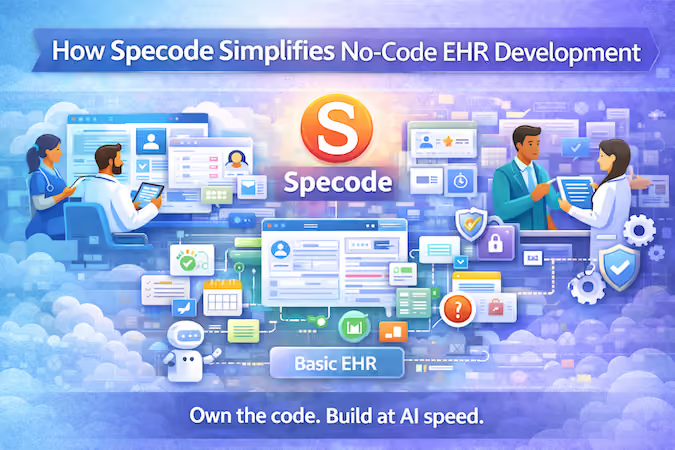
How Specode Simplifies No-Code EHR Development
Best-Fit Teams and Use Cases
Specode is a strong fit when you don’t need to “replace the hospital EHR,” but you do need a real clinical record that can survive production. Think EHR-lite products for private practices, specialty clinics, digital health startups proving a care workflow, or internal tools where clinicians need consistent charting without your team reinventing clinical data models from scratch.
What Specode Accelerates
Instead of starting from empty tables and guesswork, Specode gives you a pre-built Basic EMR component you can treat as your clinical core:
- patient profiles,
- structured history,
- encounter notes,
- templates,
- vitals, and other essentials you’d expect in an MVP record.
That maps cleanly to the “minimum viable record” checklist: capture an encounter, keep context, and make it retrievable.
On top of that, you can build by chatting with AI so teams move faster through the “define workflow → generate → refine” loop without getting stuck in UI plumbing. And unlike many no-code tools, you retain 100% code ownership, which matters the moment you outgrow MVP constraints or need deeper customization.
Specode also includes other prebuilt healthcare components that connect cleanly with the Basic EMR out of the box, so you’re composing workflows rather than wiring everything from scratch.
The net effect is fewer permission mistakes, better auditability by default, and a smoother path from one workflow to three without rebuilding foundations. That’s the practical advantage of custom EHR software development without starting from zero.
What You Still Need to Plan for
You still need crisp scope (first workflow, first roles), a validation loop with real users, and an integration plan you can phase in after MVP. Get started with Specode and see whether Specode's EHR component actually matches what you need.
Frequently asked questions
Not realistically. You can build an EHR-lite clinical core or a workflow tool, but “hospital-grade” implies operational EHR/platform expectations: deep interoperability, complex role models, auditability at scale, high-reliability integrations (HL7/FHIR, eRx, labs), and procurement-grade security/process. Bubble/FlutterFlow can get you to a usable MVP UI faster, but the hard parts show up in data model discipline, permissions, audit trails, and integration reliability—exactly where no-code quietly becomes engineering.
In practice, EMR is often used to mean a digital chart inside one organization (documentation and internal recordkeeping), while EHR usually implies a broader record built for exchange and coordination across systems and settings. Your post’s tier model maps well here: “EHR-lite clinical core” is closer to an EMR-style scope, while “operational EHR” and “platform” scopes move into true EHR expectations like interoperability and governance.
Treat migration as a staged product milestone, not a one-time import. Start by defining your minimum viable record (patient, encounters, notes, documents, auditability) and migrate only what your first workflow needs to run safely. Use exports (CSV/CCD documents/PDF attachments) as a bridge, validate mapping on a small cohort first, and keep a clear “source of truth” policy so you don’t end up with two conflicting records. Your platform shortlist advice about exportability and exit plans matters here: if you can’t extract data cleanly, migration becomes permanent pain.
For an EHR-lite MVP (one specialty, one workflow, 3–5 roles, minimal integrations), the timeline is usually driven by workflow clarity and validation cycles, not UI building. The fastest path is: pick one workflow, model roles/permissions, build the clinical core, validate with real users, then go live in a controlled pilot. The moment you add tier-3 integrations (FHIR/HL7/eRx/labs) or RCM/billing workflows, you’re no longer in “quick MVP” territory and should expect a longer hardening phase.
Pick the highest-volume loop where errors are obvious and value is immediate—typically intake → appointment → note → follow-up. Avoid multi-specialty support and avoid building “templates for everything” before you’ve watched real users complete the workflow repeatedly without rescue. Your post’s checkpoint idea (“10 steps or fewer” plus real-user runs) is the right bar.
Integrations become non-optional when the business depends on external exchange (labs, eRx, billing rails, or EHR connectivity), or when customers expect interoperability. Stage them by risk: prove your internal clinical core first, then add one integration that removes the most manual work, then harden it before adding the next. The ones you should stage last are the high-regret, high-surface-area integrations (HL7/FHIR connectivity, eRx, and anything that requires strict reliability guarantees).
Assume you will outgrow something and design your exit on day one: require full data export in usable formats, keep a clear mapping of key entities (patient/encounter/note/documents), and avoid baking business-critical logic into opaque vendor-only constructs you can’t reproduce elsewhere. Your blog’s “exit plan in two minutes” rule is the right sniff test.


