Remote Baby Care App Development: Building Smart Solutions for Modern Parents

Remote baby care app development isn’t a “cute parenting app” problem — it’s a trust problem. At 2:17 AM, parents don’t care about your feature list; they care that the feed connects fast, the audio doesn’t lag, and the alerts don’t cry wolf.
The teams that win in this space don’t invent monitoring primitives. They package reassurance into a calm, reliable control center — then charge for what’s actually expensive instead of holding basics hostage.
This guide breaks down what parents pay for, how to pick the right app type, the core modules that keep the product coherent, the architecture choices that prevent “it won’t connect” reviews, and how Specode can accelerate everything except the parts you truly must build custom.
Key Takeaways
- Pick your “center of gravity” early (camera-first or logs-first) — most “hybrids” fail because they try to ship two full apps in one.
- Build as modules (monitoring, tracking, family/roles, alerts) with clear boundaries; that’s how you avoid a tab-bar junk drawer and keep reliability testable.
- Budget and monetize around unit economics: streaming + storage + alerts + device QA are the real cost drivers, so keep live monitoring usable and sell history, caregiver scale, and explainable insights.
Remote Baby Care Apps Market in 2026: What Parents Actually Pay for
A quick market pulse before we talk product:
- The baby monitors market is projected at $1.82B in 2025 and expected to reach $2.58B by 2030 (7.21% CAGR).
- The video baby monitors market alone is pegged at $1.65B in 2025, forecast to hit $3.84B by 2032 (12.8% CAGR).
- Parenting apps are estimated to grow from $1.53B (2024) to $1.71B (2025) (11.7% CAGR).
- Another forecast expects the parenting apps market to expand by $1.14B (2024–2029) at a 16.2% CAGR.
So yes—demand is growing. But what parents actually pay for is more specific than “smart features.”
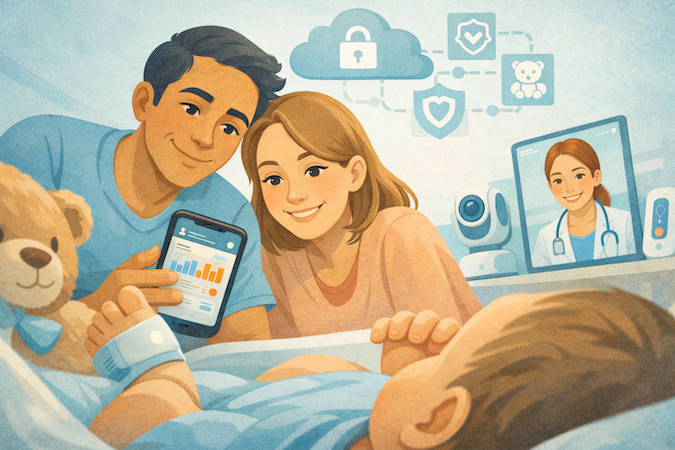
In practice, remote baby care app development isn’t about inventing monitoring primitives. It’s about packaging reassurance into something parents trust at 2:17 AM, then charging for the parts that feel essential once they’ve tried them.
Here’s what parents consistently pay for (and what they expect for free):
Hardware Gets You in the Door
Leading “smart monitor” ecosystems cluster around roughly a few hundred dollars per device (cameras, socks, sensor pads), while purely software trackers are often free-to-start. The business model assumes the hardware purchase is emotional, while the subscription is rationalized as “ongoing value.”
Subscriptions Monetize History and Clarity, Not the Live Feed
Live video/audio tends to be baseline. The paywall shows up when parents want longer cloud storage (clips and playback), better summaries, and trend views. Across major brands, the typical premium for saved video/history lands around $5–$10/month per camera/device — basically the “I want receipts” tax.
Sleep Analytics Is a Premium Magnet
Parents will pay for anything that plausibly improves adult sleep (aka survival). Apps and ecosystems pitch “sleep trends,” “morning reports,” nap predictions, and coaching-like guidance. That’s also where baby development and routine interpretation turns into revenue.
Sharing and Caregivers Are Sneaky Conversion Levers
Many products allow limited sharing for free, then charge when families need more caregivers, permissions, or multi-cam setups. That demand is driven by real life: grandparents, babysitters, split households — all needing remote access without account chaos.
AI Sells When It Reduces False Alarms
Cry detection, covered-face alerts, smarter motion filtering — parents don’t pay for buzzwords; they pay for fewer pointless wake-ups. If your AI increases anxiety, it’s not a feature — it’s churn.
Net: winning baby care apps look like a calm control center with ruthless mobile compatibility (fast launch, stable sessions, clear sharing), plus paid tiers that unlock history and interpretation. That’s the north star for parenting app development — and for any team trying to build something credible in this space.
Choosing Remote Baby Care Applications Before You Pick Features
If you don’t pick your “app type” up front, you’ll end up with a Franken-app: half nanny cam, half health journal, plus a sprinkle of “AI” that mostly generates customer support tickets.
App Type Decision Tree
Remote Baby Monitor App: Camera-First
This is the “peace of mind” product. Your core job is making live reliable: fast startup, stable connection, usable night mode, and alerts that don’t cry wolf. Everything else is secondary.
What typically defines this type:
- Real-time video and audio as the main screen (not a feature buried in a tab)
- A tight alert loop (sound/motion thresholds, quick replay clips, escalation)
- Household reality support: flaky Wi-Fi, multiple caregivers, multiple devices, and 2AM “why is this not connecting” moments
If you’re doing this, the product isn’t about “more features.” It’s about reducing parent uncertainty with fewer, better signals—especially when the baby is asleep and everyone is one false alarm away from uninstalling.
Baby Health Tracking App: Logs-First
This is a routine-and-patterns product: feeding, sleep, diapers, growth, and a timeline that helps parents answer “is this normal?” without scrolling through chaos. The killer feature here is not data entry—it’s clarity.
What typically defines this type:
- A clean daily timeline and summaries that feel effortless
- Pattern visibility (sleep windows, feeding cadence, “this week vs last week”)
- Shareable views that help a partner or caregiver stay synced
This is where a parental dashboard actually matters: if it doesn’t turn daily logs into something that feels like control (not homework), you’re building a glorified spreadsheet.
Hybrid: Where Most Teams Overbuild and Die
Hybrid can work, but only if you’re ruthless about what lives where. Most hybrids fail because they try to be:
- a premium camera app,
- a full baby journal,
- and a quasi-medical product…
…all in v1. Result: confusing navigation, bloated onboarding, and a support queue that looks like a cry for help.
A hybrid should be one primary “home base” plus one secondary module:
- Camera-first with “just enough” logs (sleep and feeding basics), or
- Logs-first with “just enough” monitoring (audio background and quick check-in)
Pick the center of gravity. Then treat the other part like an add-on, not a co-equal universe.
“Medical Claims” Red Lines
Here’s the uncomfortable truth: the moment you imply you’re diagnosing, preventing, or treating something, you’ve walked out of “parent wellness tool” land and into regulatory complexity land.
A practical way to keep this sane in infant care app development:
- Wellness framing (usually safer): “track,” “record,” “remind,” “share with your clinician,” “supports routines,” “helps you spot patterns.”
- Regulatory magnets (handle carefully): “detects illness,” “prevents SIDS,” “diagnoses fever,” “medical-grade monitoring,” “clinical accuracy.”
If you’re even hinting at clinician workflows (pediatrician consultation, growth tracking, follow-ups), it helps to sanity-check your scope against what real pediatric app development looks like—so you don’t accidentally market yourself into regulatory hell.
- “Export history and share with your pediatrician” is safer than “we’ll tell you what’s wrong.”
- Keep consultations clearly framed as communication + documentation, not automated clinical decision-making.
Same with vaccination reminders: great feature, but don’t position it as a guarantee of compliance or clinical correctness. Use it to support parents, and make the data provenance explicit (e.g., parent-entered vs pulled from a provider portal).
Decide whether your newborn care application is a monitoring tool, a tracking tool, or a carefully scoped hybrid—and then write every feature description like a lawyer is reading it… because eventually, someone who sounds like one will.
Building Baby Monitoring and Care Apps as Modules, Not a Feature Checklist
The fastest way to ship a messy product is to treat “monitoring,” “tracking,” “sharing,” and “alerts” as a pile of screens. A better approach for baby care mobile app development is to treat them as four modules with clear boundaries: each module has its own data, rules, and UI states—and they all plug into one consistent “home” experience.
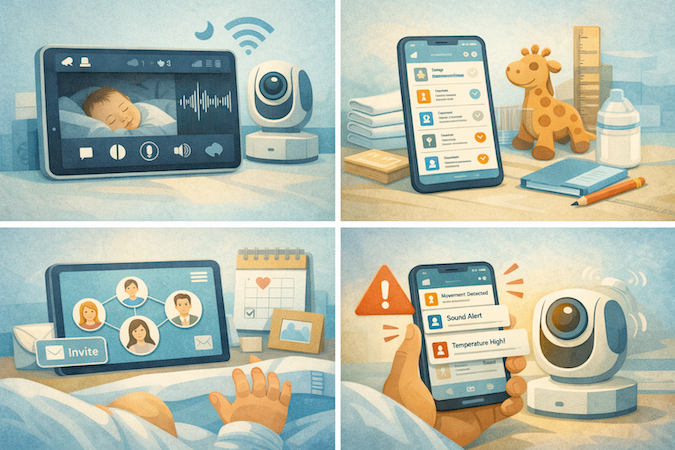
That’s how a baby health tracking app stays coherent as it grows, instead of turning into a tab bar graveyard.
Monitoring Module
Think in session states, not features. Parents need a predictable loop: open → connect → watch/listen → act.
What this module should own:
- Live session state (connecting, connected, degraded, reconnecting)
- Media controls that work one-handed (including background audio)
- Low-light behavior defaults (so night mode doesn’t feel like a spotlight)
- Signal processing for sound/motion events (but not “alert policy”—that belongs in Alerts)
Yes, video streaming matters—but the real product is the stability of the experience across those session states.
Tracking Module
Tracking should be a single “timeline” model with quick-entry actions—not separate mini-products. Your core event types map cleanly to parent routines:
- sleep tracking events (start/stop; edits)
- feeding schedule events (type, amount, notes, repeats)
- diaper tracking events (timestamp; quick tags)
- periodic entries like growth monitoring and milestone tracking
The UX goal isn’t data capture. It’s “show me today in 10 seconds” and “help me remember last Tuesday.”
Family Module
Treat sharing as a permissions system, not a social feature. This module owns:
- Invite and access lifecycle (add/remove caregivers cleanly)
- Role rules (who can view vs log vs manage)
- Family timeline consistency (one source of truth across devices)
- A dashboard view that resolves disagreements (“what happened today?”) instead of creating them
This is where many baby care app features collapse if not designed early: the moment multiple caregivers exist, your data model gets stress-tested.
Alerts Module
Don’t confuse delivery with logic. Push notifications are just the delivery channel. The module needs an alert policy engine:
- Thresholds and cooldowns (stop spam)
- Quiet hours and priority tiers
- Escalation (notify caregiver #2 if caregiver #1 ignores)
- Clear “why you got this” messaging, so alerts earn trust
Done this way, each module stays maintainable, testable, and expandable—without forcing you to rewrite the app every time you add one more “must-have” request from a sleep-deprived parent.
Baby Care App Development Architecture: Where Most Baby Apps Break
In baby monitoring app development, the “features” are rarely the problem. The architecture is. Parents forgive a missing chart. They don’t forgive a feed that won’t load, audio that lags, or alerts that fire randomly. If you want trustworthy real-time monitoring, you’re really building three systems: delivery, data, and unit economics.
Video/Audio Delivery
Treat live sessions like networking products, not UI widgets.
- Latency targets: Decide what “good enough” means for your use case (live reassurance vs incident review). Then design every choice—codec, bitrate strategy, reconnect policy—around that target.
- Reconnection strategy: You need a deterministic state machine (connecting → connected → degraded → reconnecting) with backoff, fast resume, and clear UX signaling. Most “it’s broken” reviews are just reconnection chaos.
- Home Wi-Fi failure modes: Assume weak signal, mesh weirdness, NAT issues, captive portals, and network switching (Wi-Fi ↔ LTE). Design graceful degradation: drop resolution before dropping the session.
- Bandwidth adaptation: Your video streaming layer should continuously adapt bitrate/resolution, and it should do it without breaking audio. Parents will tolerate softer video; they won’t tolerate unusable two-way audio.
Data Model
Most teams smash everything into one database table and then wonder why the product feels inconsistent. Split your data shapes early:
- Event streams (logs): Sleep/feeding/diaper entries are small, frequent, editable, and should support a timeline view and exports.
- Media storage (clips): Video/audio clips are heavy, immutable, and need metadata (timestamps, device ID, event trigger, duration, caregiver access).
- Retention and export: Retention policies must exist at launch (even if generous). Exports should be deliberate: “share last 7 days with a pediatrician” is a product moment.
- Auditability: Any shared/caregiver model needs traceability—who changed what, when—because multi-user reality turns “simple logs” into disputes.
Cloud Cost Reality
This is where unit economics ambush you. Cloud storage and streaming aren’t background details; they are the business model.
- Storage grows with retention and clip length.
- Streaming costs scale with watch time, number of viewers, and resolution.
- “Smart” features often add hidden multipliers (transcoding, thumbnails, analytics pipelines).
- Alerts cost money too (delivery, processing, retries)—especially if you’re generating lots of sound alerts and “micro-events.”
Plan this early: define what’s free (live view), what’s premium (history/retention), and what gets throttled (high-frequency events). Otherwise, success becomes the expensive kind.
Devices and Wearables for Baby Apps: Pairing, Reliability, and Integrations
Most teams assume the “app” is the hard part. In reality, the first angry reviews come from hardware setup: pairing loops, flaky Wi-Fi, and devices that work great… right until someone reboots the router.
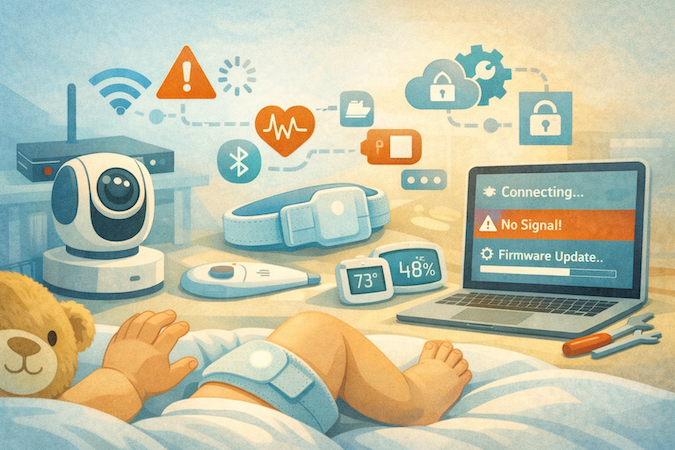
If you’re building an infant monitoring app builder, treat device onboarding and reliability as first-class product surfaces, not “backend work.”
What You’re Really Integrating
Wi-Fi cameras are your always-on, high-bandwidth anchors. They drive the “check-in” behavior and the perceived quality of the whole product—especially when parents rely on night vision. If low-light performance is inconsistent, everything else feels untrustworthy.
BLE wearables are the “continuous signals” layer. This is where wearable integration gets tricky: BLE is sensitive to distance, interference, OS background limits, and battery optimization settings. Your app needs to handle intermittent connections without gaslighting the user (“No data” with no explanation is a churn trigger). Treat the BLE part as serious wearable app development—background limits, reconnection, battery optimization, and “missing data” explanations are the product, not edge cases.
Environmental sensors (temp/humidity) are deceptively simple. Parents expect temperature monitoring to be stable and accurate enough to act on, which means you need calibration logic, sane sampling rates, and clear presentation (“trend” vs “right now”).
Pairing and Provisioning Flows
Pairing is not one flow. It’s a set of recovery paths:
- “New device, fresh network” setup (happy path)
- Network change (new router, new password, mesh nodes)
- Device reset / factory reset
- Permission failures (camera/mic/Bluetooth/Local Network prompts)
- Multi-phone households (who “owns” the device, who can re-pair)
For cameras, provisioning UX must assume real-world Wi-Fi complexity. For BLE devices, your app has to teach users the physical reality: where to place the phone during pairing, how long it takes, and what “connected” means when the OS suspends background scanning.
IoT Platform vs Custom: the Tradeoffs
- IoT platform: faster time-to-market, prebuilt device provisioning, telemetry, firmware update tooling, and some security primitives. Great if your differentiation is app experience, not building an IoT backend from scratch.
- Custom: more control, better ability to optimize cost at scale, and deeper tailoring for edge cases (e.g., custom camera pipelines, proprietary wearable protocols). But you own everything: device management, reliability tooling, and the fun world of firmware updates.
Either way, define which signals you treat as “actionable.” Motion detection is a good example: if it’s noisy, it becomes a panic machine. It needs thresholds, cooldowns, and clear explanations—otherwise your alerts module becomes a support channel.
The core idea: devices don’t fail gracefully by default. Your product has to. Design device setup like health app onboarding—fast win, clear state, obvious next step—because most churn happens before the first stable session, not after.
AI in Baby Care Apps: Useful, Risky, and Often Oversold
AI is a credibility amplifier in baby wellness app development: it can turn routine data into calm decisions—or it can manufacture anxiety at scale. The way to keep it on the right side is to design AI as pattern interpretation (personalized, evidence-backed) rather than meaning inference (“this cry means X”).
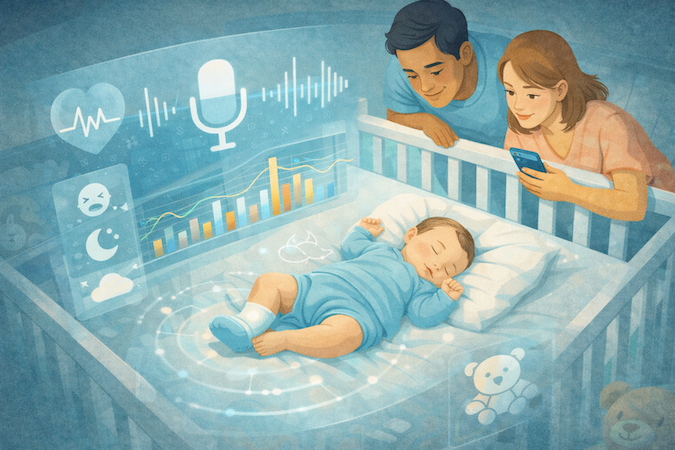
Cry Detection and Anomaly Flags: What’s Feasible
Cry detection is realistic if you define the job narrowly:
- Detection/classification: “cry-like vs not” and “crying segments vs silence” are feasible.
- Meaning: labeling “pain,” “hunger,” “illness,” etc. is where products start pretending they can read minds from audio.
Where AI becomes genuinely useful is personalization. A static model struggles in real homes (TV noise, siblings, echo, mic placement). A better approach: calibrate to the household and learn the baby’s baseline—then flag deviation as “unusual for your baby,” not “clinically abnormal.”
That’s what earns the term AI-powered insights: grounded comparisons against the baby’s own history.
On-Device vs Cloud Inference: the Practical Split
Streaming/storage economics and privacy constraints shape this decision too—so choose inference placement based on what you need to ship reliably.
- On-device (or on-camera) is great for low-latency detection and limiting raw data movement.
- Cloud is better for heavier aggregation (weekly summaries, cohort-level model updates), but it forces stricter governance and monitoring.
A common “sane” split: lightweight detection at the edge; trend computation and personalization updates in the cloud.
Predictive Analytics That Parents Actually Use
Predictive analytics should mostly live in the logs world—because it’s measurable and explainable:
- Use sleep patterns to forecast likely nap windows (probabilistic ranges, not promises).
- Use feeding patterns to surface cadence shifts (“shorter intervals than usual this morning”) and reduce guesswork.
The winning move is to keep outputs actionable but humble: trends, ranges, and comparisons—never diagnoses.
Evaluation: Don’t Ship a Model You Can’t Defend
For baby AI, “accuracy” is a trap metric. What matters is whether the model is dependable across messy reality:
- Define ground truth (what counts as “cry,” how it’s labeled, how disagreements resolve).
- Test across environments (quiet room vs TV vs multiple voices) and devices/mics.
- Monitor drift (new room setup, new caregivers, different routines) and build recalibration triggers.
Finally: every insight needs a visible “receipt” (the baseline window, the compared period, the signal that changed). That’s how you keep AI from feeling like a magic trick—and how you keep trust when the stakes are sleep-deprived humans.
Privacy, Safety, and Compliance for Baby Care Apps
If your product includes a remote baby monitor app, you’re operating in one of the worst combinations possible: always-on sensors + anxious users + multi-caregiver access + third-party SDK temptation.
Parental Consent and Child Data Basics
Don’t treat consent as a checkbox. Treat it as an enforceable policy surface.
- Consent as a state machine: You need explicit states (unverified parent → verified parent → revoked/expired) and deterministic behavior for each state. Every data write should be conditional on the current consent state, not “best effort.”
- Data minimization by design: Collect only what you can justify per module (monitoring vs tracking vs sharing). If a data field doesn’t power a feature, it’s just liability with a schema.
- Retention rules that actually execute: “We retain for X days” is meaningless unless it’s backed by automated deletion (including derived data: thumbnails, embeddings, analytics events, support logs). Retention should be tier-aware (free vs paid history) and export-aware (users can pull health records-style summaries without you keeping everything forever).
- Family sharing constraints: Consent doesn’t automatically equal “share with everyone.” Define who can invite, who can view, and what happens when a relationship changes (divorce, caregiver rotation, lost phone). That’s where “policy” becomes product.
Security Essentials
Assume a realistic threat model: account takeover, insecure home networks, device theft, and SDK data leakage.
- Access controls first, UI second: Strong parental controls aren’t a settings page—they’re role-based permissions enforced server-side (view vs talk vs admin vs export). Default-deny beats “we’ll add it later.”
- Data encryption with key discipline: Encrypt in transit and at rest, but also be explicit about key management (rotation, least-privilege access, environment separation). “Encrypted” is not a security posture; it’s table stakes.
- Secure communication that survives the real world: Session tokens, device pairing secrets, and invitation links should be short-lived and scoped. Treat streaming endpoints like privileged resources, not public URLs with hope and vibes.
- Device access controls: If you support cameras/wearables, harden provisioning: ownership transfer, reset flows, and “who can re-pair” rules. Otherwise, physical access becomes account access.
Third-Party SDK Due Diligence
Analytics/ads are where teams get burned because they quietly expand the data surface. Maintain an allowlist, document exactly what leaves the device, and gate every SDK behind the same consent/role logic.
If you’re claiming HIPAA compliance, be precise about scope: what data is PHI, where it lives, who can access it, and how you audit access—because hand-wavy compliance language is how you end up with expensive surprises.
If you want a practical checklist for what “HIPAA-ready” means in product terms (roles, boundaries, audit trails, vendors), use this HIPAA compliant app builder guide and map it to your caregiver and baby-data model.
Build Plan for Baby Care App Development
If you’re trying to develop baby care application software that survives real households, the build plan should be ruthless: ship one primary loop, make it reliable, then earn the right to expand. The mistake is shipping a “full platform” that’s fragile everywhere.
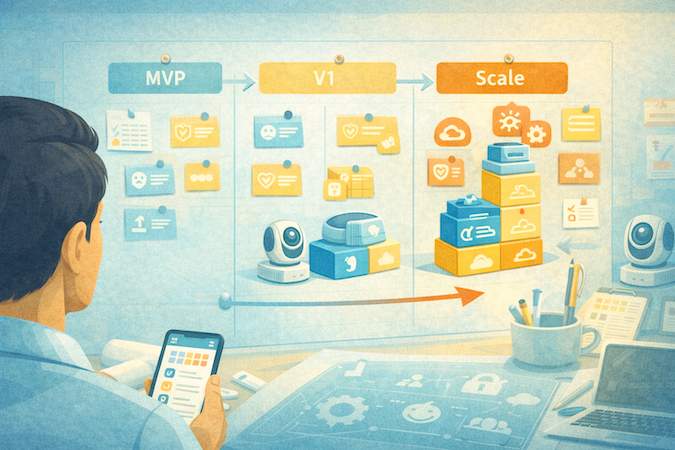
MVP: Ship One Loop That Works Under Stress
Pick your center of gravity and cut everything else:
- Monitor-first MVP: fast connect → stable session → basic alerts → caregiver sharing (limited).
- Track-first MVP: quick-entry timeline → summaries → sharing + export.
Either way, the MVP needs a real timeline with activity logs (even if minimal) because it becomes your debug surface: “what happened, when, on which device, under what network conditions.” Without that, every support issue turns into guesswork.
MVP includes:
- Account + caregiver access (basic roles)
- One device path (one camera model or one wearable class)
- One alert type done well (sound or motion, not five flavors of panic)
V1: Expand Features Only After Reliability Baselines
V1 is where you earn trust:
- Add richer dashboards, trend views, and configurable routines
- Add a second device type (e.g., BLE wearable) only if your pairing + reconnection story is already clean
- Add smarter alert logic, but keep it explainable
This is also where you define your “critical alerts” category. Anything that qualifies as emergency alerts must have stronger guarantees: retries, escalation to another caregiver, and clear “what triggered this” context. If you can’t defend the alert, don’t ship it as “emergency.”
Scale: Operational Discipline, Not New Screens
Scaling isn’t more features. It’s fewer fires:
- Device fleet management (provisioning, ownership transfer, firmware updates)
- Observability: session health, dropout rates, pairing failures, alert false-positive rates
- Release discipline: staged rollouts, kill switches, and feature flags for anything that touches streaming or device connectivity
The “everything everywhere” syndrome is real: multiple device types, multiple alert modes, multiple sharing models—all interacting. Treat each expansion like adding a new subsystem, because that’s what it is.
Cost of Remote Baby Care App Development: What Actually Drives the Budget
If you’re budgeting to build baby tracking app software (or a monitor-first product with tracking bolted on), don’t let the “feature list” drive your estimate. The budget is driven by scope shape and operational reality: what you ship, what you must support, and what you’ll pay for every month after launch.
The Big Cost Buckets
1) Product Scope Complexity
A monitor-first app, a logs-first tracker, and a true hybrid are three different budgets. Hybrid isn’t “monitoring + tracking”; it’s monitoring + tracking + the glue: shared timelines, permissions, exports, and conflict resolution across caregivers. That “glue” is where weeks disappear.
2) Device Integration and the QA Matrix
Every device class you support creates a combinatorial test problem:
- Wi-Fi cameras: provisioning, network changes, reconnection behavior
- BLE wearables: pairing, OS background limits, intermittent connectivity
- Sensors: calibration drift and “why does this read differently than yesterday?”
Even if your app UI is stable, this matrix expands with each device model, router type, and phone OS version. That’s why hardware-adjacent apps spend disproportionately on QA and field testing.
3) Reliability Engineering and Observability
This category doesn’t show up in mockups, but it’s the difference between 4.8★ and a support fire. Budget time for:
- session diagnostics and structured logs (so you can reproduce “it doesn’t connect”)
- monitoring dashboards (drop rates, pairing failures, alert failure rates)
- staged rollouts, feature flags, and kill switches for streaming/device changes
4) Ongoing Ops, Support, and Compliance Operations
You will pay for:
- on-call / incident response muscle (even if it’s lightweight)
- customer support load (setup issues are inevitable)
- consent/retention enforcement and third-party SDK governance as you ship updates (this is ongoing, not a launch task)
5) Infrastructure Variables
Streaming and storage scale with usage and history tiers—model them as per-active-family variable costs, and sanity-check your assumptions early with your expected “watch time” and retention policy.
MVP vs “Real Product” Scope Differences
- MVP is one primary loop + one device path + basic sharing.
- Real product is multi-caregiver roles, exportable history, reliability tooling, and the support surfaces that make the system operable.
Most teams underestimate how quickly “just add sharing” turns into a permissions and audit story.
Where Teams Underestimate Ongoing Costs
- connectivity-related support and refunds (especially during device onboarding)
- expanding QA with each new device/OS release
- telemetry and diagnostics volume (you’ll need it, and it isn’t free)
- compliance upkeep as you add vendors, analytics, and new data flows
If you budget like this—scope shape, device/QA matrix, operability, and ongoing ops—you won’t get surprised when the first “simple” update turns into a two-week reliability sprint.
Monetization That Doesn’t Feel Gross
If you create baby monitoring app monetization like a hostage negotiation (“pay or lose basics”), parents will punish you fast. The playbook that actually works in this category is: free core monitoring, paid history + coordination + interpretation—and crystal-clear boundaries.
Subscription Tiers That Don’t Spark Rage
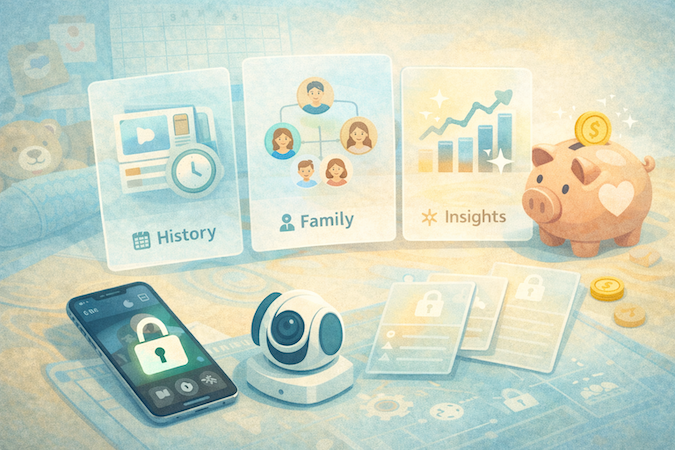
Bundle paid value around three levers parents choose to pay for:
- History & replay: longer clip retention / video history (the most common paywall across ecosystems).
- Caregiver scale: charge when families need multiple users with real permissions, not when they need the second phone. (Example pattern: limited sharing free, expanded users in paid tiers—Nanit is explicit about higher tiers supporting more invited users; other brands bake sharing into mid tiers.)
- AI / insights: monetize outcomes (fewer false alarms, useful trend summaries), not “AI” as a label. Cubo-style “safety alerts free for year, then paid” is common because it creates habit first.
Hardware Bundle Margins vs App-Only
- Hardware-first ecosystems use subscriptions to fund ongoing cloud + support and to reduce resale leakage (SNOO is the blunt example of this shift).
- App-only trackers compete on free logging, then monetize guidance/analysis (Huckleberry-style). This keeps acquisition cheap but raises the bar on insight quality.
Compliance-Friendly Analytics
Keep analytics boring and defensible:
- Default to product analytics (crash rates, streaming failures, onboarding drop-offs), not ad-tech behavior graphs.
- If you do attribution/engagement, gate it behind consent and keep it minimal—because third-party SDKs are where “we’re fine” turns into “why is this SDK collecting that?” fast.
Net: monetize what’s expensive and coordination-heavy—history, caregiver scale, and genuinely helpful insights—while keeping family sharing and core monitoring usable without a subscription-shaped threat.
How Specode Can Help With a Remote Infant Care Application
If you’re building a remote infant care application, Specode is strongest when you treat the product as “healthcare-grade plumbing + your baby-specific logic,” not a from-scratch rebuild of auth, roles, dashboards, and tracking.
What Specode Accelerates
Specode lets teams assemble the boring-but-critical modules fast:
- Roles + permissions + authentication (caregiver/admin-style access patterns)
- Tracking + timelines (structured logs, trend views, dashboards) using built-in tracking-style components that map well to baby event logs
- Notifications with templates/preferences patterns
- Auditability foundations that become essential once multiple caregivers exist
What Still Needs Custom Work
A remote baby monitor app lives or dies on streaming + device behavior, so plan custom work around:
- Hardware/device specifics: camera provisioning, BLE pairing, device ownership transfer
- Monitoring pipelines: low-latency video/audio, reconnection behavior, and monitor-grade UX loops
- Wearables: Specode supports wearable integrations via partner hubs such as Junction
- Video services: Specode’s telehealth-style video flows are wired to external providers using API configuration; integrating other streaming services with suitable APIs typically follows the same “provider + keys + workflow wiring” model
Specode Advantages for Teams Shipping Fast
- AI Builder: build by conversation, not tickets. You can describe flows in plain English and the AI assistant scaffolds screens, data models, and wires Specode components together—so early iterations move at “PM speed,” not “sprint planning speed.”
- Start from a working healthcare foundation. Patient/provider/admin portals and core modules (auth/roles, scheduling, notifications, tracking) are already there—so you spend cycles on your baby-specific UX and logic.
- Own your code; keep iterating without lock-in. Specode outputs real code you own and can extend or replace over time—useful when a “remote baby care app” evolves into a bigger platform (devices, new caregiver roles, integrations).
- HIPAA-friendly defaults and auditability patterns from day one. Even if your app isn’t always in HIPAA scope, the platform is built around PHI-safe patterns (roles, boundaries, audit trails), which reduces rework when you add clinician workflows later.
If you’re even considering building a remote infant care product, don’t burn two weeks on setup theater. Go spin up your first flow in Specode today. Get started with Specode and get your first version on the screen.
Frequently asked questions
Decide whether you’re monitor-first (reliable live sessions) or logs-first (timeline + summaries), then treat anything else as a secondary add-on, not a second “core.”
One primary loop that works under stress (stable monitoring session or fast logging timeline), basic caregiver access, one device path, and one alert type done well.
Avoid promises like diagnosing, preventing, or treating; stick to tracking, summarizing, and “share with your clinician” workflows with clear data provenance.
AI that reduces false alarms and summarizes patterns tends to earn trust; AI that claims to interpret meaning (“this cry means pain”) tends to create anxiety and churn.
The moment multiple people can view and edit, you need real roles, permissions, traceability (who changed what), and conflict-resistant timelines across devices.
Reconnection chaos, Wi-Fi failure modes, poor bandwidth adaptation, and unclear session states — users forgive missing charts, not a feed that won’t load.
Keep core live monitoring usable, then charge for longer history/retention, expanded caregiver access with real permissions, and insights that clearly reduce noise rather than add it.