Top 7 HIPAA-Compliant Scheduling Software Tools For Healthcare Teams In 2026

Everyone thinks scheduling is “just admin” until a patient name slips into a calendar invite, an SMS reminder goes out through the wrong vendor, and suddenly your front desk workflow is an incident report waiting to happen.
That’s why HIPAA compliant scheduling software isn’t a nice-to-have in 2026 – it’s the foundation for any booking flow that touches real patient data. The real question isn’t “can patients book online?” – it’s whether your scheduling setup can survive BAAs, audit logs, EHR or telehealth integrations, and the messy reality of humans copy-pasting PHI into the notes field.
Key Takeaways
- Scheduling isn’t “admin” once it touches patient info — it’s a compliance system.
If your booking flow can contain identifiers (names, appointment types, notes, reminders, attachments), you’re effectively handling ePHI, which means BAAs + auditability + access controls stop being “nice-to-have.” - Pick the buying model first, then the vendor: suite vs platform vs rules-engine.
Turnkey suites deploy fast but can force rigid workflows; platforms require setup but let you shape custom intake/routing; enterprise rules engines are built for multi-channel governance. The wrong shape is how “we just needed scheduling” becomes an integration project. - The cheapest sticker price is often the most expensive path — pricing jumps live in onboarding, compliance surcharges, and integrations.
Shortlist with a total-cost lens: implementation + messaging fees + “enterprise-gated” HIPAA features + EHR/telehealth/payment integration reality. Pressure-test the gotchas before you fall in love with a demo.
What Is HIPAA-Compliant Scheduling Software?
If your scheduling tool touches patient info in any way, it stops being “just a calendar” and starts being a compliance decision.
Definition: Plain-English Meaning
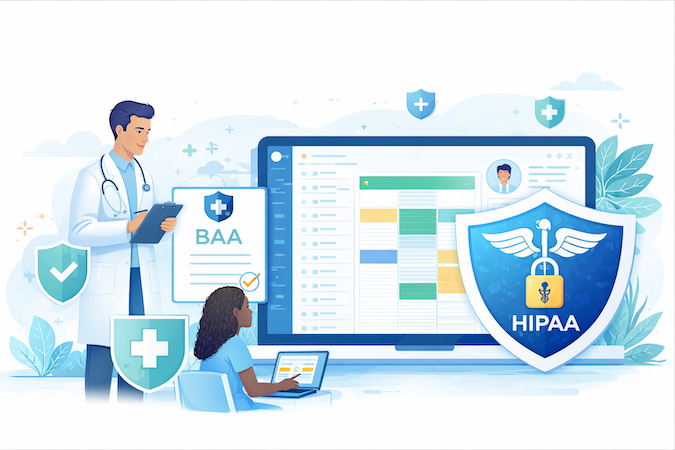
HIPAA compliant scheduling software is any scheduling/booking system that can be used in a healthcare workflow without exposing ePHI, because it (1) will sign the required Business Associate Agreement (BAA) when it functions as your business associate, and (2) supports the administrative and technical safeguards HIPAA expects for systems that create, store, or transmit ePHI.
What Makes Scheduling Apps Actually HIPAA-Safe
- HIPAA requires BAAs with vendors when the vendor hosts, processes, or can access PHI/ePHI on your behalf (including troubleshooting access). If there’s no BAA, you’re taking on compliance risk by default.
- Non-compliant tools can quietly turn scheduling into a PHI leak. A “calendar event” can easily become ePHI if it includes patient identifiers, appointment type, clinician name, location, notes, attachments, or automated messages.
Google services can be used in a HIPAA context only under the right Workspace plan, with the BAA in place, and only for “HIPAA Included Functionality.” (So: personal Google Calendar habits ≠ compliant operations.)
- HIPAA compliant online scheduling isn’t just “pick a time slot.” It typically bundles patient reminders, intake steps, telehealth links, and sometimes payments – without spraying PHI across email/SMS/vendors that aren’t covered by BAAs.
Baseline Safeguards You Should Expect
- Encryption in transit (and typically at rest), with documented rationale if encryption is not used since it’s “addressable,” not “optional.”
- Access controls (role-based access, least privilege), plus audit-friendly controls like activity logging/audit controls.
- Breach handling expectations (contractual duties in the BAA + vendor incident processes).
Trends: What’s Changing in 2026
Three trends are pushing scheduling from “front desk admin” into a core part of your clinical and compliance stack.
“Digital Front Door” Scheduling
Self-serve booking that still routes into eligibility rules, forms, and the right care pathway (not a dumb calendar link).
Interop Pressure
More orgs want scheduling to connect to EHR/telehealth/payments via APIs (often FHIR/HL7 + middleware), rather than re-keying data and praying nothing gets copied into the wrong place.
Security Tightening
Stronger access policies, better auditability, and clearer vendor boundaries (BAA scope + subprocessors) – because “we didn’t mean to put PHI in the notes field” is not a great defense.
Specode
Quick Overview
Specode is an automated platform with reusable HIPAA-compliant components and an AI assistant that helps teams assemble healthcare apps fast—then ship real code you own, not a walled-garden project.
For teams evaluating no code platform to build HIPAA compliant scheduling software, Specode sits in the “build what you need, keep ownership” camp rather than the “accept our workflow” camp.
Best For
- HIPAA compliant scheduling software for healthcare providers that need custom booking rules (providers, locations, appointment types, buffers) without starting from scratch.
- Digital health products where scheduling must connect to telehealth, intake, reminders, and payments—without copying sensitive data between tools.
- Teams that want a path toward HIPAA compliant EHR and scheduling in one workflow (even if your “EHR” starts lightweight and grows over time).
Pros
- Scheduling is a first-class component, not an afterthought: real-time availability, provider selection, appointment types/durations, buffers, and double-booking prevention.
- Works as a workflow backbone: Scheduling is designed to plug into provider availability, patient profile/auth, plus “enhancements” like telehealth links, checkout payments/deposits, provider search, and basic EMR encounter records.
- Prompt-driven customization: (e.g., adding location selection to the booking flow), which is the difference between “configurable” and “actually adaptable.”
Cons
- This isn’t a turnkey EHR suite—you’re assembling an app from components, so scope control matters (what’s core vs custom).
- BAA is typically handled via the Custom tier, and you’ll still want to confirm the exact scope (what Specode covers vs. what falls on integrated vendors). Specode can also help you line up BAAs with key partners you may use in the stack (e.g., CometChat for telehealth/messaging).
- Deep integrations beyond the simplest path are positioned as project work, not “flip a switch.”
HIPAA & Compliance
- Specode positions itself as a HIPAA-compliant AI builder with reusable HIPAA-compliant components, including appointment scheduling.
- Even if Specode gives you HIPAA-ready building blocks, you still need to confirm BAA posture across every integrated vendor in your stack (telehealth/video, SMS/email, payments)—because compliance breaks at the weakest third-party link, not at your app’s UI.
Pricing
- Plans are published: Pro ($1,000/mo, production deployment); Custom starts at $5k/month. For current pricing details, visit the Specode pricing page.
- Plan for pricing as builder + deployment capacity, not just “a scheduler license” (credits/projects/production deployment are plan-bound).
Tebra
Quick Overview
Tebra is an all-in-one “Practice Success Platform” that combines Kareo’s practice management/EHR + revenue cycle roots with PatientPop’s marketing and patient-experience tooling (merged in 2021).
It’s built around a “single login” workflow where scheduling, intake, reminders, telehealth, billing, and growth features share the same operational hub.
Best For
- Independent practices that want online booking + reminders + digital intake tied directly into the core schedule/EHR flow.
- Multi-provider / multi-location teams that need time-zone aware service locations and configurable schedule blocking.
- Practices that care about a vendor’s formal security posture (audits/certifications) more than bare-minimum HIPAA claims.
Pros
- Strong scheduling controls: color-coded schedule blocks, recurring patterns, and real-time appointment flow views (“Scheduled / In Office / Finished”).
- “Tentative appointments” for web bookings (requests that staff confirm before locking the slot).
- Patient-experience stack: 24/7 booking via website/portal and Google Search/Maps, plus automated SMS/email reminders.
- Digital intake that syncs into the Tebra EHR.
Cons
- Post-implementation support is a recurring pain point in reviews (slower response times and weaker resolutions are mentioned).
- Reported reliability issues: “constant glitches,” blank intake forms, and freezing during peak hours.
- Add-on creep: reviews cite “nickel and diming” for features like AI notes and (in some cases) telehealth.
- Interop gap for some workflows: lack of “Care Everywhere”-style cross-system sharing is called out as a drawback.
HIPAA & Compliance
- BAA: available (Tebra publishes a Business Associate Agreement and outlines breach notification, subcontractor requirements, minimum necessary use, and data return/destruction terms).
- Security/compliance: SOC 2 Type II and HITRUST CSF, plus PCI DSS for Tebra Payments, alignment to NIST Cybersecurity Framework, RBAC, and a “Master Audit Log” for record changes.
Pricing
- Starting price / tiers: Base monthly fees are reported as ~$99–$399 per provider depending on modules (Clinical/EHR, Billing/PM, Engage/Marketing).
- Hidden costs / add-ons / setup fees / migration fees:
- Onboarding fees reportedly $1,000–$20,000 (complexity dependent).
- Data migration reportedly $500–$10,000.
- “Compliance fee” is reported as $15,000/year for subscription customers (or 7.5% of ARR for transactional customers).
- Transactional fees can stack.
Integration Reality Check
- Telehealth is integrated into the schedule.
- Tebra cites APIs using HL7 and FHIR; automation bridges (e.g., Keragon) are mentioned for no-code workflows.
- API access comes with constraints (usage limits and restrictions on building competing products via the API).
Healthie
Quick Overview
Healthie is a practice management + “headless” EHR platform that bundles scheduling, patient portal/messaging, telehealth, and back-office tooling—with an API-first model (GraphQL) for teams that want to build custom patient/provider experiences on top.
If you’re shopping for HIPAA compliant appointment scheduling software that also handles care delivery workflows (not just booking links), Healthie is positioned for that “stack-in-a-box + extensibility” lane.
Best For
- Virtual-first practices that want self-booking, reminders, and telehealth in one system.
- Multi-provider or collaborative-care teams that need shared calendars, admin roles/support seats, and license-aware scheduling by state.
- Digital health teams building branded web/mobile UX on top of an API-driven clinical + scheduling backend.
Pros
- Patient self-booking is a first-class workflow.
- Strong scheduling mechanics: appointment types, buffers, waitlist workflows, timezone sensitivity, and “license-aware” booking restrictions for multi-state care.
- Two-way calendar sync (Google/Outlook/Apple iCal) designed to prevent double-booking.
- Telehealth options: native encrypted 1:1 video across plans, plus Zoom for Healthcare integration (Plus+), using unique meeting IDs per appointment and platform-managed licensing.
- Enterprise-grade extensibility: production-scale GraphQL API, webhooks, scoped API keys, SDKs, and a marketplace for common business tooling integrations.
Cons
- Support model is a recurring pain point in reviews: chat/email with “generic help doc links” reported for bugs.
- Calendar setup can be tedious (notably: manual availability management without a mass-edit tool).
- Telehealth workflow friction: can’t always access the calendar to schedule follow-ups while on a call.
- Configuration can feel “click-heavy” before templates/workflows are dialed in.
HIPAA & Compliance
- BAA: available (Healthie BAA covers permissible PHI use/disclosure and breach notification obligations).
- Security/compliance: HIPAA-aligned safeguards (encryption at rest/in transit; “256-bit SSL” stated), SOC 2 Type 2, HITRUST R2, plus GDPR/PIPEDA and PCI Level 1; audit logs are available.
Pricing (and escalation triggers)
- Plans/tier entry points: Starter “$0.28” (up to 3 clients), Core $18 (10 clients), Essentials $45 (250 clients), Plus $115 (unlimited), Group $135+ (unlimited), Enterprise custom (billed annually).
- What makes price jump: moving into Group for multi-provider collaboration; added provider seats ($50/month); add-ons like inbound fax line on Essentials ($9.99/month), eRx via DoseSpot ($40/provider/month) and EPCS (+$20/provider/month; Enterprise only), clearinghouse (ClaimMD starting ~$25/month + setup), and potentially expensive enterprise data migration (example quote up to $15,000).
Integration Reality Check
- Calendar sync is native and bi-directional; deeper branding may require custom OAuth flows (enterprise-style setup).
- API-first integrations are real (GraphQL + webhooks + SDKs), but full “headless” benefits generally imply engineering lift.
- Telehealth: native video is built-in; Zoom for Healthcare is integrated on Plus+ and must be launched from Healthie (not a standalone Zoom login flow).
- Payments run through Stripe with standard fees noted (2.9% + $0.30); other clinical/ops integrations include DoseSpot and Quest.
- Net: it’s credible HIPAA compliant scheduling software with telehealth video visits, but anything beyond the native connectors typically becomes an implementation project.
Blaze.tech
Quick Overview
Blaze.tech is a no code healthcare app builder you use to build a HIPAA-ready scheduling workflow (not buy a ready-made scheduler). In practice, teams use its drag-and-drop UI + “Blaze Tables” relational database to assemble a custom HIPAA compliant scheduling app with the exact roles, intake logic, and integrations their ops actually need.
Best For
- Mid-size clinics (50–500 staff) that need a custom scheduling + intake portal with role-based permissions.
- Multi-location orgs that want centralized booking logic (availability, shifts, blocks) without a full custom dev cycle.
- Enterprises that require audited security posture and formal HIPAA contracting (BAA) for PHI workflows.
Pros
- Third-party security validations: SOC 2 Type 2 and HITRUST e1.
- Built-in security primitives for least-privilege workflows: RBAC, UI visibility by role, and immutable audit logs for access/change tracking.
- Scheduling building blocks: a scheduler widget plus automated blocking and shift management, and messaging/reminder tooling for reducing missed appointments.
Cons
- You’re still designing the workflow: data model (patients/providers/locations), rules (buffers, travel blocks), and user experiences (staff vs patient portals). Blaze doesn’t hand you a finished scheduling product.
- HIPAA/patient-facing deployment appears tier-dependent: the “Internal” plan is positioned for staff-only tools and “does not typically include” patient access or full HIPAA deployment as standard.
- Integration outcomes depend on your existing systems’ API maturity; Blaze highlights REST/FHIR-style connectivity, but no guaranteed specific EHR endpoints or HL7 pathways for your environment.
HIPAA & Compliance
- BAA: available.
- Security/compliance posture: SOC 2 Type 2 + HITRUST e1; encryption TLS 1.2+ in transit and AES-256 at rest; SSO (SAML) and 2FA; immutable audit logs.
Pricing (and gating)
- Entry price / tiers: “Internal Plan” starts ~$400–$500/month; “Enterprise” is custom pricing; a one-time implementation fee is referenced for a turnkey first build.
- What’s gated behind enterprise/compliance tiers: HIPAA compliance + patient-facing functionality is described as requiring Enterprise.
Integration Reality Check
- Native connectors for EHR/practice tools (Athenahealth, Cerner/Oracle Health, DrChrono, Elation Health, Practice Fusion) plus telehealth (Doxy.me) and payments (Stripe/Foxy.io).
- Broader interoperability is framed around REST APIs and EHRs that support FHIR-style access; for non-native tools, Blaze points to connecting via public APIs.
Caspio
Quick Overview
Caspio is a low-code database + app builder (not a turnkey scheduling SaaS) that healthcare teams use to build patient-facing portals, intake flows, and scheduling-style calendars on top of a SQL-backed data model.
Most “scheduling” outcomes come from configuring Calendar/DataPage components, permissions, and automation—not flipping on a prebuilt scheduler.
Best For
- Mid-sized clinics and multi-site practices that want HIPAA compliant scheduling inside a custom portal (self-scheduling, reminders, staff views) built around their own data model.
- Ops-heavy teams (care coordination, referral management, clinical programs) needing custom intake + workflow orchestration with patient/staff roles.
- Orgs that can tolerate build/config work to get a “HIPAA compliant appointment scheduler” experience embedded in their website/intranet.
Pros
- Dedicated HIPAA-Compliant Edition with isolated infrastructure, AES-256 at rest + TLS in transit, and RBAC/record-level security features.
- Template starting points exist, plus reusable building blocks like Calendar DataPages for date-centric workflows.
- Automation primitives can enforce business rules and fire notifications from data events.
- “Unlimited users” pricing model can be economically favorable for patient portals (cost scales more with capacity/records than logins).
Cons
- Real scheduling logic (availability rules, double-book prevention, resource scheduling) is largely your build/config—expect modeling and iteration, not out-of-the-box workflows.
- Two builders (Bridge vs Flex) may force a hybrid approach because Flex is still catching up feature-wise.
- Platform limits can shape UX/scale decisions.
HIPAA & Compliance
- BAA: available (platform provides signed BAAs for customers).
- Security/compliance: HIPAA-Compliant Edition on separate infrastructure; SOC 2 Type II; AWS ISO 27001; AES-256 + TLS; SSO/MFA support; GovCloud Edition supports FIPS 140-2.
Pricing (and gotchas)
- Entry price / tiers: Lite $100/mo, Plus $300, Business $600, Enterprise custom; HIPAA add-on listed for Plus (+$100) and Business (+$150).
- Which tier is required for HIPAA features: HIPAA add-on is available for Plus/Business/Enterprise (not Lite).
- Gotchas:
- Capacity is “Data Blocks”/record-driven; portals can grow into overages.
- HIPAA account termination fee tied to retention of logs/audit trails (two months of the highest monthly fee in prior six years).
Integration Reality Check
- REST API supports CRUD; v1/v2 deprecating with v3 required by December 1, 2026—plan migration if you integrate.
- No native no-code FHIR connector is claimed; HL7/FHIR typically needs middleware/interface engines (e.g., Mirth Connect/Redox) bridging to Caspio’s API.
- API call quotas/rate limits exist by plan, and webhooks can be throttled to protect downstream systems.
Relatient (Dash Schedule)
Quick Overview
Relatient’s Dash Schedule is a rules-based patient access and scheduling engine designed for health systems that need one source of truth for scheduling logic across contact centers, self-scheduling, and (optionally) voice automation.
In a modern scheduling stack, it sits between your EHR/PM schedule templates and the “digital front door,” enforcing provider/location/visit rules consistently across channels.
Best For
- Enterprise and multi-site health systems running centralized scheduling across hundreds of providers and locations (real-time availability visibility across a 6–12 month horizon)
- Orgs trying to move routine booking off the phone without breaking “binders of rules” scheduling governance (Dash Central for agents + Dash Self for patients)
- Teams focused on referral conversion and slot utilization (referral activation links + automated waitlist “schedule healing”)
Pros
- Unified rules engine replaces tribal knowledge with codified scheduling logic (appointment type constraints applied in real time)
- Omnichannel by design: Dash Central (agents) and Dash Self (patients) work off the same availability/rules, with Dash Self positioned as no-sign-in 24/7 booking
- Operational levers beyond “book a slot”: automated waitlist outreach via SMS/email and sequential/recurring scheduling for multi-step care pathways
- Scale and outcomes are explicitly claimed: e.g., 40% no-show reduction (reminders), 12% appointment-volume increase, 32% after-hours scheduling, and 70% of online bookings from new patients
Cons
- Integration is the whole game: initial setup can be difficult and “glitches” are reported with some legacy EHR interactions
- UI inconsistency has been flagged (users working between “old” and “new” versions)
- Some user sentiment suggests support experience variability, including complaints about offshore support shifts affecting resolution speed
- Admin reporting/dashboard usability is cited as an area that could be stronger
HIPAA & Compliance
- BAA: Available (Relatient described as a Business Associate with a BAA framework including downstream/subcontractor accountability).
- Security/compliance: HITRUST i1 certification and SOC 2 Type 2 are explicitly stated.
Pricing (and procurement reality)
- Pricing model: Customizable; public enterprise pricing not provided. Small-practice subscription starting “as low as $99/month” is cited, but enterprise totals are not enumerated.
- Cost drivers: Implementation/integration scope (EHR/PM variability), third-party integrations (may be separately priced), and module mix (e.g., Voice AI, financial clearance).
Integration Reality Check
- Bi-directional sync is positioned as core (Dash writes bookings into the EHR schedule; EHR changes flow back to Dash to prevent double booking).
- Multiple modalities are claimed: proprietary APIs (e.g., athenahealth/NextGen/ModMed), plus FHIR, HL7 v2.x, and (in legacy scenarios) direct database links.
- Expect project work: design of scheduling rules, data backfill, configuration, testing, and go-live monitoring; “~90 days” for complex systems.
- Bottom line: this is HIPAA compliant scheduling platform for enterprise healthcare systems—not a plug-and-play widget—and your pricing comparison will hinge on integration depth and module scope, not a simple per-user fee.
NexHealth
Quick Overview
NexHealth is a patient access and intake platform that layers on top of an existing EHR/PMS to enable real-time online scheduling, digital intake forms that write back to charts, and automated patient communications.
It’s best understood as HIPAA compliant booking software focused on turning your live schedule into self-serve entry points (Google, website, SMS/email) and reducing front-desk manual work.
Best For
- 1–20 location medical or dental groups that want true real-time online booking tied to the EHR/PMS calendar.
- High-volume practices where cancellations/no-shows hurt utilization and a waitlist + deposit flow materially matters.
- Teams trying to eliminate paper intake + re-keying by syncing structured form data (demographics, meds, allergies, conditions) into discrete EHR fields.
Pros
- “True Online Booking” reserves slots directly in the underlying system (not a request queue), reducing double-entry and after-hours friction.
- Smart Waitlist automates cancellation backfill with first-to-respond booking and EHR updates, reducing staff phone churn.
- Digital forms sync structured answers into chart fields and also store a PDF copy for audit trail/document center retention.
- Payments can auto-post back to supported EHR ledgers with provider/procedure attribution (for listed systems).
Cons
- Cloud EHR “real-time” often depends on a proprietary Chrome extension installed on every workstation, plus dedicated user accounts and specific permission/config settings.
- Users report occasional sync lag/failures and some workflow rigidity/limited customization in parts of the system.
- Contract ops risk: BBB complaints cite a 90-day non-renewal notice for annual terms; miss the window and you may roll another year.
HIPAA & Compliance
- BAA: Available; NexHealth states it signs a BAA with covered entities.
- Security/compliance: SOC 2 Type II and PCI DSS posture via Stripe-based payments are stated; PHIPA alignment documentation is also mentioned.
Pricing (and gotchas)
- Pricing model / starting point: Pricing isn’t publicly transparent; expect a quote.
- Cost drivers / add-ons: Payment processing fees are listed by channel; usage/overage fees and module packaging are referenced but not quantified. Also treat renewal notice terms as part of TCO.
- If you’re buying it as HIPAA compliant calendar software, budget real rollout time for integration setup across every front-desk machine.
Integration Reality Check
- Core integration is the “Synchronizer” middleware: bidirectional read/write with a unified data model so appointments/patients/payments normalize across different EHRs/PMS.
- On-prem systems typically rely on server-side connectivity; cloud EHRs may require the Chrome extension + per-workstation installation to capture immediate changes.
- Expect system-specific requirements (dedicated users/roles, permissions, and occasional vendor settings changes) to keep the sync reliable.
Pricing & Feature Comparison Across Leading Scheduling Tools
If you’re doing a HIPAA compliant scheduling software cost and pricing comparison, the key thing to normalize is what you’re actually buying: a turnkey scheduler (license per provider), an “all-in-one” practice suite (modules + onboarding), or a build platform (subscription + implementation + compliance tier).
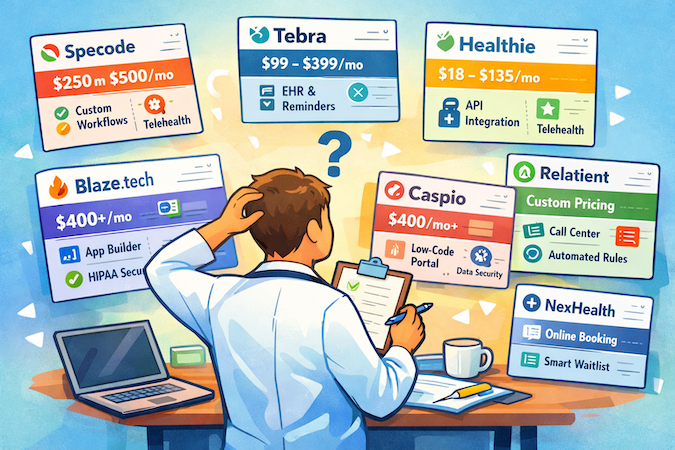
Below is a side-by-side snapshot of the seven tools covered here.
One opinionated takeaway: the “cheapest” tool on paper is often the most expensive in real life if it drags you into onboarding fees, compliance surcharges, or integration projects that turn your scheduling upgrade into a mini ERP migration. Use the table to shortlist by buying model first (suite vs platform vs rules engine), then pressure-test total cost with the gotchas column before you fall in love with a demo.
Popular Builder Tools That Are NOT HIPAA-Compliant
If your goal is how to build custom HIPAA compliant scheduling app without developers, Lovable and Replit can still help—but only for the demo phase, using synthetic data.
- Lovable: its terms explicitly tell users not to upload PHI (and other sensitive data). That’s a hard stop for any real scheduling workflow that touches patient data.
- Replit: Replit itself notes it’s not HIPAA-compliant (including in its own “medical website builder” guidance), which means anything involving PHI should be deployed on HIPAA-ready infrastructure with BAAs.
- Replit community guidance from a Replit staff account also frames HIPAA use as prototype with mock data → deploy elsewhere.
- Independent compliance-focused writeups similarly report that Replit won’t sign a BAA, which is a non-starter for PHI workloads.
Where they do make sense: hackathons, UX prototyping, internal demos, and investor decks—so long as you enforce a hard rule: no real patient data, ever, and plan an early migration to a platform that supports BAAs + auditability.
How We Chose the Best HIPAA-Compliant Scheduling Tools
If you’re wondering how to choose the best HIPAA compliant scheduling tool for your practice, don’t start with feature checkboxes. Start with what can break: compliance scope, integrations, and the messy ways humans accidentally turn “scheduling” into ePHI.
Evaluation Criteria
- HIPAA compliance posture: BAA availability, plus security basics aligned with HIPAA’s administrative/technical safeguards (access controls, audit controls, transmission security).
- Auditability & incident readiness: clear boundaries for breach notification and responsibilities when a vendor is involved.
- EHR integration depth: does it actually connect to your reality (Epic/Cerner/Athenahealth/Allscripts), and how (native, FHIR/HL7, middleware, services)?
- Customization flexibility: configurable workflows vs rigid templates that force you to change ops to match the software.
- Pricing transparency: per-provider vs flat-rate vs custom quotes—plus setup fees, add-ons, messaging costs, and “surprise, that’s enterprise.”
- Telehealth integration: native video vs HIPAA-capable Zoom/Doxy.me patterns (and whether BAAs are feasible across vendors).
- User reviews: recurring themes from real practice operators on G2/Capterra (support quality, reliability, hidden fees, usability).
- Code ownership / lock-in risk: exportability, dependency depth, and how painful it is to switch later—especially if you’re aiming for HIPAA compliant scheduling software with billing and insurance tools rather than “scheduling only.”
Tradeoffs We Treated as “Normal”
- Turnkey SaaS deploys fast, but can force rigid workflows.
- No/low-code platforms take setup time, but enable custom flows and better fit.
- Custom development is maximum flexibility—also maximum effort and governance.
- All-in-one suites reduce vendor sprawl, but may be shallow in scheduling depth.
Research Process
- Read vendor documentation: scheduling features, security pages, BAAs, and terms.
- Cross-checked compliance claims against HIPAA expectations for ePHI safeguards and vendor responsibilities.
- Reviewed practitioner feedback on review sites for patterns (not one-off rants).
- Compared pricing models and estimated total cost of ownership (fees + integrations + operational overhead).
Why Specode Delivers the Most Flexible HIPAA Scheduling Solution
Most scheduling tools are either (a) turnkey suites that make you live inside their workflow, or (b) “builder” platforms that start you on a blank canvas and call it freedom.
Specode is the middle ground that actually matters: a no code HIPAA compliant platform approach to getting to a working healthcare app fast, while still letting you shape the last 20%—your booking rules, routing logic, visit types, and ops quirks—without rebuilding the healthcare plumbing from scratch.
Upgrade patient scheduling workflows with Specode:
- Full HIPAA compliance
- EHR integration
- code ownership guaranteed
Flexibility here isn’t theoretical. Scheduling is a core component (live slots, provider availability, buffers, visit types, double-booking prevention), and it’s designed to connect directly into the things that turn “a calendar” into a real workflow:
- intake forms
- role-based auth
- secure messaging/notifications
- telehealth
- a lightweight “basic EMR” layer when you need charting to follow the appointment
The clincher is ownership: Specode’s model emphasizes shipping real code you own, so you can keep iterating post-launch without being trapped in drag-and-drop theater—or paying a forever tax for basic changes.
And the on-ramp is deliberately low-friction: Specode's AI Builder is built to be approachable for "novice vibe coders," so clinician-led teams can start shaping a first version quickly—by getting started at specode.ai.
Frequently asked questions
It’s a scheduling/booking system you can use in a healthcare workflow without exposing ePHI, because the vendor will sign a Business Associate Agreement (BAA) when required and supports HIPAA-aligned safeguards like access controls, audit controls, and transmission security. If a vendor won’t sign a BAA (or won’t clearly explain when it will), treat it as demo-only for synthetic data.
Start with what can break rather than what looks slick. Confirm BAA availability and scope (including subprocessors), verify auditability and transmission security expectations, and get clear on integration reality for EHR, telehealth, and payments, including what’s native versus project work. Then choose the product shape that matches your constraints: turnkey suite for speed, platform for flexibility, or custom build for maximum control.
Only if scheduling is becoming a competitive advantage or a recurring bottleneck. Custom scheduling starts to pay off when you need complex routing rules, multi-location logic, specialty workflows, referral orchestration, or intake steps that templates can’t support without workarounds. If your needs are standard and the EHR scheduler isn’t actively hurting operations, custom work is usually unnecessary.
Teams often see early impact by reducing no-shows through better reminders and confirmations, and by reducing staff time through self-scheduling and fewer phone calls. The timeline depends on integration depth: a standalone scheduler can be fast to roll out, while EHR-connected workflows and data migration typically take longer.
Most tier differences are about what you can do safely, not just what features you unlock. BAAs may only be available at certain tiers, and higher tiers often add stronger security controls such as SSO and audit logs, plus more integrations, higher volumes, and more onboarding/support. If a tool claims “HIPAA-ready,” confirm what tier actually covers the compliance posture in writing.
If you want a suite-style approach that bundles scheduling with broader practice operations, Tebra is a common direction. If you want patient access and scheduling with heavier integration posture, NexHealth or Relatient (Dash Schedule) typically fit that profile. If you want custom workflows rather than an off-the-shelf experience, Specode is oriented toward building a tailored scheduling flow, while Blaze.tech and Caspio can work when you’re willing to invest more build effort for control.