HIPAA Compliant App Builder: The Complete Guide for Healthcare Teams

A HIPAA compliant app builder is a development platform that provides the infrastructure, controls, and contractual agreements — including a Business Associate Agreement (BAA) — needed to build applications that handle protected health information (PHI) in accordance with U.S. federal law. Unlike general-purpose app builders, a HIPAA-focused platform ships with encryption, audit logging, role-based access control, and PHI-safe integration patterns as core capabilities rather than aftermarket add-ons.
Sure, shipping a healthcare app is easy. Shipping one that survives real-world scrutiny—security questionnaires, vendor reviews, “who accessed what?” panic moments—is the hard part. A HIPAA compliant app development platform can speed you up, but it won’t save you from sloppy PHI boundaries, over-permissioned roles, or integrations that quietly leak patient context.
This guide is the security-first version of “build fast.” We’ll translate HIPAA into concrete build decisions: where data lives, how it’s encrypted, who can access it, what gets logged, and what you must prove before go-live. No compliance theater, no checkbox cosplay—just the controls and operating habits that keep your product safe after the first release, when the real risks show up.
Key Takeaways
- HIPAA “compliance” starts with boundaries, not features. Define your PHI perimeter first (what data, where it flows, what never leaves), then design roles, logging, and integrations around that reality. If you skip this, encryption and checklists won’t save you.
- A builder can accelerate delivery—but it can’t outsource accountability. Even with a HIPAA-focused platform, you still need evidence: least-privilege access, audit trails, change history, incident readiness, and a defensible verification trail (risk work, testing outcomes, remediation).
- Post-launch is where apps drift into risk. Most failures come from everyday ops: permission creep, “temporary” debug settings, vendor/integration changes, and untested restores. Make access reviews, backups/restore drills, and release discipline part of the product—not an afterthought.
HIPAA Scope for Software
HIPAA isn’t a sticker you slap on an app. It’s a set of healthcare regulations that apply when your product creates, receives, maintains, or transmits electronic protected health information on behalf of a covered entity—or when you’re operating as their business associate.
That scope matters because it decides what “done” looks like for a HIPAA compliant app development platform: not just secure code, but provable processes.
When HIPAA Applies to Software Products
If your app touches clinical workflows, patient communications, scheduling tied to care, or stores identifiable health data, assume HIPAA applies until proven otherwise. Consumer wellness apps can fall outside HIPAA, but “not covered” doesn’t mean “no risk.”
Covered Entity vs Business Associate
Most builders and vendors end up as business associates. That means contractual obligations and real regulatory compliance expectations, not marketing claims.
“Compliance” as Evidence, Not Vibes
The HITECH Act (Health Information Technology for Economic and Clinical Health Act) expanded HIPAA's enforcement reach, extended breach notification requirements, and made business associates directly liable for violations — not just the covered entities they serve. That means your compliance posture should be:
- documentable controls
- defensible decisions
- an audit trail of how you operate
Draw the PHI Boundary
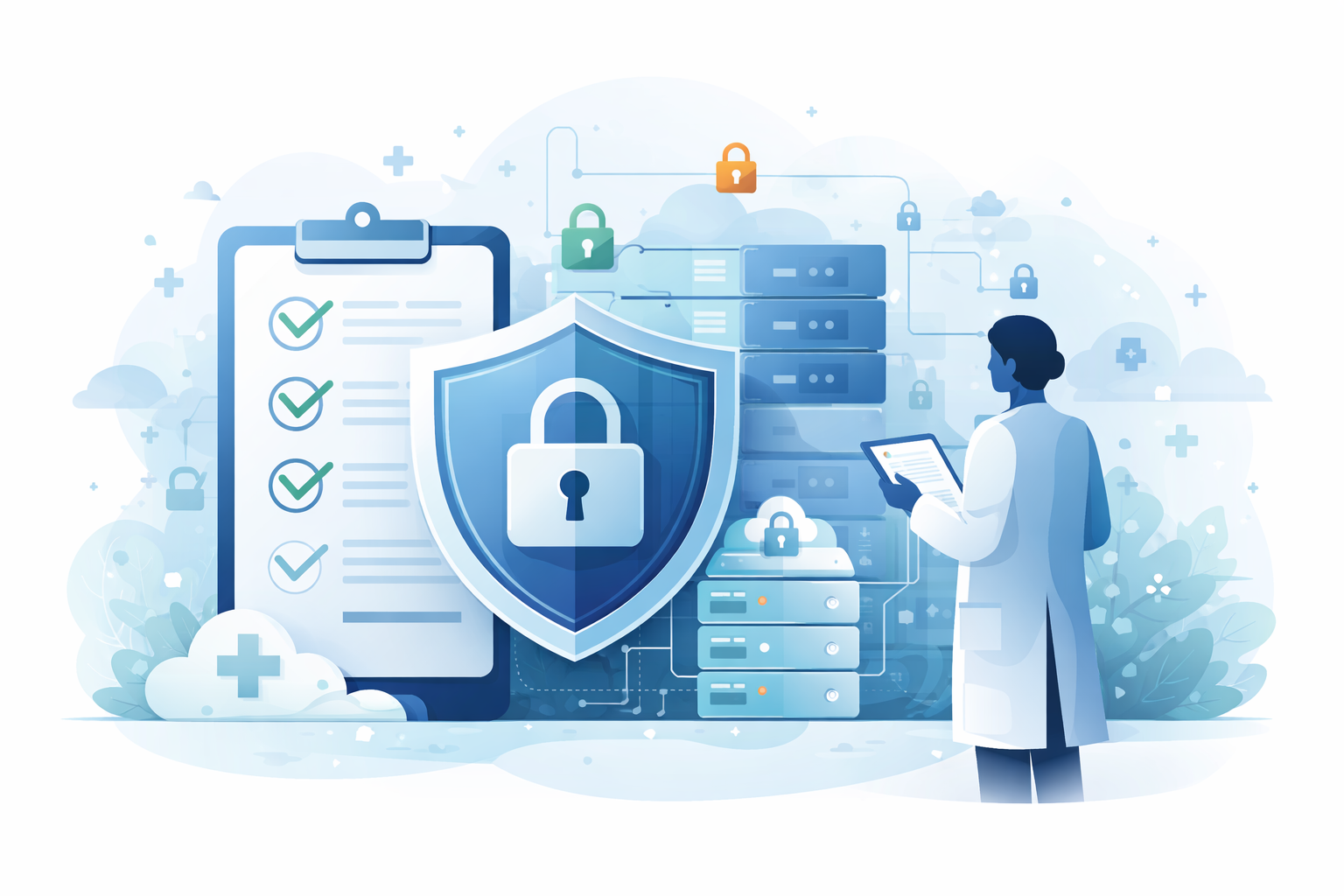
If you want HIPAA compliance app development to go smoothly, start with one uncomfortable question: where, exactly, does sensitive data live in your product? Until you can draw that box, every “security feature” is basically decorative.
Identify PHI Touchpoints
Map the lifecycle of protected health information across your system: intake forms, chat messages, uploads, clinical notes, exports, notifications, analytics, and support tooling. Don’t hand-wave “it’s in the database.” List every place it can appear, including logs, emails, screenshots, and third-party tools.
Split “Clinical,” “Account,” and “Analytics”
Not all data deserves the same treatment.
- Medical records (and anything that can identify a patient in context) belong in the strictest bucket.
- Account data (hooking up login, billing identities, device IDs) can still become sensitive when it’s linkable.
- Analytics data is where teams quietly break patient privacy—usually by sending “just enough” context to a tracking tool.
This is especially true in behavioral health, where the context of a message can be as sensitive as a diagnosis code. If that’s your lane, our mental health app development guide goes deeper on designing data boundaries and access rules that don’t accidentally widen who can see what.
Set a PHI No-Go List
Make an explicit “no-fly list” for what cannot be copied into tickets, Slack, session replay, or marketing dashboards. This is the heart of patient data protection: reduce the number of systems that can ever hold sensitive content, then build everything else around that boundary.
Contracts and Shared Responsibility
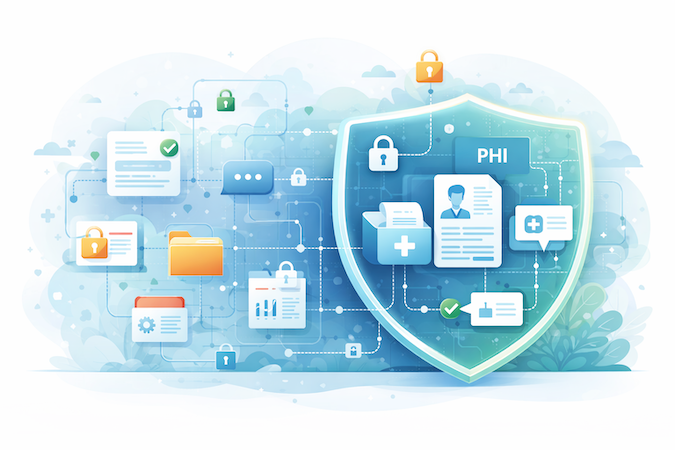
A HIPAA compliant software builder can give you strong building blocks. It cannot outsource your responsibility. The fastest way to end up with “we thought we were covered” is assuming the platform’s security page is your compliance plan.
What You Should Expect a Vendor to Sign
If a vendor will touch PHI in any way, you typically need a business associate agreement. Treat this like a scope document for compliance, not a formality. Look for clarity on: permitted uses of data, subcontractors, breach notification timelines, security commitments, and how data is returned or destroyed when you leave.
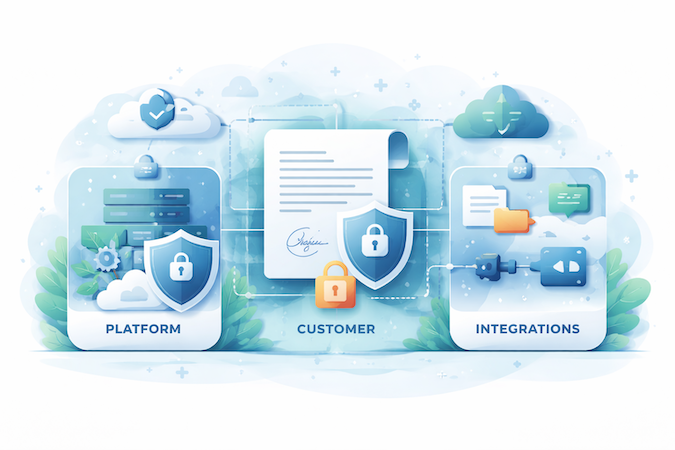
Responsibility Matrix
Write a one-page “shared responsibility” table before you build:
- Platform: infrastructure controls they operate (hosting, baseline security features).
- You: how your app uses those features (roles, access rules, logging choices, workflows).
- Your integrations: anything that can leak PHI via APIs, messaging, analytics, support tooling.
Typical Failure Mode
If the vendor can’t explain their controls in plain English—or everything is “contact sales”—assume you’ll be the one doing damage control later. You’re not buying a promise. You’re buying a set of capabilities and the proof that they’re operated responsibly.
Infrastructure Security in HIPAA Compliant App Builder Platforms
Before you debate UI builders and workflow templates, lock down the boring foundation. A secure medical app builder is only as safe as the infrastructure it runs on—and most “HIPAA drama” starts here: misconfigured environments, leaky storage, and sloppy access between systems.
Hosting Model Decisions
Start with secure hosting that’s designed for sensitive workloads:
- hardened network boundaries
- restricted management access
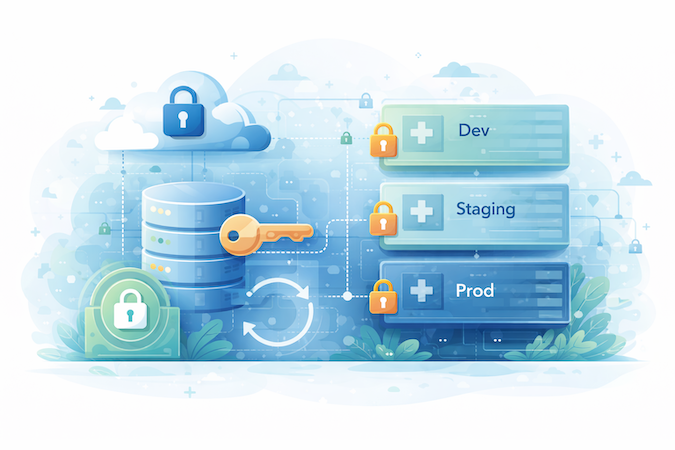
- clear separation between development, staging, and production
Treat cloud compliance as a baseline requirement, not a sales slide—your platform should make it straightforward to prove where data lives, who can access it, and how changes are controlled.
Storage and Transport Protections
You want data encryption in transit (between client, APIs, and services) and at rest (in databases and object storage). But don’t stop at “yes, we encrypt.” Validate key management practices, rotation expectations, and whether backups, logs, and file uploads are covered too.
If storage encryption is selective, you’ll end up with “secure database, insecure attachments,” which is how teams accidentally lose data security while thinking they did everything right.
Practical Resilience
Assume components will fail: a region outage, a bad deployment, an integration hiccup. Your stack should support safe rollbacks, reliable restores, and integrity checks—so you can recover quickly without compromising sensitive data. That’s also why encrypted storage isn’t optional: resilience that reintroduces plain-text copies is just a slow-motion incident.
Identity and Permissions
Most breaches don’t happen because encryption “failed.” They happen because someone had access they didn’t need—and nobody noticed. A HIPAA compliant application builder has to make least-privilege the default, otherwise you’ll ship a “working” app that’s quietly unsafe.
Role Design
Start by defining roles as job functions, not org titles.
- Patients should only see their own data.
- Clinicians should only see data for patients they’re responsible for.
- Admins should have operational controls without automatic access to everything “just because.”
- Support access should be explicit, time-limited, and auditable.
This is where access controls stop being a buzzword and become a build artifact: a permissions map you can point to and defend.
Session Security Basics
User authentication should be designed for real clinic life: busy workflows, shared spaces, and devices that move around. That means sensible session timeouts, rate limiting on login attempts, and a clear stance on multi-factor authentication for privileged roles.
If your builder treats MFA as a “nice-to-have,” assume you’ll end up compensating with process—and process breaks under pressure.
Anti-Patterns
Permission creep is what happens when teams “temporarily” grant broad access to hit a deadline and never roll it back. The antidote is role-based access that’s easy to implement and easy to review regularly—so you can tighten privileges over time instead of widening them forever.
Logging and Traceability
Security isn’t “we believe our users behave.” It’s “we can prove what happened.” A HIPAA compliant healthcare app builder should make traceability easy—because the moment something goes wrong, your only two assets are:
- What you can show
- How fast you can act
What to Log vs What Not to Log
You need audit trails for actions that change risk: logins, permission changes, record views, exports, deletes, failed access attempts, and admin operations. But don’t treat logs like a junk drawer.
Logging raw clinical content, chat messages, or full payloads is how teams accidentally create a second shadow PHI database. Log events and identifiers, not sensitive bodies.
Change History for Workflows and Data
Traceability isn’t only “who viewed a record.” It’s also “what changed in the system.” If your workflow rules, forms, or role permissions change, you want a clear history of what changed, when, and who approved it. That’s how you protect data integrity when you’re iterating quickly.
Alerts and Escalation
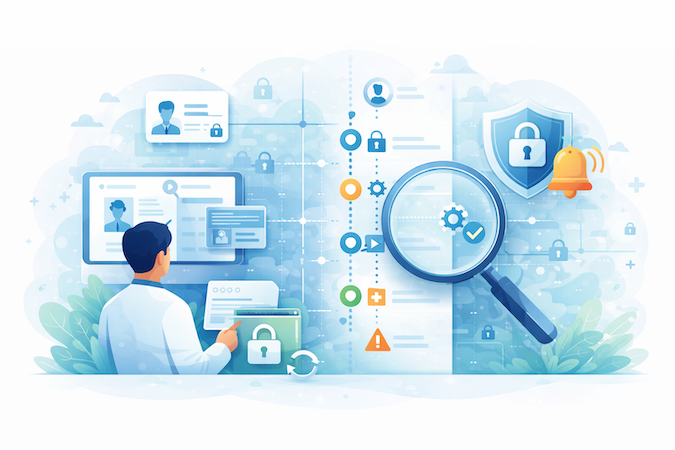
Logging without monitoring is just future archaeology. Set triggers for unusual behavior (mass exports, repeated failed logins, off-hours admin access) so you can respond early. That’s the practical core of data breach prevention:
- detect quickly
- contain fast
- document everything cleanly
Integrations and Messaging
Most HIPAA failures don’t come from your core screens. They come from the stuff you “plug in”: scheduling, video, payments, EHR connectors, analytics, email/SMS, support tools. If you’re using HIPAA compliant app development tools, treat every integration like a new external boundary—and assume it will be the first place someone tries to pry open.
This gets even sharper once video visits enter the picture—real-time media, scheduling, chat, and notifications create more “leak paths” than most teams expect. If you’re building anything in that direction, our telemedicine app development guide breaks down where HIPAA risk typically shows up and how to contain it.
Integration Tiers
Group integrations by risk and control. Internal services are easiest to govern because you own the code and the logs. Vendors are where scope creeps in—PHI ends up in places you didn’t intend.
EHR/middleware integrations are a tier of their own because they often involve multiple hops, data mapping, and “temporary” payload logging during troubleshooting. Your job is to define, up front, what data is allowed to cross each boundary—and what must stay inside.
Secrets Management and Key Rotation Expectations
Hard rule: no secrets in source code, no secrets in client apps, and no shared keys across environments.
- use managed secret storage
- rotate credentials on a schedule
- revoke quickly when access changes
If a vendor or integration can’t support sane rotation and scoped tokens, that’s not “annoying”—it’s an ongoing liability.
Messaging Patterns That Don’t Leak Sensitive Content
Build secure communication patterns that minimize exposure: don’t put PHI in push notifications, SMS, or email bodies. Use “you have a new message” style alerts that deep-link into an authenticated session.
And when you expose endpoints, design secure APIs with scoped tokens, least-privilege permissions, and tight logging around access and exports.
Program Controls
You can develop HIPAA compliant app features all day, but HIPAA failures are often operational: unclear ownership, sloppy approvals, and “we’ll document it later.” The platform matters—but governance is what keeps you safe when the app evolves and the team changes.
Define Ownership
Assign named owners for security-relevant areas:
- access model
- data flows
- integrations
- release approvals
Define who can authorize changes that affect PHI exposure, and who is on point when something smells off at 2 a.m. These are administrative safeguards in plain English: decision rights, escalation paths, and accountability.
Make Risk Assessment Ongoing
A risk assessment isn’t a checkbox you complete once and forget. It should be a living routine: review new integrations, new features, permission changes, and vendor updates as they happen. The goal isn’t perfection—it’s catching risk while it’s still cheap to fix.
Operational Documentation That Actually Helps During Incidents
Write docs that you’d want when you’re stressed:
- where logs live
- how to revoke access
- how to rotate keys
- what “normal” traffic looks like
- how to roll back safely
- who to notify
If your documentation can’t be used under pressure, it’s not documentation—it’s decoration.
Device and Environment Realities
A HIPAA compliant mobile app builder can give you strong security primitives, but real-world clinic behavior will still try to defeat them. This is where physical safeguards and practical workflow design matter.
Clinician Devices and Support Access Patterns
Clinicians use shared workstations, personal phones, tablets on carts, and sometimes whatever device is closest. Support teams ask for “just a quick look.” Design for that reality: minimize on-device data, avoid storing sensitive attachments locally, and require re-auth for risky actions.
Environment Separation and “Break Glass” Moments
Keep dev/staging data non-sensitive by default. When you absolutely must troubleshoot production, define a controlled “break glass” process, aligned with your security policies:
- time-limited access
- logged actions
- explicit approvals
The Quiet Risks
Screenshots, CSV exports, and cached files are the silent leak path. Reduce export surface area, watermark or limit sensitive views where possible, and treat “download” as a privileged action—not a convenience button.
No-Code vs Low-Code: What Changes, What Doesn’t
A HIPAA compliant no-code builder can absolutely get you to a secure first release faster. What it can’t do is transfer responsibility. Builders accelerate implementation; they don’t eliminate accountability.
Where Builders Help and Where They Don’t
Builders shine when you’re assembling standard healthcare patterns: intake, scheduling, messaging, role-based access, audit logs—without rebuilding plumbing. But HIPAA still expects you to operate the product safely:
- control access
- manage vendors
- monitor activity
- respond to incidents
Feature Checklists vs Evidence Checklists
Most teams shop with a feature list (“encryption,” “roles,” “logs”). HIPAA compliance is won with evidence: what’s enabled by default, how it’s configured, what gets logged, how you recover, how you prove it later. That’s why technical safeguards aren’t just capabilities—they’re documented configurations and repeatable procedures.
When You Outgrow Templates
You’re outgrowing templates when you need complex data segregation, advanced workflows, unusual integrations, or strict performance constraints. The goal isn’t “no-code forever.” It’s “fast now, safe always,” with a clear path when complexity arrives.
HIPAA Compliant App Builder Platforms Compared
Not all HIPAA compliant app builders solve the same problem. Some are drag-and-drop tools for internal workflows; others are full development platforms for patient-facing products. This table compares seven platforms across the dimensions that matter most when you're building with ePHI.
A few things to note:
No platform is "HIPAA compliant" out of the box. Every option above requires you to configure access controls, manage your PHI boundary, and operate the app responsibly. The BAA is the starting line, not the finish line.
Specode's differentiator is that it combines AI-powered development speed with full source code ownership. You're not locked into a proprietary runtime. The built-in HIPAA Compliance Agent scans your codebase for potential violations on demand, categorizing issues by severity so you can fix them before launch and track compliance progress over time. And because Specode exports real code, you can modify, audit, or redeploy independently if your needs outgrow the platform.
For teams evaluating platforms, the key question isn't "which one checks the most boxes?" It's "which one lets me prove I operated safely, six months after launch?"
HIPAA Compliant App Development Cost
One of the most common questions healthcare founders ask is "what does it actually cost to build a HIPAA compliant app?" The honest answer depends on your approach, but here are realistic ranges.
Custom Development
Building a HIPAA compliant healthcare app from scratch with a traditional dev team typically runs between $45,000 and $300,000. The range depends on several factors:
- Complexity and feature scope — number of user roles, custom workflows, real-time messaging or video
- Integrations — EHR depth (Epic, Cerner), lab systems, pharmacy networks, insurance verification
- Hosting model — dedicated vs. shared infrastructure, environment separation (dev/staging/prod)
- Audit and compliance requirements — penetration testing frequency, security questionnaire readiness, procurement rigor
Annual maintenance — including infrastructure, dependency updates, access reviews, and periodic penetration testing — adds roughly $4,000 to $12,000 per year.
The Office for Civil Rights (OCR) can impose civil monetary penalties ranging from $145 to $2,190,294 per violation (HHS OCR, effective January 28, 2026), so cutting corners on compliance infrastructure is a false economy.
What It Looks Like With Specode
Specode compresses both timeline and cost by handling infrastructure, deployment, and HIPAA-ready architecture out of the box. Here's a realistic breakdown:
Platform cost: The Pro plan at $1,000/month includes production hosting, a custom domain, HIPAA-compliant infrastructure, and a backend hosting BAA — no separate hosting account or BAA negotiation required. Teams that need managed coding, dedicated support, or multiple published projects can move to Custom plans starting at $5,000/month.
Third-party integrations: Your Specode subscription covers the core platform, but if your app integrates external services that handle ePHI, each service may require its own HIPAA-tier plan and BAA. For example, CometChat (video and messaging) requires their HIPAA plan — and costs less through Specode's partnership pricing. The same applies to services like Mailgun for transactional email. Budget for these on a per-integration basis.
Optional add-ons: Specode offers an in-house penetration test for $3,000, which teams typically request for enterprise procurement or security questionnaires. Credit top-ups are available if your build exceeds the monthly allocation.
Net result: A typical Specode-built healthcare app can go from idea to HIPAA-compliant production in one to two weeks at a fraction of traditional custom development cost — without sacrificing code ownership or flexibility.
Choosing the Right HIPAA Compliant App Builder Platform
Most healthcare providers don’t fail HIPAA because they chose “the wrong UI.” They fail because they chose a platform that made secure operation hard, expensive, or vague. Here’s a buyer’s checklist for a healthcare app builder platform that doesn’t rely on trust falls.
Questions to Ask Sales and Security
Ask questions that force specifics:
- Will you sign a BAA, and does it cover all subprocessors?
- What’s the default logging/audit posture, and can we export logs?
- How are environments separated (dev/stage/prod), and who can access them?
- What’s your incident notification timeline and process?
- Can we enforce role-based access and least privilege without custom hacks?
If they can’t answer clearly, you’ll be “discovering” limits in production.
What “Secure by Default” Should Mean
“Secure by default” means risky features aren’t on by accident: public file links, broad admin roles, permissive APIs, PHI in notifications, weak session policies. Verification means evidence: documentation, configuration guides, and a way to inspect what’s actually enabled—not just marketing claims.
Tradeoffs: Speed vs Control vs Long-Term Operating Cost
Speed is great until you need a special workflow, a regulated integration, or stricter isolation. Don’t just compare launch timelines—compare the operating cost of staying safe:
- access reviews
- logging exports
- incident response readiness
- the pain of switching later
How to Build a HIPAA Compliant App: 7 Steps
If your goal is to create a HIPAA compliant application fast, the trick isn't "build quicker." It's build in the right order, so security isn't a refactor you do after the demo.
1. Define Your PHI Scope and Covered Entity Status
Before you touch a screen, answer the threshold question: does your app create, receive, maintain, or transmit electronic protected health information (ePHI) on behalf of a covered entity? If yes, HIPAA applies. Map exactly what data you'll collect, where it flows, and what never leaves the system. This is the PHI boundary everything else is built around.
2. Choose a HIPAA-Eligible Cloud Infrastructure
Select hosting designed for sensitive workloads: hardened network boundaries, encryption at rest and in transit, environment separation (dev/staging/prod), and a vendor willing to sign a BAA. Don't retrofit compliance onto general-purpose infrastructure later.
3. Design Roles and Access Controls First
Define roles as job functions, not org titles. Patients see only their own data. Clinicians see only their assigned patients. Admins get operational controls without blanket access. Support access is time-limited and logged. When teams start with UI and bolt on permissions later, they ship apps that assume everyone can see everything.
4. Add Logging and Change History Early
Treat audit trails as a first-class feature, not a post-launch patch. Add event logs and admin change history as soon as you have authentication and the first data objects. You want to know: who changed a form, who altered permissions, who exported data, and what version was live when something happened.
5. Configure Integrations With PHI Boundaries
Every integration is a new external boundary. Group them by risk: internal services you control, vendors that handle ePHI (each needs a BAA), and EHR/middleware with multi-hop data flows. Define up front what data is allowed to cross each boundary. Use managed secret storage, rotate credentials on a schedule, and build secure communication patterns that keep PHI out of push notifications, SMS, and email bodies.
6. Set Go-Live Gates
Create a short launch checklist that must be true before production access. Roles are implemented and reviewed (least privilege, no shared admin accounts). Logging and change history are working and retrievable. PHI isn't leaking into notifications, analytics, or support tooling. Operational owners are assigned for access changes and incident response. A rollback path exists that doesn't require heroics.
7. Run Verification and Document Results
Scope your tests to match the PHI boundary: authentication flows, role permissions, data access rules, file uploads, exports, admin actions, and every integration that touches sensitive data. Document outcomes with test date, version, environment, coverage, findings, severity, and remediation status. Use automated scanners for breadth, then confirm risk with human review where it matters. Before sign-off, have a documented vulnerability assessment, at least one round of penetration testing, and a plan for retesting after material changes.
Verification Checklist
Once you've worked through the build steps above, verification is how you turn "we think it's secure" into "here's what we tested and here's what we fixed."
Scope and Document
Match your tests to the PHI boundary: authentication flows, role permissions, data access rules, file uploads, exports, admin actions, and every integration that touches sensitive data. Use automated scanners for breadth — outdated dependencies, exposed endpoints, weak TLS configs, common misconfigurations — but don't stop there. Automated tools won't catch data leaking through workflow quirks, overly broad roles, or "helpful" export features. Confirm real risk with human review where it matters.
Define "Done" for Sign-Off
Before security, procurement, or legal signs off, you should have:
- A documented vulnerability assessment with remediation notes
- At least one round of penetration testing appropriate to your risk profile
- A plan for retesting after material changes
"Done" isn't perfect. It's defensible — with traceable decisions, documented security measures, and evidence that supports data breach prevention and data integrity across the system.
“HIPAA-Friendly” Builders—Where They Shine and Where They Hurt
If you’re shopping for a HIPAA compliant low-code platform, you’ll notice a pattern: most products are great at helping you build screens fast—and much less great at helping you prove you operated safely.
Patterns
“HIPAA-friendly” usually means the vendor will talk about encryption and hosting, but they’re fuzzy on your PHI boundary: what lands in logs, what’s visible to support, what’s stored in “convenient” add-ons, and how roles actually restrict access. The best platforms make boundaries explicit and give you exportable proof (logs, access history, config change history). Others give you reassuring words and leave you to invent the evidence trail.
Pricing Reality
Security is often monetized. Audit logs, advanced access controls, SSO/MFA, environment separation, and dedicated support can be gated behind higher tiers. Also watch the “contact sales” trap: you can’t estimate operating cost until you’ve already committed time to the platform.
Migration Pain
The first MVP is easy. Scaling is where things snap: permission models that can’t express real-world roles, logs you can’t export cleanly, integrations that become brittle, and data models that fight segregation.
And if a vendor leans hard on vague compliance certification language without showing what it covers, assume you’ll be doing the hard compliance work yourself anyway.
Staying Compliant After Launch
Launch day is the easiest day you’ll ever have. After that, the app changes, the team changes, integrations change—and compliance risk creeps in through “small” updates. Maintenance is how you keep your posture stable instead of slowly drifting into trouble.
Release Discipline
Treat every release as a potential security event. Run periodic access reviews (especially for admins and support), require approvals for changes that affect permissions or data flows, and keep rollbacks boring and reliable. The dangerous pattern is “we’ll tighten it later.” Later becomes never, and permission creep becomes normal.
Backup and Restore Drills
Data backup isn’t a checkbox. It’s a recovery capability you rehearse. Practice restores on a schedule, verify you can recover the right data within the right window, and confirm you don’t reintroduce risk by restoring insecure configs or stale secrets. The value of backups is proven during a bad week—not on a settings page.
Handling Vendor Changes and Dependency Updates Safely
Your risk profile can change without you touching code: vendor policy updates, new subprocessors, dependency patches, and configuration defaults shifting under you. Maintain a habit of reviewing changes that affect data handling, re-validating key integrations, and updating your runbooks. Disaster recovery isn’t just “what if AWS goes down.” It’s “what if our system changes in ways we didn’t notice.”
How Specode Supports Security-First Healthcare Builds
Specode isn’t positioned as “AI magic” or a toy prototype tool. It’s a HIPAA compliant app builder approach for teams that want to move fast without turning security into a later rescue mission.
The core idea: you build with guardrails, and you keep the parts that matter to healthcare compliance visible and controllable.
Guardrails You Get Out of the Box
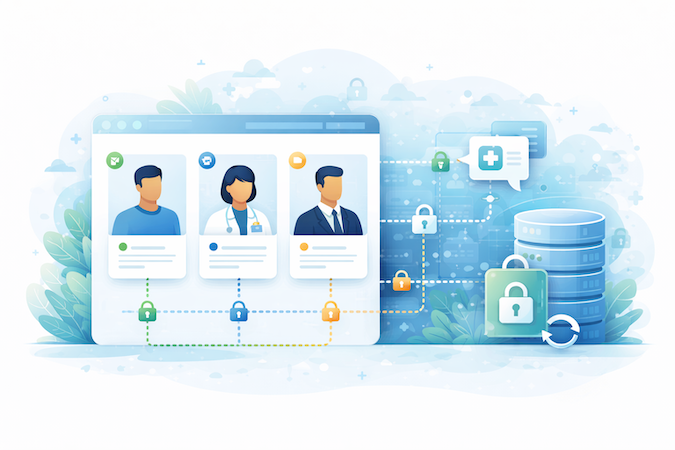
Specode ships with role-based access so you can enforce least privilege from day one—patients don’t see provider views, staff don’t inherit admin power “just to launch.” On top of that, Specode supports encryption at rest and in transit, so sensitive data isn’t riding around in plain text when it moves or when it sits.
Keep PHI Inside BAA-Covered Building Blocks
Specode is designed to integrate with third-party services that can operate under BAAs—like Supabase (data layer) or CometChat (communication)—so PHI doesn’t get shoved into random vendors that weren’t built for it.
The practical win: you can keep your PHI boundary tight by putting sensitive workflows on services meant to be governed properly, instead of improvising “secure enough” add-ons.
What You Still Configure
Specode provides the rails, but operational proof is still on you unless you connect services that provide it out of the box. Logging is the classic example: you need to set up and configure it (or integrate a provider that handles it) so you can answer “who accessed what, when?”
And because the last mile is where teams usually trip, Specode’s team helps you publish and launch in a way that supports a fully HIPAA-compliant production posture—permissions, environments, PHI boundaries, and the operational checklist that keeps you safe after release.
If you want to see what a security-first build feels like in practice, get started with Specode and start mapping your roles, PHI boundaries, and core workflows inside Specode—our HIPAA compliant app builder. You'll get a hands-on sense of how quickly you can move without turning compliance into a cleanup project later.
Updated: April 6th, 2026
Frequently asked questions
HIPAA penalties range from OCR civil monetary penalties (tiered per violation, with annual caps) to potential DOJ criminal penalties for knowing wrongful disclosure in severe cases.
Yes—if the platform will sign the right agreements and you configure/operate it correctly. Also, beware “certified HIPAA” claims: HHS/OCR does not certify products as HIPAA compliant.
HIPAA doesn’t mandate a single cadence. HHS guidance frames risk analysis as ongoing; many teams do it annually and whenever major changes or incidents occur.
“HIPAA ready” is usually marketing shorthand for “has some relevant controls.” “Compliant” means you’ve implemented and can evidence required safeguards in your actual environment—no official badge exists.
Only apps handling PHI for covered entities/business associates (or acting as one) fall under HIPAA—many pure wellness apps don’t, but still should follow strong privacy/security practices.
Yes, but with caveats. No-code and low-code platforms can get you to a working, HIPAA-eligible product faster — especially for standard healthcare patterns like intake forms, scheduling, and patient messaging. The key is whether the platform will sign a BAA, supports role-based access control, encrypts ePHI at rest and in transit, and gives you exportable audit logs. The platform handles infrastructure; you're still responsible for configuring access, managing vendors, and operating the app safely. If your workflows outgrow templates, look for a platform like Specode that can bridge no-code speed with custom development when complexity arrives.