Drag and Drop Telehealth Builder: Complete Guide for Healthcare Providers

Most telehealth rollouts don’t fail because “the video didn’t work.” They fail because the clinic tried to digitize a messy workflow and accidentally made it messier—new forms, new clicks, new places for PHI to leak, and a front desk stuck playing human middleware. A drag and drop telehealth builder can be a shortcut out of that… or the fastest way to ship a prettier bottleneck.
This guide is for providers who want speed without losing control: which workflows builders handle well, what “EHR-connected” really means, what to demand for HIPAA readiness, and how to avoid getting trapped when you outgrow the platform.
Key Takeaways
- Treat “drag-and-drop” as workflow assembly, not app magic. The winners start by mapping patient + staff lanes (intake → scheduling → visit → follow-up), then build screens and automations around real clinic exceptions—no-shows, reschedules, incomplete intake—not demo flows.
- Choose platforms by integration + governance, not feature checklists. “EHR-connected” is a spectrum (read-only vs write-back vs event-driven), and the real risk is misconfigured roles, weak auditability, and a chain of vendors (multiple BAAs, more failure points).
- Plan the exit on day one if you want a scalable solution. Confirm exports + schema clarity + audit trails, document workflows and automations as living specs, and you can graduate to custom later without rewriting your clinic’s brain.
What Is a Drag and Drop Telehealth Builder?
A drag and drop telehealth builder is a visual tool that lets healthcare providers assemble a telehealth workflow by placing prebuilt blocks—screens, forms, scheduling steps, and visit-room components—using a drag and drop interface. Think “clinic operations as Lego,” except the Lego needs permissions, logs, and a reality check.

What It Is vs What It Isn’t
It is an app builder for designing how patients move from intake → booking → visit → follow-up.
It isn’t just a video link tool (Zoom-with-a-stethoscope vibes), and it isn’t your EHR. Most builders can connect to other systems, but they don’t replace clinical documentation, orders, or claims processing by default.
Who It’s For and Common Use Cases
It’s built for provider groups and admin teams that want faster iteration without living in a dev backlog. Common use cases:
- new specialty virtual clinics
- post-visit follow-ups
- intake + triage flows
- asynchronous messaging programs
- lightweight care navigation
Why Providers Choose a No-Code Telehealth Platform
A telehealth app builder wins when you need rapid deployment without waiting for a dev queue to “get back to you next sprint.” With no-code development, your ops team can tweak forms, routing rules, and reminders the same week the front desk complains about them.
That shortens time to market and keeps ownership close to the people who actually run the clinic. Bonus: the best tools stay user-friendly interface-first, so updates don’t require a secret handshake.
Standard Workflows That No-Code Handles Well
No-code shines in repeatable, boring-in-a-good-way flows:
- online intake + consents
- eligibility-style questionnaires
- appointment scheduling with confirmations
- a visit room experience
- follow-up messages, tasks, and next-visit nudges
If your care model looks like a clean assembly line (even a compassionate one), this is where it pays off.
The “Not a Fit” Flags
It’s usually a miss when you need complex billing logic, deep claims-adjacent automation, or heavy EHR dependence where every screen has to mirror EHR workflows. Same for regulated device-style workflows with strict validation and traceability expectations.
In those cases, no-code can turn “cost-effective” into “expensive rework.”
Key Features of a Telehealth App Builder Platform

Video Consultation and Real-Time Communication
In a no-code telehealth platform, “video consultation” should be more than a button that launches a call. Look for a visit room that supports the real flow:
- join links that don’t confuse patients
- a simple pre-visit checklist
- light in-call tools (notes, timers, handoffs)
Real-time communication also includes chat-style backchannel for “I’m running 10 minutes late” and quick clarifications that prevent a full reschedule.
Appointment Scheduling and Reminders
Strong appointment scheduling is where telehealth stops being a demo and becomes a clinic. You want provider availability, visit types, buffers, and capacity rules. Then reminders that actually reduce no-shows: confirmations, “complete your intake” nudges, and a clean reschedule path (not a “call us” dead-end).
Intake Forms, Consents, and Patient Management
Intake is where most teams either win or bleed time. Your builder should handle dynamic forms, consent capture, and structured data that’s usable downstream. Patient management should include basic profiles, history of interactions, and status indicators (intake complete, payment pending, follow-up due) so staff aren’t guessing.
Messaging, Files, Tasks, and Workflow Automation
This is the glue. Secure messaging, file uploads (referrals, images, PDFs), internal tasks, and escalations are what keep care moving between visits. Good workflow automation means you can route work: “If intake flags X, assign to nurse,” “If patient misses visit, trigger follow-up sequence,” “If form incomplete, block scheduling.”
Admin Dashboard and Analytics Dashboard
An admin dashboard should let you manage roles, templates, and operational settings without breaking the app. An analytics dashboard shouldn’t pretend it’s a research platform—it should answer practical questions:
- where drop-offs happen
- no-show rates
- time-to-visit
- message volume
- which workflows drive patient engagement (and which quietly kill it).
Drag and Drop Telemedicine Builder vs Custom Telehealth Development
If you only remember one thing from this section, make it this: the right choice depends on how “standard” your workflows are today—and how weird they’ll get once real operations hit the system.
What You Get “Out of the Box” vs What You Build
A telehealth platform builder is essentially a pre-wired clinic starter kit: appointment flows, forms, messaging, basic admin controls, and a usable patient experience on day one.
That’s the point—you’re assembling proven patterns, not inventing them. With custom telehealth development, you’re building the patterns and the plumbing: UX, data model, workflows, tooling for admins, and all the inevitable edge cases that appear the second real patients touch the product. It’s slower, but you own every inch of it.
Risk Tradeoffs
Builders buy you velocity. But you trade some control: the platform decides which UI/logic is “possible,” how upgrades happen, and where the guardrails are.
Governance can get tricky too—if non-technical teams can change workflows, you need change management (who approved what, when, and why).
And yes, vendor dependency is real: your app’s future is partially tied to someone else’s roadmap.
Custom gives you maximum flexibility and clearer governance, but it carries delivery risk:
- longer timelines
- higher coordination burden
- more ways to ship something that “works” but doesn’t survive week three of operations.
Hybrid Path
The sane middle path: start with a builder for validated workflows, then graduate parts to custom as complexity earns it. To avoid a rewrite, design the “exit” early: keep workflows documented, use clean data structures, and prefer platforms that don’t trap your data or logic in opaque boxes. That way telemedicine app development stays a progression, not a restart button.
Step-by-Step: Build Telehealth App Without Coding
If you’re using a drag and drop telemedicine builder, the fastest way to fail is to start with screens. The fastest way to win is to start with the workflow: who does what, in what order, and what “done” means at each step.

Below is a practical sequence a telemedicine app creator team can follow to create telehealth app drag and drop without building a Frankenstein clinic.
Step 1 — Define the Workflow
Map two lanes on one page:
- Patient lane: discover → create account → complete intake → schedule → join visit → receive plan → follow-up.
- Staff lane: review intake → approve/triage → manage schedule → run visit → document outcome → trigger follow-up tasks.
Then add decision points that actually happen in real life:
- “New vs returning patient”
- “Urgent vs routine”
- “Insurance/self-pay”
- “Needs labs/referral vs no action”
Rule of thumb: if a step involves a human decision, don’t hide it inside “automation.” Make the decision explicit, and automate what happens after the decision.
Step 2 — Roles and Permissions
Most telehealth apps don’t break because of video. They break because the wrong people can see or change the wrong things.
Define three default roles:
- Patient: view and submit their own info, schedule/reschedule, join visit, message the clinic.
- Provider/Clinician: access assigned patients/appointments, review intake, document visit outcome, message, upload/download files.
- Admin/Front desk/Operations: manage scheduling rules, templates, staff assignments, patient support, task queues.
Then add “sub-roles” only if you must (billing coordinator, nurse triage, care navigator). Keep permissions boring and obvious. If your team has to debate it for 30 minutes, you’re probably missing a workflow definition from Step 1.
Step 3 — Data Model Basics
Even in no-code, you’re building a real product. Your data model is the spine.
At minimum, define:
- Appointments: patient, provider, type, status (scheduled/confirmed/in-progress/completed/no-show), timestamps, links to intake + visit.
- Encounters (visit records): what happened, outcome, follow-up plan, internal notes, attachments, who completed it.
- Messages: sender/recipient, thread, timestamps, read status, flags (clinical/admin).
- Documents/files: type, owner, related appointment/encounter, visibility (patient-only vs internal), retention rules.
Design for “auditability” without doing the compliance deep dive yet: every important object should have status + timestamps + “who changed it.”
Step 4 — Build Screens With Pre-Built Components
Now you earn the “drag-and-drop” part. Build in the same order your clinic runs:
- Intake: smart forms that adapt (new patient vs follow-up), consent capture, and a “missing fields” summary.
- Scheduling: visit types, availability windows, buffers, simple cancellation/reschedule UX.
- Visit room: join experience, pre-visit checklist, post-visit next steps.
- Follow-up: tasks, message templates, “next appointment” CTA, document delivery.
Pro tip: avoid a UI that tries to show everything at once. Give each role a “home base” screen:
- Patient: upcoming appointment + required actions
- Provider: today’s schedule + patient readiness
- Admin: queue view + exceptions (no-shows, incomplete intake)
Step 5 — Validation and Error Handling
This is where DIY telehealth apps go to die quietly. Handle the three most common failure modes explicitly:
- Incomplete intake: block scheduling or allow scheduling but require completion by a cutoff time; trigger reminders.
- Reschedules/cancellations: define rules (how late is “late”), free up slots, notify staff, and update task queues.
- No-shows: automatic status change, follow-up message sequence, and internal note/task (“call patient,” “offer reschedule”).
Also define “soft failures”:
- patient can’t join video
- patient joins late
- provider running behind
You don’t need fancy logic—just predictable handling so ops isn’t improvising.
Step 6 — Testing Plan
Test like a clinic, not like a demo.
Run a short checklist for each role:
- Patient tests: create account, complete intake, schedule, join, message, upload doc, reschedule.
- Provider tests: review intake, start visit, document outcome, assign follow-up task, message patient.
- Admin tests: edit scheduling rules, resolve incomplete intake, handle no-show, reassign provider, run basic report.
Then hit edge cases:
- two appointments at the same time (should be prevented)
- patient submits intake after cutoff
- provider removed from schedule
- message sent to wrong role (should be blocked)
If you’re using a drag and drop telemedicine builder, the best tests are the ones that prove your permissions and statuses behave under stress.
Step 7 — Go-Live Playbook
Go-live is not a moment. It’s a controlled rollout.
- Pilot (1–2 weeks): one visit type, one provider group, limited patient cohort. Track drop-offs: intake completion, join success, no-show rate, average time-to-scheduled.
- Launch: expand visit types and staff, lock “core templates,” and create a lightweight change process (“request → approve → publish”).
- Iterate: weekly ops review: what slowed staff down, what confused patients, what exceptions keep recurring. Fix those first—feature fantasies later.
Visual Telehealth App Builder Customization

Customizable Templates vs Custom UI
To build a telehealth app without coding, start with customizable templates—they get you 80% of the way fast. A visual builder is great for rearranging sections, swapping components, and adjusting “what shows up when.”
It’s not great for bespoke UI patterns that require custom interactions on every screen. If your differentiator is a totally unique interface, you’re drifting toward custom build territory.
Custom Branding
Most providers don’t need design fireworks; they need trust. Solid custom branding means consistent colors, logos, and typography, plus branded domains and transactional emails (appointments, reminders, follow-ups) that look like they came from your clinic—not “noreply@randomplatform.”
Multi-Language Support and Accessibility Basics
If you serve diverse populations, multi-language support matters early. Prioritize translated core flows (intake, scheduling, instructions) and basic accessibility:
- readable contrast
- large tap targets
- labels that make sense for screen readers
Mobile Responsive Expectations
A builder should be mobile responsive by default—patients will use phones. The realistic goal isn’t “pixel-perfect on every device,” it’s “no pinching, no broken forms, no impossible buttons” in the flows that drive visits.
Integration Capabilities in a Telehealth Platform Builder

EHR Integrations: What “EHR-Connected” Really Means
Most no-code telemedicine app builder marketing treats “EHR integration” like a checkbox. In reality, it’s a spectrum. “Connected” usually means one (or more) of these:
- Read-only context: pull patient demographics, appointments, or problem lists so staff aren’t double-entering basics.
- Write-back actions: create/update appointments, push a visit summary, or attach documents back into electronic health records.
- Event-driven updates: react when something changes in the EHR (new appointment, cancellation, updated patient info).
At a high level, FHIR is the modern way systems exchange structured clinical data, while HL7 often shows up in older interfaces and enterprise pipelines. The practical question isn’t “FHIR or HL7?”—it’s “what objects can we actually read/write, how reliable is it, and what breaks when the EHR updates?”
Payment Integration and Billing-Adjacent Workflows
Payment integration is usually about collecting money cleanly, not running full claims. Typical workflows include:
- collecting self-pay upfront or deposits
- saving a card for no-show fees (policy-dependent)
- copay-style collection for certain visit types
- receipts, refunds, and basic reconciliation
The key is making payment status visible to staff (paid / pending / failed) and tying it to scheduling and intake rules—without turning your front desk into human middleware.
Calendar + Messaging Providers + Notifications
Scheduling isn’t just “pick a time.” You’ll often need calendar sync (provider availability, buffers, holidays), plus notification channels patients actually respond to: email, SMS, and in-app reminders.
Messaging providers matter too—especially if you’re coordinating staff alerts (“intake incomplete,” “patient arrived,” “visit starting”). These third-party integrations are where “good UX” becomes “reliable operations.”
API Integrations, Webhooks, and Data Sync Patterns
When built-in connectors don’t cover your reality, you lean on API integrations and webhooks:
- APIs let you push/pull data on demand (e.g., create appointment, fetch patient status).
- Webhooks notify other systems when events happen (appointment booked, form submitted, payment failed).
- Data sync patterns usually fall into three buckets: one-way sync (simple), two-way sync (fragile), or “source of truth” split (requires clear rules).
If your builder can’t export clean data or emit events reliably, you’re not “integrated”—you’re just copying and pasting faster.
Security and Compliance in a No-Code Telemedicine App Builder
A visual telehealth app builder can get you to a working workflow fast. But once PHI enters the picture, speed isn’t the goal—repeatable, defensible healthcare compliance is. “HIPAA-ready” isn’t a badge. It’s a set of controls you can point to when someone asks, “How do you know this is safe?”
HIPAA Basics That Affect Product Decisions
Start with two decisions that shape everything:
- BAA: if the platform touches PHI on your behalf, you need a Business Associate Agreement. No BAA, no PHI. Full stop.
- PHI boundaries: be explicit about where PHI can live (forms, messages, files, recordings, logs) and where it must not. Many teams accidentally leak PHI into “convenient” places (free-text notes, support tickets, analytics tools) because nobody drew the boundary early.
A real HIPAA compliant builder helps you keep PHI inside controlled surfaces—and keeps non-PHI tooling from quietly becoming PHI tooling.
Access Controls and Role-Based Permissions
Access control is the difference between “staff can do their job” and “everyone can see everything.”
Minimum expectations:
- role-based permissions for patient/provider/admin (and optional sub-roles)
- record-level limits (e.g., providers see assigned patients, not the entire clinic roster)
- safe defaults (new roles don’t inherit broad access)
- admin actions that require explicit permission (export, delete, role changes)
If permissions feel like an afterthought, they’ll become your incident report.

Audit Logs and Change History
If someone asks “who changed this patient record, and when,” you should have an answer.
Look for:
- immutable audit logs for logins, access to sensitive records, exports, permission changes, and workflow edits
- change history on key objects (appointments, encounters, documents)
- traceability for configuration changes (what changed, who approved it, rollback options)
This is both ops sanity and compliance survival.
Data Security
Data security isn’t just encryption. It’s lifecycle control.
At minimum:
- encryption in transit and at rest
- backups with tested restore procedures (not “we think it’s backed up”)
- retention rules aligned to your clinic policy (and reality)
- deletion flows that are enforceable (not “soft delete forever”) plus legal-hold awareness if your org requires it
Also: be cautious with anything that generates copies (exports, emails, file downloads). That’s where “secure system” becomes “PHI everywhere.”
Operational Safeguards
HIPAA is operational, not theoretical.
You want:
- an incident response process (who gets alerted, what gets contained, how you document)
- least privilege by default (especially for admins and support access)
- environment separation (dev/test vs production) so test data doesn’t become a PHI landfill
- routine access reviews and offboarding checks (because the biggest threat is often yesterday’s employee)
If a builder can’t support these basics, it’s not “compliant.” It’s just fast.
Cost Comparison: Low-Code Telehealth Platform vs Custom Telehealth Development
A drag and drop healthcare app builder (usually delivered as a subscription cloud-based platform) tends to look cheaper early because you’re buying a working operating system, not commissioning one.
“Build” is mostly configuration, and a chunk of the invisible work—hosting, video infrastructure, updates, support—often lives inside the vendor’s recurring fee. The catch is the meter keeps running: per-provider pricing, usage fees (recording, SMS), and “advanced” capabilities that suddenly require an enterprise tier or paid services.
Custom telehealth development flips the shape of the spending. You pay more upfront because you’re building the workflows and the plumbing: UX, data model, scheduling logic, messaging, admin tooling, QA, and all the edge cases that show up in week one of real operations.
Typical build ranges commonly land anywhere from $25k to $300k+ depending on scope, plus ongoing maintenance often budgeted around 15–20% of the initial build per year.
Where budgets get ambushed is integration. Many low/ no-code platforms handle basic connections, but deeper EHR/billing workflows often become “contact sales” territory. On the custom side, you can integrate with nearly anything—but you’ll pay for it; major EHR integrations are frequently sized around $30k–$50k+ in build effort.
The practical decision: builders minimize time-to-live and ongoing ops burden early; custom minimizes platform ceilings later—especially when differentiation and integrations are the product.
Top Drag and Drop Healthcare App Builder Platforms
Here’s a practical shortlist of the main “builder flavors” you’ll run into when shopping for a telehealth app builder platform—from lightweight intake-first tools to heavier-duty systems that behave more like a full healthcare app builder.
- If you want a telehealth solution builder that “just works” for visits, pick a vertical tool (VSee/Mend) and accept the walls.
- If your differentiator is workflow + data model, go horizontal (Knack/Blaze/Caspio) and treat video as a modular part you plug in.
- Watch the “chain-of-vendors” trap: portal + video + automations can mean multiple BAAs and more places to misconfigure.
If you’re comparing vendors at the same price point, use white-label options as the tie-breaker—because the “who does this email/login/video page belong to?” trust test matters more than most feature checklists.
Limitations of a Drag and Drop Telehealth Builder and Future-Proofing Your Exit Plan
A drag-and-drop builder can be the fastest way to launch, but it’s rarely the final architecture. If you want a scalable solution, plan the exit while everything still feels simple.
Common Ceilings
Most platforms hit friction in four places:
- Complex workflows: branching rules multiply (triage logic, multi-step programs, specialty-specific pathways), and “simple configuration” turns into fragile spaghetti.
- Performance: more patients, more messages, more files, more automations—latency shows up first in staff dashboards and task queues.
- Advanced reporting: you outgrow basic charts and need cohort analysis, operational KPIs, or custom exports that match how your clinic actually runs.
- Deep EHR workflows: “EHR-connected” is fine until you need tight write-back, clinical context syncing, or workflows that must mirror EHR logic exactly.
Data Portability Checklist
Before you commit long-term, make sure you can leave without losing your clinic’s brain. Ask for:
- Exports: patients, appointments, encounters/visit records, messages, tasks, documents (and file links), plus configuration where possible
- Schema clarity: field definitions, relationships, status values, and timestamps (so exports are usable, not just “a pile of CSVs”)
- Audit trails: what changed, who changed it, and when—especially for permissions and workflow edits
- Media strategy: how recordings/files are stored and retrieved, and what happens on termination
If a vendor can’t explain export + structure clearly, assume migration pain.
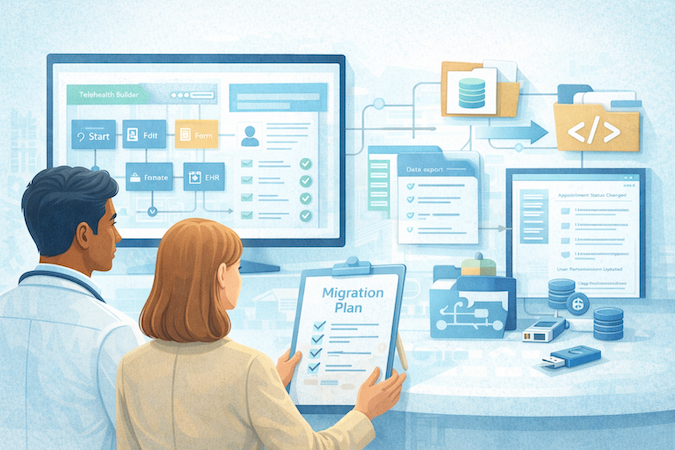
Migration Strategy
Treat your current build like a spec for future custom development:
- Document workflows as simple flowcharts (patient lane + staff lane) and keep them updated when you change the app.
- Standardize your data model early (statuses, required fields, naming) so you don’t invent three meanings of “completed.”
- Log your automations (triggers, conditions, outcomes) in one place—this becomes your migration checklist.
- Separate “policy” from “UI”: rules like cancellation windows, no-show handling, and intake cutoffs should be written down, not buried in builder screens.
Do this, and “custom later” becomes an upgrade path—not a restart.
How Specode Can Help With a Drag and Drop Telehealth Builder Project
Specode isn’t a classic drag-and-drop low-code telehealth platform. It’s AI-assisted assembly: you describe the workflow in plain English, and Specode wires pre-built components into a production-grade healthcare app you own (real code, not a walled garden).

A quick proof point: AlgoRX used Specode to launch a “Shopify-like” medication experience with eligibility screening, provider automation, integrated payments, messaging, and admin analytics—and reported 12× ROI and rapid revenue traction after launch.
Why teams pick Specode (when it fits):
- Start from working healthcare foundations (patient/provider/admin flows) instead of blank-canvas busywork
- Move fast with the AI builder, then drop into code for the last 20%
- HIPAA-friendly defaults + auditability baked into the component approach
- Code ownership so you can keep iterating without platform lock-in
If you want to feel the difference: get started with Specode and try building your telehealth V1 with the AI coder on our no-code/low-code telehealth platform—see how much more momentum you get in week one.
Frequently asked questions
A builder designs end-to-end clinic workflows; video tools handle calls but not scheduling, intake, or follow-up.
No; start with standalone workflows, then integrate later when you can define read/write needs clearly.
Read-only context, write-back of key records, or event updates when EHR data changes.
BAA, PHI boundaries, role-based access, audit logs, encryption, backups, retention rules, and incident response.
When workflows require complex billing logic, deep EHR mirroring, regulated device controls, or heavy custom reporting.
Choose clear exports, documented schemas, and audit trails; keep workflows and automations documented as living specs.
Add-ons, per-provider pricing growth, usage fees like SMS/recordings, and paid services for deeper integrations.
One visit type: intake, scheduling, visit room, and follow-up messages with no-show and reschedule handling.
Test by role: patient, provider, admin; then edge cases like double-booking, late intake, and no-shows. When going live, pilot with a small cohort, measure drop-offs and no-shows, then expand and formalize change approvals.